

Peek-a-View
Peek-a-View is made and published by Limitliss LLC. AppBrain is an independent app data site and isn't affiliated with Limitliss LLC. The app name, icon, screenshots and description belong to Limitliss LLC and are shown as published on the App Store.
AppBrain's verdict
EstablishedLoved by users- Rating on App Store
- 4.64
- 298 ratings
- Last updated
- May 6, 2025
Users love it: 4.6 stars from 298 ratings.
Rankings
App Store top chartsApp Store Rankings for Peek-a-View
Competitors
Similar apps and more from Limitliss LLCAlternatives to Peek-a-View






More from Limitliss LLC


Releases
Updates seen on the App Store- Version
- 2025.2
- Launched
- February 2020
No changelog data
User feedback
Ratings and reviews on the App StoreComments on Peek-a-View for iOS
We don't have enough comments to show example comments. Please check back later.
Technology
Found in the app by AppBrain- Price
- Free
- App size
- 4.31 MB
- Content rating
- Everyone
Technologies used by Peek-a-View
About the app and developer
About Peek-a-View
Peek-a-View is a photo & video app developed by Limitliss LLC.
User Ratings
Peek-a-View is rated 4.64 out of 5 stars. The rating is based on 300 ratings.
App Information
Peek-a-View is freely available from the App Store. The app size is 4.31 MB. The latest version available is 2025.2. The last update was on May 6, 2025.
Technical Requirements
The app has a content rating of Everyone. The app has been available on the App Store since February 2020.
Developer information for Limitliss LLC
Address:
Frequently asked questions about Peek-a-View
Is Peek-a-View free?
Yes. Peek-a-View is free on the App Store.
Is Peek-a-View still available?
Yes. Peek-a-View is on the App Store, and the last update we saw was on May 6, 2025.
How large is Peek-a-View?
Peek-a-View is 4.31 MB.
Is Peek-a-View suitable for children?
App Store rates the content of Peek-a-View as suitable for everyone.
How do people rate Peek-a-View?
Peek-a-View scores 4.64 out of 5 stars, from 298 ratings on the App Store.
Who made Peek-a-View?
Peek-a-View was developed by Limitliss LLC. It is listed in the photo & video category on the App Store.
What are the best alternatives to Peek-a-View?
People looking at Peek-a-View also look at these photo & video apps: Sunlit, Sticker Drop Maker Studio, BitCam, Obscura — Pro Camera, Radiance+.
Store listing
By Limitliss LLC, from the App Store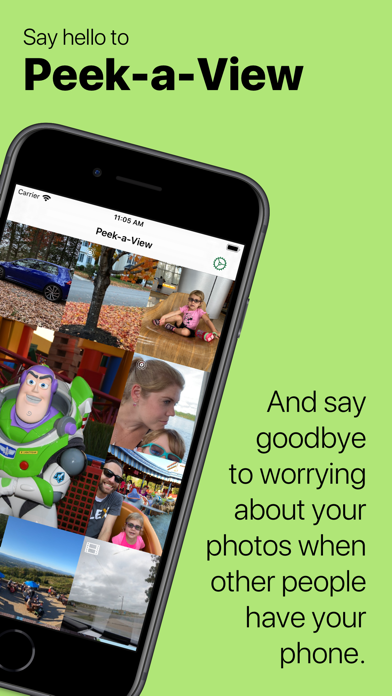

Description by Limitliss LLC Written by the developer, not by AppBrain. Click to read.
Peek-a-View is a read-only photo gallery. Using Peek-a-View, you can always feel safe sharing your photos with anyone, because there is literally no way to have Peek-a-View delete your photos. In fact, Peek-a-View does not write ANY data back to your photo library.
When paired with the Guided Access feature on iOS and iPadOS, you can lock your device into Peek-a-View, ensuring that the only thing that device can do is look at photos, until you decide otherwise.
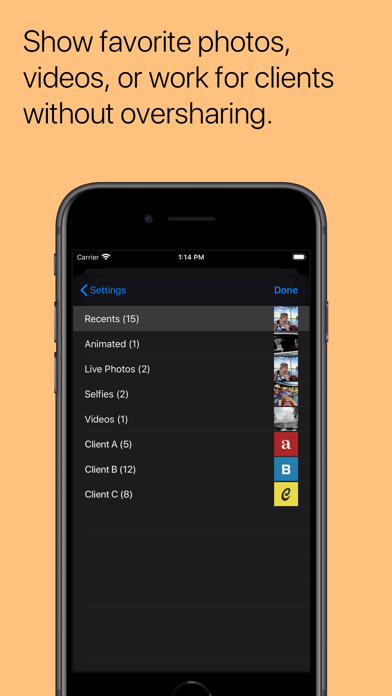
By default, Peek-a-View will show your most recent photos in your photo gallery, but it can be configured to only show a specific album. Furthermore, access to Peek-a-View's settings is automatically restricted when Guided Access is started.
Peek-a-View will show you your 20 most recent photos for free; a one-time in-app purchase will remove that limitation.
Peek-a-View fully supports Dark Mode, Dynamic Type, Live Photos, videos, and animated GIFs. With purchase, it also supports several alternative icons.
Born from a trip to an amusement park with a very independent toddler, Peek-a-View was written so that my wife and I can give our phones to our precocious two-year-old and know that she won't accidentally delete any of our precious memories.
Without Peek-a-View, we'd have to hope that she didn't figure out how to delete anything, or spend time fiddling with the Guided Access settings to block out the delete features on the Photos app.
With Peek-a-View, we can simply open the app, start Guided Access, and hand her the phone. No deletion, no modifications, no worries.
Privacy Policy: https://www.caseyliss.com/peek-a-view-privacy