Download Android Apps and Games
AppBrain
  • Apps
  • Apps being viewed right now Trending apps today Most popular apps All-time most downloaded apps Top rated apps
  • Intelligence ▾
    Intelligence overview → Track any Android app or your whole market
    Track & analyze
    Keyword Tracker & OptimizerTrack & improve Play rankings App Performance ReportOne-off PDF for any app StatisticsFree Android & Play market stats
    Promote your app
    Featured Apps App Links
  • Intelligence
  • Pricing
  • Dashboard
  • Sign up
  • Log in
Last updated on: 2026-05-28
App Store Apps > Utilities > PeekScan - Quick PDF Scanner
PeekScan - Quick PDF Scanner icon

PeekScan - Quick PDF Scanner

1.11
TechSpire Labs Inc
0.00
0 reviews
Free

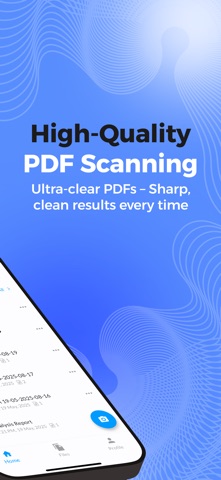
PeekScan - Quick PDF Scanner Screenshot 1 of 4
PeekScan - Quick PDF Scanner Screenshot 2 of 4
PeekScan - Quick PDF Scanner Screenshot 3 of 4
PeekScan - Quick PDF Scanner Screenshot 4 of 4
Download from the App Store Android version

More from TechSpire Labs Inc

AskToBuy icon AskToBuy
TechSpire Labs Inc
0.0
Free
Johora Car Wash icon Johora Car Wash
TechSpire Labs Inc
0.0
Free

About PeekScan - Quick PDF Scanner

PeekScan - Quick PDF Scanner is an overall app developed by TechSpire Labs Inc.

Download Statistics

User Ratings

The app has no ratings yet.

App Information

PeekScan - Quick PDF Scanner is FREE to download. The APK download size is 114.30 MB. The latest version available is 1.11. The last update was on July 7, 2025.

Technical Requirements

The app has a content rating of Everyone. The app has been available on Google Play March 2025.

Description
PeekScan Quick PDF Scanner is for All, Document Scanning, Image Processing, Document Management. Designed with simplicity and efficiency in mind.

Our scanning app offers a complete solution for seamless document management. Features include high-quality scanning, OCR for editable text, automatic file organization, cloud integration, and secure sharing. Designed for businesses and individuals, it's your all-in-one tool for efficient productivity.

Document Scanning
Effortlessly scan documents with high precision and clarity, converting them into digital formats for easy access and sharing.

Image Processing
Enhance, crop, and edit images for better quality, ensuring your scanned documents are clear and professional.

Document Management
Organize, categorize, and manage your documents efficiently, ensuring everything is easy to find and securely stored.

Cloud Storage Integration
Seamlessly integrate with cloud storage google drive platforms to upload, save, and access documents from anywhere.

User Authentication
Ensure secure access to your app with advanced user authentication methods, gmail login keeping your documents safe.

Sharing Options
Share documents easily through email, messaging apps, or direct links with customizable sharing permissions.

In-App Purchases
Unlock premium features and tools through seamless in-app purchases to enhance your document management experience.

Settings and Preferences
Customize the app to your needs with adjustable settings and preferences for a personalized experience.

Frequently Asked Questions:

What is PeekScan?
PeekScan is a powerful document scanning and management app that helps you scan, process, and organize documents seamlessly, with features like OCR, cloud storage integration, and secure sharing.

Is PeekScan available to use?
Yes, PeekScan is available to download and use. You can store your documents on your own device or choose from our affordable paid storage plans for additional space and features.

What file formats does PeekScan support?
PeekScan supports multiple file formats, including PDF, JPEG, PNG, and editable text files through OCR.

How does OCR work in PeekScan?
Our OCR (Optical Character Recognition) feature extracts text from scanned images or documents, allowing you to edit, search, and copy the text effortlessly.

Is PeekScan compatible with cloud storage platforms?
Yes, PeekScan integrates with popular cloud storage services like Google Drive, Dropbox, and OneDrive for easy saving and sharing.

Is my data secure on PeekScan?
Absolutely! PeekScan uses advanced encryption and secure authentication to ensure your data is safe and accessible only by you.

Are there any premium features in PeekScan?
Yes, PeekScan offers premium features like advanced OCR, unlimited cloud storage integration, and bulk scanning, available through affordable in-app purchases.

Can I use PeekScan on multiple devices?
Yes, PeekScan supports multiple devices with synchronization, so you can access your documents anywhere.

How do I subscribe to updates or new features?
You can subscribe to our mailing list directly in the app or on our website to stay informed about the latest updates and exclusive offers.

Can I use my own storage instead of PeekScan's storage?
Yes, you have the option to store your documents on your own device or link them to cloud storage like associated google drive storage services. Our storage plans offer additional convenience for users who need more secure and scalable options.

Still have questions? Contact us.
Show more Show less

More data about PeekScan - Quick PDF Scanner

Price Free to download
Rating No ratings
Ranking Not ranked
Version 1.11
App download size 114.3 MB
Suitable for Everyone

Changelog of PeekScan - Quick PDF Scanner

No changelog data

Show more Show less

Developer information for TechSpire Labs Inc

TechSpire Labs Inc

N/A

Share PeekScan - Quick PDF Scanner

Comments on PeekScan - Quick PDF Scanner for iOS

We don't have enough comments to show example comments. Please check back later.

App Store Rankings for PeekScan - Quick PDF Scanner

This app is not ranked

Technologies used by PeekScan - Quick PDF Scanner

Apps on sale Apps other people are watching Today's trending apps Top new apps Popular Overall
More hot apps 🔥

Back to top
AppBrain Intelligence premium content

Subscribe now to get full and unlimited access to AppBrain Intelligence. You'll have access to:

  • App Intelligence dashboard (performance timeline, competitor comparison, country rankings, insight cards)
  • Detailed ranking data per app
  • Full timeline per developer
  • Device market shares data per country
1 Month

$75/mo
(billed every month)

SAVE 0%
Subscribe
3 Months

$65/mo
($195 billed every 3 months)

SAVE 13%
Subscribe
1 Year

$57.50/mo
($690 billed every year)

SAVE 23%
Subscribe
Each subscription will automatically renew 3 days before the expiration date for the same time period. Subscriptions can be cancelled at any time before the renewal.

AppBrain is a directory focused on discovering great apps and games. We give statistics, rankings and search options that Google Play and the App Store don't have. All trademarks are owned by their respective owners. AppBrain doesn't offer APKs or binaries, and always lets users install the official version from Google Play or the App Store.

More apps

  • Top Android apps being viewed
  • Free Music - Offline Music Player & Bass Booster
  • Anime Online en HD - TioAnime
  • Vionex: AI Create, Swap & Chat

Android Statistics

  • Android statistics
  • Google Play Developer stats
  • Trending Android Apps
  • Top popular Apps
  • Buy the best Android phone

About AppBrain

  • Contact
  • Privacy
  • Documentation
  • DMCA takedowns
  • Articles
  • Blog
  • Free webpage for your Android app
© 2010-2026 - AppBrain