

Per Money Saver
Per Money Saver is made and published by Dropped Bits. AppBrain is an independent app data site and isn't affiliated with Dropped Bits. The app name, icon, screenshots and description belong to Dropped Bits and are shown as published on the App Store.
AppBrain's verdict
Established- Rating on App Store
- 4.50
- 4 ratings
- Last updated
- September 18, 2024
It doesn't have enough ratings yet to judge what users think.
Rankings
App Store top chartsApp Store Rankings for Per Money Saver
Competitors
Similar apps and more from Dropped BitsAlternatives to Per Money Saver








More from Dropped Bits

Releases
Updates seen on the App Store- Version
- 1.4.0
- Launched
- February 2015
No changelog data
User feedback
Ratings and reviews on the App StoreComments on Per Money Saver for iOS
We don't have enough comments to show example comments. Please check back later.
Technology
Found in the app by AppBrain- Price
- Free
- App size
- 2.53 MB
- Content rating
- Everyone
Technologies used by Per Money Saver
About the app and developer
About Per Money Saver
Per Money Saver is a finance app developed by Dropped Bits.
User Ratings
Per Money Saver is rated 4.50 out of 5 stars. The rating is based on 4 ratings.
App Information
Per Money Saver is freely available from the App Store. The app size is 2.53 MB. The latest version available is 1.4.0. The last update was on September 18, 2024.
Technical Requirements
The app has a content rating of Everyone. The app has been available on the App Store since February 2015.
Developer information for Dropped Bits
Address:
Store listing
By Dropped Bits, from the App Store


Description by Dropped Bits Written by the developer, not by AppBrain. Click to read.
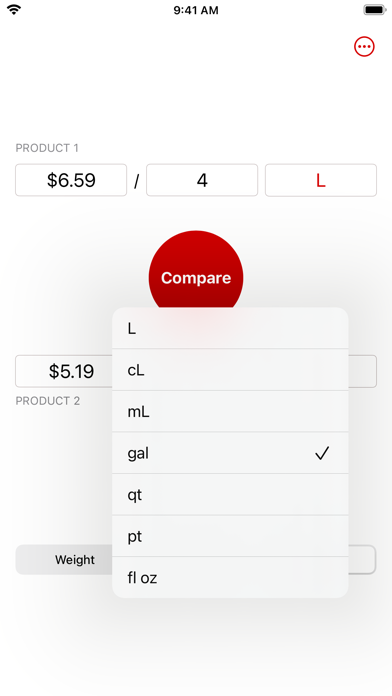
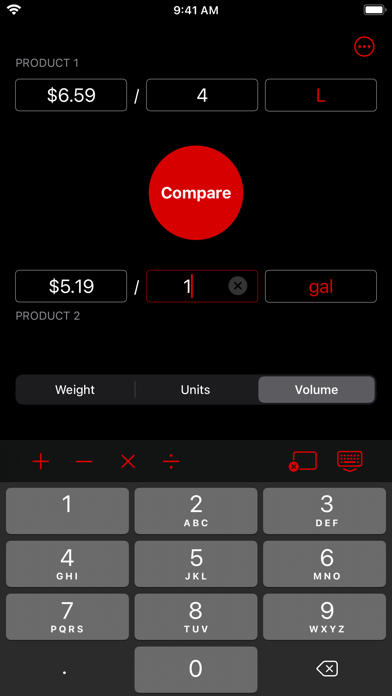
It's the easiest, fastest way to compare price per unit. Just enter the price and quantity for each option, then tap the Compare button to find out which one costs less per unit.
But Per also has a few handy tricks up its sleeve, too:
- Never open the calculator app again. Per lets you enter simple math right in the price and quantity fields and calculates the result for you.
- Convert between units. Selecting the type of units you're working with (weight or volume), and then choose the units individually for each option—say, kilograms for one and pounds for the other. Per will figure out the conversion for you when you tap the Compare button.