

PETAKO - Cute calendar app
PETAKO - Cute calendar app is made and published by Yuko Takizawa. AppBrain is an independent app data site and isn't affiliated with Yuko Takizawa. The app name, icon, screenshots and description belong to Yuko Takizawa and are shown as published on the App Store.
AppBrain's verdict
- Rating on App Store
- 4.43
- 7 ratings
- Last updated
- August 4, 2026
It doesn't have enough ratings yet to judge what users think.
Rankings
App Store top chartsApp Store Rankings for PETAKO - Cute calendar app
Competitors
Similar apps and more from Yuko TakizawaAlternatives to PETAKO - Cute calendar app




More from Yuko Takizawa

Releases
Updates seen on the App Store- Version
- 1.0.19
- Launched
- July 2022
No changelog data
User feedback
Ratings and reviews on the App StoreComments on PETAKO - Cute calendar app for iOS
We don't have enough comments to show example comments. Please check back later.
Technology
Found in the app by AppBrain- Price
- Free
- App size
- 147.2 MB
- Content rating
- Everyone
Technologies used by PETAKO - Cute calendar app
About the app and developer
About PETAKO - Cute calendar app
PETAKO - Cute calendar app is a lifestyle app developed by Yuko Takizawa.
What is the rating of PETAKO - Cute calendar app?
PETAKO - Cute calendar app is rated 4.43 out of 5 stars, based on 7 ratings.
Is PETAKO - Cute calendar app free?
PETAKO - Cute calendar app is free. The app size is 147.20 MB. The latest version available is 1.0.19. The last update was on August 4, 2026.
What are the requirements for PETAKO - Cute calendar app?
The app has a content rating of Everyone. The app has been available on the App Store since July 2022.
Developer information for Yuko Takizawa
Address:
Store listing
By Yuko Takizawa, from the App Store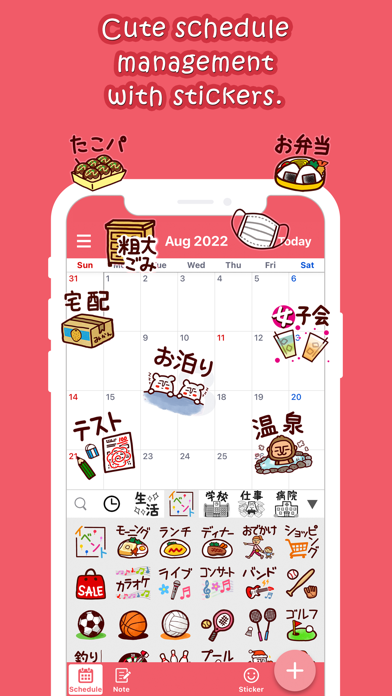
Description by Yuko Takizawa Written by the developer, not by AppBrain. Click to read.
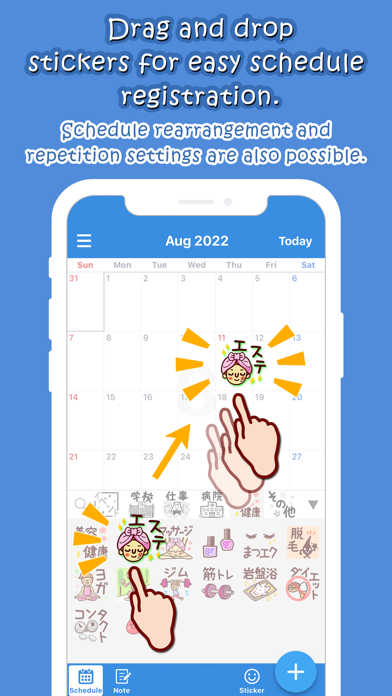
Simply drag and drop stickers onto the calendar to easily register your schedule.
Stickers make it easy to check and understand your schedule at a glance!
Recommended for those who don't use calendars anymore due to the hassle of registering appointments and for those who have trouble keeping track of their schedules.
Fill your calendar with stickers and decorate it in a cute way!
- Easy schedule registration
You can easily register your schedule by simply placing a sticker on the calendar.
You can also copy and repeat frequently used events.
You can also register just the title of the event without using stickers.
- Sticker function
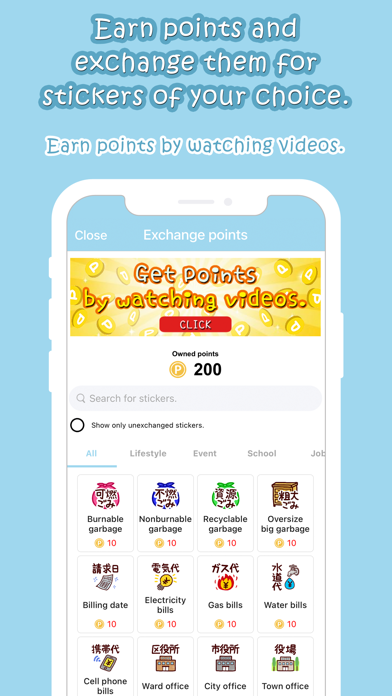
More than 900 stickers are available.
You can customize the sticker list by putting the stickers you use most often at the top and hiding the ones you don't use.
You can also use the search function to easily find stickers.
- Notification function
You can set advance notifications for events.
You can avoid forgetting important schedules by receiving notifications in advance.
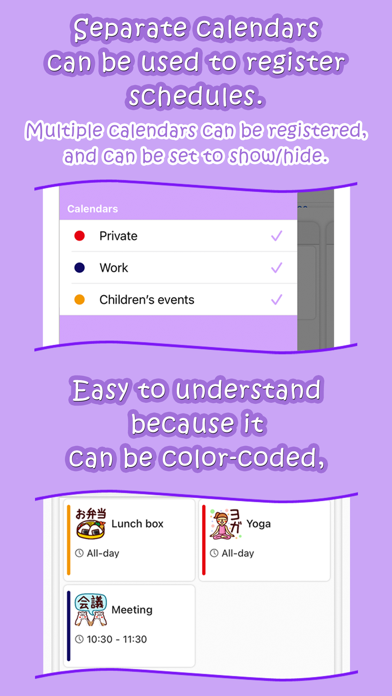
- Manage with multiple calendars
Create multiple calendars to manage your schedule separately for work, family, private, etc.
- Notebook function
You can record events of the day as a diary or memo.
-Widget
If you place it on your home screen, you can quickly check today's schedule with stickers.
- Change theme
You can choose your favorite theme from 13 different theme colors.
- Privacy measures with passcode setting
By setting the passcode lock to ON, you will be asked for a passcode when opening the application.
You can reduce the risk of someone viewing the application without your permission by entering a four-digit number that you have registered in advance.