

Phoenix Connect Mobile App
Phoenix Connect Mobile App is made and published by D.R. SYSTEMS INC. AppBrain is an independent app data site and isn't affiliated with D.R. SYSTEMS INC. The app name, icon, screenshots and description belong to D.R. SYSTEMS INC. and are shown as published on the App Store.
AppBrain's verdict
- Last updated
- April 6, 2026
Rankings
App Store top chartsApp Store Rankings for Phoenix Connect Mobile App
Competitors
Similar apps and more from D.R. SYSTEMS INC.Alternatives to Phoenix Connect Mobile App


Releases
Updates seen on the App Store- Version
- 2.0
- Launched
- May 2025
No changelog data
User feedback
Ratings and reviews on the App StoreComments on Phoenix Connect Mobile App for iOS
We don't have enough comments to show example comments. Please check back later.
Technology
Found in the app by AppBrain- Price
- Free
- App size
- 7.43 MB
- Content rating
- Everyone
Technologies used by Phoenix Connect Mobile App
About the app and developer
About Phoenix Connect Mobile App
Phoenix Connect Mobile App is a productivity app developed by D.R. SYSTEMS INC.
User Ratings
The app has no ratings yet.
App Information
Phoenix Connect Mobile App is freely available from the App Store. The app size is 7.43 MB. The latest version available is 2.0. The last update was on April 6, 2026.
Technical Requirements
The app has a content rating of Everyone. The app has been available on the App Store since May 2025.
Developer information for D.R. SYSTEMS INC.
Address:
Store listing
By D.R. SYSTEMS INC., from the App Store




Description by D.R. SYSTEMS INC. Written by the developer, not by AppBrain. Click to read.
Features and functions:
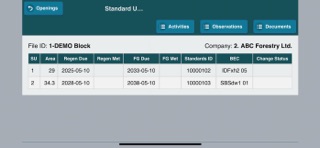
- View Openings and Standard Units
- See the opening history (all previous activities)
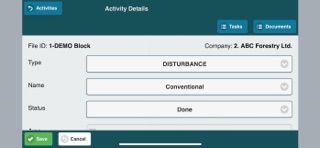
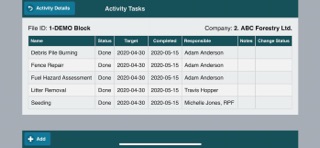
- Manage opening activities
- Make Observations on openings and roads directly into the Phoenix Connect Mobile in the field then easily add photos to support what you see
- Attach documents (e.g. plans, prescriptions, etc.)
- Take photos in the app with GPS coordinates so you know exactly where the photo was taken
- Use it for road inspections and road management
- View current road conditions
- Risk rate your roads on the spot
- View road features (bridges, culverts, etc.)
- Add maintenance problems as soon as they are found (e.g. plugged culvert)
- Create a planned maintenance activity to deal with the identified problem to immediately reduce liability.
The app has a simple layout that work for tablet or phone and it is easy to get started.