Phone Mirroring: Mirror to Mac is made and published by
洪 邓.
AppBrain is an independent app data site and isn't affiliated with 洪 邓.
The app name, icon, screenshots and description belong to 洪 邓 and are shown as
published on the App Store.
About Phone Mirroring: Mirror to Mac
Phone Mirroring: Mirror to Mac is an entertainment app developed by 洪 邓.
User Ratings
The app has no ratings yet.
App Information
Phone Mirroring: Mirror to Mac is freely available from the App Store. The app size is 5.62 MB. The latest version available is 2.2.0. The last update was on November 26, 2025.
Technical Requirements
The app has a content rating of Everyone. The app has been available on the App Store since September 2025.
Description by 洪 邓(from the App Store)
Mirror Your iPhone & iPad to Mac Simultaneously - Record and Edit
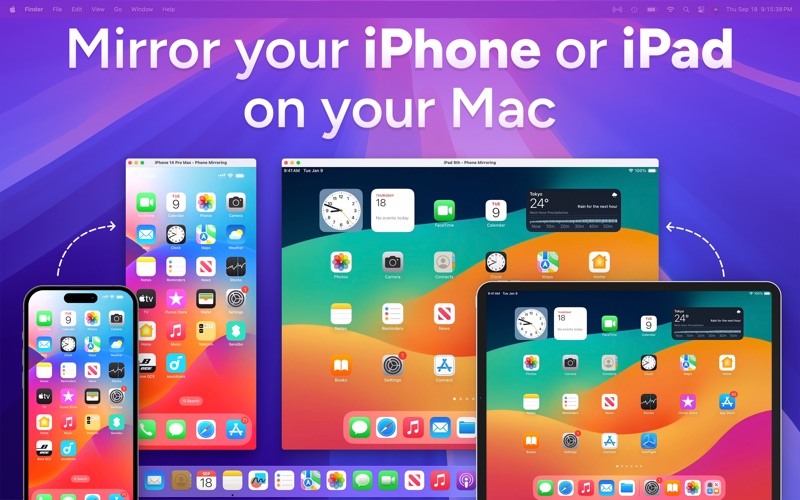
Mirror, record, and elevate your mobile content on a bigger screen. Instantly display your iPhone or iPad screen on your Mac with smooth HD quality and minimal lag. Perfect for live demos, online classes, business meetings, or capturing gameplay and app tutorials, this tool turns your Mac into a stage for your mobile device. A simple USB connection is all it takes – no Wi-Fi, no messy setup, and no companion apps required.
KEY FEATURES
# Real‑Time Mirroring - Show your iPhone/iPad screen on your Mac with smooth, HD playback and no noticeable latency. The app mirrors your device via USB for a stable connection, automatically handling portrait or landscape orientation and even offering a full-screen mode.
# Plug & Play Easily - No hassle setup – simply connect your iPhone or iPad to your Mac with a Lightning or USB-C cable and start mirroring instantly. No extra app on the device is needed, and the connection is secure and immediate. Just plug in and you're ready to go.
# Record Video with Audio - Capture everything happening on your device’s screen as a video file (with sound) at the click of a button. Whether you’re recording an app tutorial, a game session, or a presentation, you'll get a video file saved to your Mac for easy sharing and editing.
# Record Audio Only - Need just the audio? Record your device’s sound (such as an audio stream or voice memo) without the screen, and save it as a high-quality M4A audio file. This is perfect for saving audio, voicemails, or any audio playback from your iPhone/iPad directly to your Mac.
# One-Click Screenshots - Take high-resolution screenshots of your device’s display with a single click. The app lets you grab still images of the current screen – ideal for documentation, design work, or sharing a moment from a video or game.
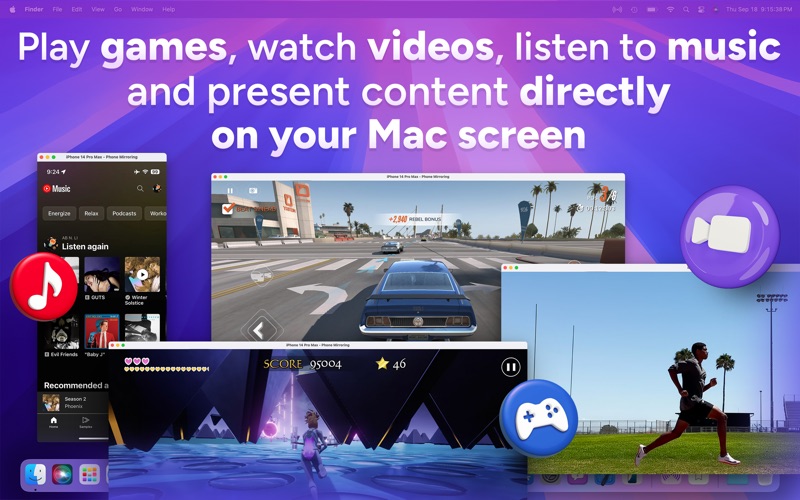
# Picture‑in‑Picture Mode - Keep your device’s screen on top of everything else in a floating mini-window. This PiP window stays visible above other apps, so you can multitask or keep an eye on your phone’s screen while working on your Mac. (Great for monitoring chats, recordings, or live streams.)
# Music Mode - Focus on just the audio. In Music Mode, the app streams your iPhone/iPad’s sound to the Mac (turning your Mac into an extended speaker) while disabling video mirroring for optimal performance. Ideal for listening to music or podcasts from your phone through your Mac’s sound system. (Note: Video recording and screenshots are unavailable in this mode.)
# Adjustable Transparency - Make the mirror window semi-transparent to seamlessly overlay your phone screen onto slides, videos, or other content. This unique feature lets you layer your mirrored screen over a presentation or demo, creating a blended view without completely blocking what’s behind.
# Live Color Adjustments - Fine‑tune your mirrored screen in real time. Adjust brightness, contrast, saturation, and gamma on-the-fly to improve visibility on projectors or in bright rooms.
# “Always on Top” Option - Lock the mirrored window to remain above all other windows. Whether you’re presenting or multitasking, your mirrored iPhone/iPad never gets buried behind other apps. Combine this with transparency or PiP for a custom viewing experience that suits your workflow.
# Built‑in Video Editor - After recording your screen, polish your video without leaving the app. Trim out unwanted segments, crop to focus on key details, or change the resolution (e.g. 1080p or 720p) for sharing. You can even convert the format (MP4/MOV/M4V) and export your edited clip. No need for a separate editing program – your mirrored recordings are presentation-ready right away.
Each subscription will automatically renew 3 days before the expiration date for
the same time period. Subscriptions can be cancelled at any time before the renewal.