

Photo Arrangement LITE
Photo Arrangement LITE is made and published by sa0001.industry. AppBrain is an independent app data site and isn't affiliated with sa0001.industry. The app name, icon, screenshots and description belong to sa0001.industry and are shown as published on the App Store.
AppBrain's verdict
Established- Rating on App Store
- 5.00
- 2 ratings
- Last updated
- May 10, 2022
It doesn't have enough ratings yet to judge what users think.
Rankings
App Store top chartsApp Store Rankings for Photo Arrangement LITE
Competitors
Similar apps and more from sa0001.industryAlternatives to Photo Arrangement LITE







More from sa0001.industry





Releases
Updates seen on the App Store- Version
- 6.4
- Launched
- December 2010
No changelog data
User feedback
Ratings and reviews on the App StoreComments on Photo Arrangement LITE for iOS
We don't have enough comments to show example comments. Please check back later.
Technology
Found in the app by AppBrain- Price
- Free
- App size
- 51.3 MB
- Content rating
- Everyone
Technologies used by Photo Arrangement LITE
About the app and developer
About Photo Arrangement LITE
Photo Arrangement LITE is a photo & video app developed by sa0001.industry.
User Ratings
Photo Arrangement LITE is rated 5.00 out of 5 stars. The rating is based on 2 ratings.
App Information
Photo Arrangement LITE is freely available from the App Store. The app size is 51.25 MB. The latest version available is 6.4. The last update was on May 10, 2022.
Technical Requirements
The app has a content rating of Everyone. The app has been available on the App Store since December 2010.
Developer information for sa0001.industry
Address:
Store listing
By sa0001.industry, from the App Store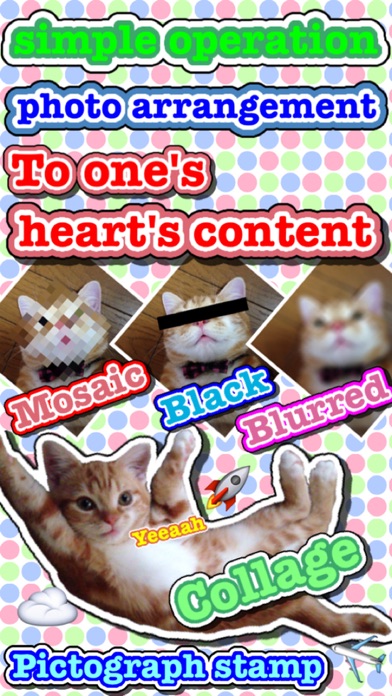

Description by sa0001.industry Written by the developer, not by AppBrain. Click to read.
◆How to use
The operation function explanation of each screen. ※explain an icon under the screen sequentially from the left
[An image choice screen]
Camera - By camera photography, decide the image of the editing object.
Album - Choose the image of the editing object than a camera roll.
Turn - Turn with an image.
Resolution change - Set the resolution after the change.
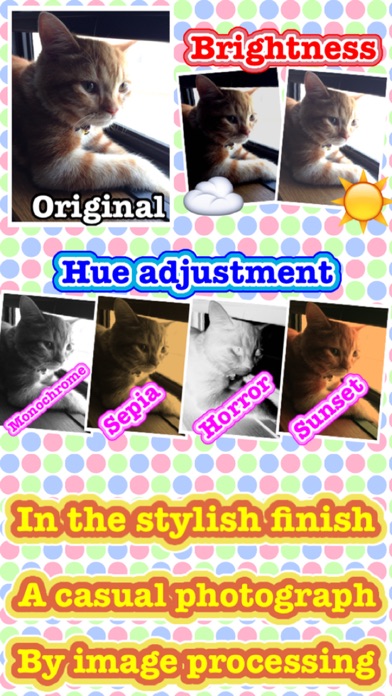
Hues change - Set the hues after the change.
Save function
・Save - Store a current image in a camera roll.
・File format change - Set the file format after the change.
Editing - Edit a chosen image.
[An editing screen]
Back - Return to an image choice screen.
Undo - Return the editing of the image.
Redo - Next the editing of the image.
Palette - Display the editing palette.
Text - Display the editing text.
Stamp & balloon - Display the editing stamp & balloon.
Collage - Select collage image from album.
Mosaic - Display the editing mosaic.
Save function
・Save - Store a current image in a camera roll.
・Resolution change - Set the resolution after the change.
・File format change - Set the file format after the change.
・Clear - Delete all the editing of the image.
[Operation of the editing]
Zoom: Pinch in / Pinch out
Scroll: Two finger drugs
◆ An inquiry
If there are an opinion, a question, please contact it to [support@sa0001.mbsrv.net]