

Photo Cleanup, Delete: Reclean
Photo Cleanup, Delete: Reclean is made and published by Labi, LLC. AppBrain is an independent app data site and isn't affiliated with Labi, LLC. The app name, icon, screenshots and description belong to Labi, LLC and are shown as published on the App Store.
AppBrain's verdict
Loved by users- Rating on App Store
- 4.90
- 579 ratings
- Last updated
- August 24, 2026
Users love it: 4.9 stars from 579 ratings.
Rankings
App Store top chartsApp Store Rankings for Photo Cleanup, Delete: Reclean
Competitors
Similar apps and more from Labi, LLCMore from Labi, LLC



Releases
Updates seen on the App Store- Version
- 1.0.28
- Launched
- June 2025
No changelog data
User feedback
Ratings and reviews on the App StoreComments on Photo Cleanup, Delete: Reclean for iOS
We don't have enough comments to show example comments. Please check back later.
Technology
Found in the app by AppBrain- Price
- Free
- App size
- 15.5 MB
- Content rating
- Everyone
Technologies used by Photo Cleanup, Delete: Reclean
About the app and developer
About Photo Cleanup, Delete: Reclean
Photo Cleanup, Delete: Reclean is an utilities app developed by Labi, LLC.
User Ratings
Photo Cleanup, Delete: Reclean is rated 4.90 out of 5 stars. The rating is based on 580 ratings.
App Information
Photo Cleanup, Delete: Reclean is freely available from the App Store. The app size is 15.51 MB. The latest version available is 1.0.28. The last update was on August 24, 2026.
Technical Requirements
The app has a content rating of Everyone. The app has been available on the App Store since June 2025.
Developer information for Labi, LLC
Address:
Store listing
By Labi, LLC, from the App Store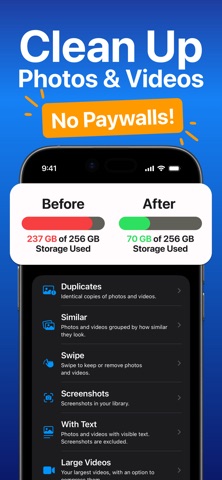


Description by Labi, LLC Written by the developer, not by AppBrain. Click to read.
■ FEATURES
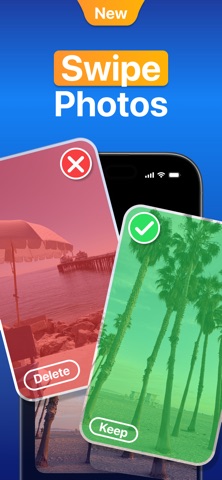
- Swipe through your camera roll: Swipe right to keep or left to mark photos and videos for removal, then review your removal list before deleting.
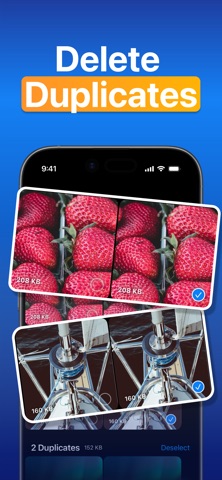
- Find duplicate photos and videos: Reclean groups identical copies and helps you review extra copies before deleting them.
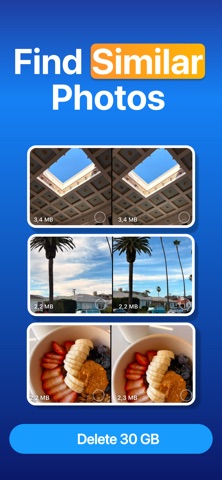
- Review similar photos and videos: See visually similar items together, adjust the similarity level, and sort by newest, oldest, largest, or smallest.
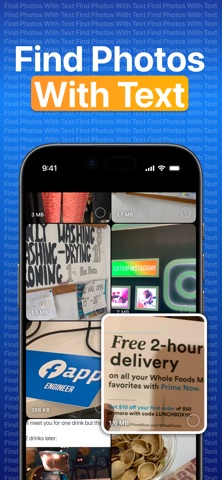
- Clean up screenshots and text-heavy media: Find screenshots, receipts, notes, documents, slides, and other photos or videos with visible text.
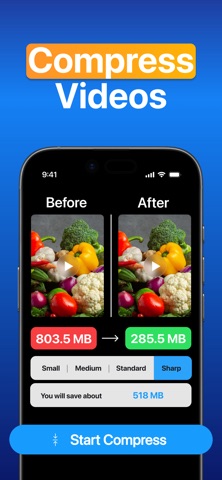
- Manage large videos: Sort videos by size, delete large files, or compress one selected video and save a smaller copy back to Photos.
- Check storage while you clean: See item counts, file sizes, and your iPhone's available storage as you organize photos.
■ HOW IT WORKS
1. Allow Reclean to access Photos.
2. Choose a cleanup mode: Duplicates, Similar, Swipe, Screenshots, With Text, Large Videos, or All Photos & Videos.
3. Select what you want to delete. Deleted items move to Photos > Recently Deleted, where you can recover them or empty the album to free storage.
■ PRIVACY
- Reclean does not upload or share your photos. Scanning and categorization happen on your iPhone, so your photos stay on device.
Reclean helps you clean up your Photos library, free up storage space, and review everything clearly before anything is deleted — for free.
Terms of Use:
- https://photocleaner.notion.site/terms-of-use