

Photo Enhancer AI
Photo Enhancer AI is made and published by Alexey Tataurov. AppBrain is an independent app data site and isn't affiliated with Alexey Tataurov. The app name, icon, screenshots and description belong to Alexey Tataurov and are shown as published on the App Store.
AppBrain's verdict
EstablishedWell rated- Rating on App Store
- 4.46
- 1,059 ratings
- Last updated
- February 28, 2022
Users rate it well: 4.5 stars from 1,059 ratings.
Rankings
App Store top chartsApp Store Rankings for Photo Enhancer AI
Competitors
Similar apps and more from Alexey TataurovAlternatives to Photo Enhancer AI



More from Alexey Tataurov





Releases
Updates seen on the App Store- Version
- 1.0.4
- Launched
- April 2021
No changelog data
User feedback
Ratings and reviews on the App StoreComments on Photo Enhancer AI for iOS
We don't have enough comments to show example comments. Please check back later.
Technology
Found in the app by AppBrain- Price
- Free
- App size
- 20.3 MB
- Content rating
- Everyone
Technologies used by Photo Enhancer AI
About the app and developer
About Photo Enhancer AI
Photo Enhancer AI is a photo & video app developed by Alexey Tataurov.
What is the rating of Photo Enhancer AI?
Photo Enhancer AI is rated 4.46 out of 5 stars, based on 1.1 thousand ratings.
Is Photo Enhancer AI free?
Photo Enhancer AI is free. The app size is 20.31 MB. The latest version available is 1.0.4. The last update was on February 28, 2022.
What are the requirements for Photo Enhancer AI?
The app has a content rating of Everyone. The app has been available on the App Store since April 2021.
Developer information for Alexey Tataurov
Address:
Store listing
By Alexey Tataurov, from the App Store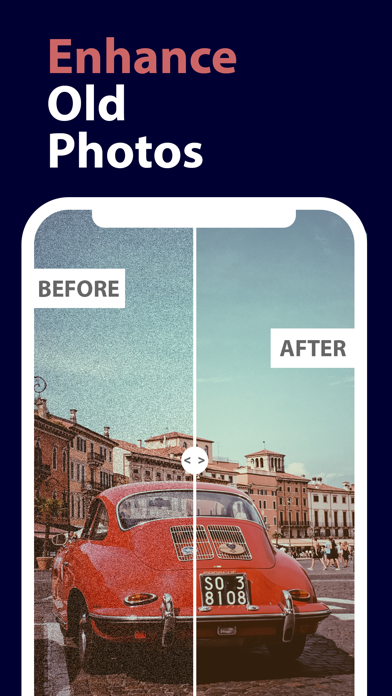

Description by Alexey Tataurov Written by the developer, not by AppBrain. Click to read.
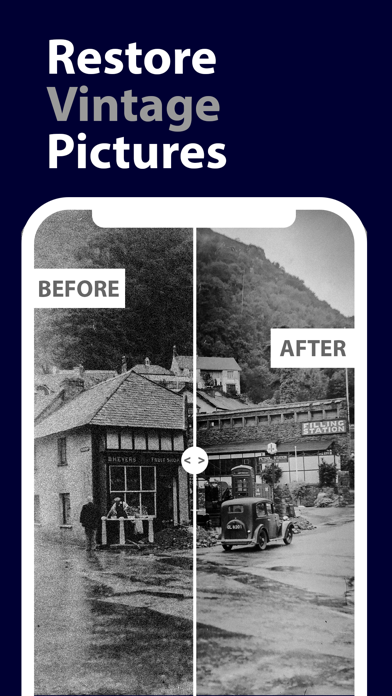
Many people have collection of old photos that look blurry nowadays. Have you wondered about restoring these old photos that keep your memories? If yes then we can offer you a way to fix it.
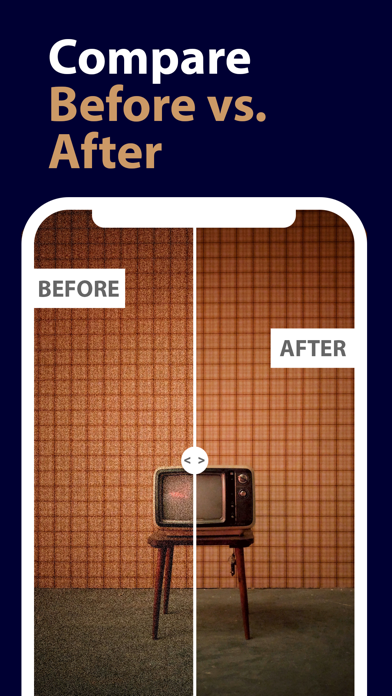
Photo Enhancer AI is a perfect tool for enhancing and restoring your old photos (and memories as well). It uses the the advanced AI image processing algorithm to improve the quality of old photos. No matter if the photo is blurry, damaged, or black & white.
>>> Follow these simple steps:
1. Import an old photo
2. Run the AI-powered enhancement algorithm in one tap
3. Save the result photo in your Photo Library or share it with your family
If you have any issues or ideas, please contact the author at support@alextataurov.com.