

AppBrain's verdict
- Last updated
- August 25, 2025
- Size
- 2.23 MB
User feedback
Ratings and reviews on the App StoreComments on Photo to PDF — Convert Tool for iOS
We don't have enough comments to show example comments. Please check back later.
Store listing
By Dmitrii Prokushev, from the App StoreDescription by Dmitrii Prokushev Written by the developer, not by AppBrain. Click to read.
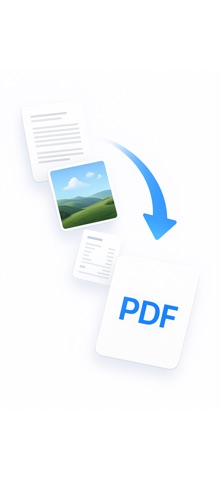
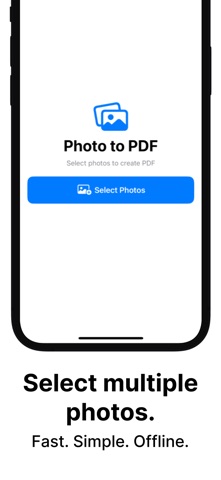
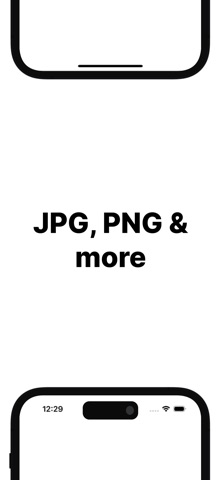
You can select images from your photo library, rearrange them, name the resulting file, and instantly export it using the built-in iOS share sheet. Whether you're saving receipts, digitizing handwritten notes, or compiling multiple pictures into one file, PhotoToPDF gives you a smooth and intuitive experience.
Key features:
- Select photos from your library
- Preview and reorder selected images before converting
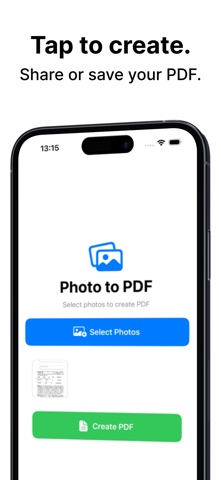
- Create a single PDF file from multiple images
- Name your PDF file before export
- Save, send, or share the result using the system share menu
PhotoToPDF functions as a photo to pdf converter, image to pdf tool, and offline pdf creator all in one. It's suitable for a wide range of users - students, professionals, freelancers, or anyone who regularly needs to turn images into documents. It supports popular formats such as JPG, PNG, and HEIC.
If you're searching for a quick way to convert photos to pdf, scan documents, or create printable files from your images, this app is made for you. It's a perfect alternative to complicated scanning apps or online converters. All actions happen locally on your device, so your content stays private and secure - no uploads, no servers, no risk.
Use cases:
- Convert handwritten notes, printed documents, or receipts into PDFs
- Merge multiple pictures into a single file
- Digitally archive papers or whiteboard photos
- Create and share quick visual reports
Search terms this app is optimized for include: photo to pdf, convert photo to pdf, image to pdf, jpg to pdf, png to pdf, photo pdf maker, document scanner, scan to pdf, pdf creator, merge images, offline pdf converter, create pdf from images
Why users love PhotoToPDF:
- Minimal interface with only essential options
- Fast conversion, even with large image sets
- Works entirely offline and respects user privacy
- No hidden costs or in-app distractions
Whether you're preparing paperwork, submitting assignments, or just want to organize your visual content in a readable format, PhotoToPDF helps you get it done - easily, quickly, and offline.
End User License Agreement (EULA):
https://www.apple.com/legal/internet-services/itunes/dev/stdeula/
Safety and technology
Found in the app by AppBrain- Price
- Free
- App size
- 2.23 MB
- Content rating
- Everyone
Technologies used by Photo to PDF — Convert Tool
Releases
Updates seen on the App Store- Version
- 1.2
- Launched
- July 2025
No changelog data
Alternatives
Similar apps and more from Dmitrii ProkushevAlternatives to Photo to PDF — Convert Tool


More from Dmitrii Prokushev





Rankings
App Store top chartsApp Store Rankings for Photo to PDF — Convert Tool
About the app and developer
About Photo to PDF — Convert Tool
Photo to PDF — Convert Tool is a productivity app developed by Dmitrii Prokushev.
User Ratings
The app has no ratings yet.
App Information
Photo to PDF — Convert Tool is freely available from the App Store. The app size is 2.23 MB. The latest version available is 1.2. The last update was on August 25, 2025.
Technical Requirements
The app has a content rating of Everyone. The app has been available on the App Store since July 2025.
Photo to PDF — Convert Tool is made and published by Dmitrii Prokushev. AppBrain is an independent app data site and isn't affiliated with Dmitrii Prokushev. The app name, icon, screenshots and description belong to Dmitrii Prokushev and are shown as published on the App Store.
Developer information for Dmitrii Prokushev
Address: