

Photo to pdf: ShotDocu
Photo to pdf: ShotDocu is made and published by Marcin Jedrzejak. AppBrain is an independent app data site and isn't affiliated with Marcin Jedrzejak. The app name, icon, screenshots and description belong to Marcin Jedrzejak and are shown as published on the App Store.
AppBrain's verdict
- Last updated
- November 7, 2025
Rankings
App Store top chartsApp Store Rankings for Photo to pdf: ShotDocu
Competitors
Similar apps and more from Marcin JedrzejakAlternatives to Photo to pdf: ShotDocu





More from Marcin Jedrzejak


Releases
Updates seen on the App Store- Version
- 1.2.1
- Launched
- August 2025
No changelog data
User feedback
Ratings and reviews on the App StoreComments on Photo to pdf: ShotDocu for iOS
We don't have enough comments to show example comments. Please check back later.
Technology
Found in the app by AppBrain- Price
- Free
- App size
- 27.3 MB
- Content rating
- Everyone
Technologies used by Photo to pdf: ShotDocu
About the app and developer
About Photo to pdf: ShotDocu
Photo to pdf: ShotDocu is an utilities app developed by Marcin Jedrzejak.
User Ratings
The app has no ratings yet.
App Information
Photo to pdf: ShotDocu is freely available from the App Store. The app size is 27.25 MB. The latest version available is 1.2.1. The last update was on November 7, 2025.
Technical Requirements
The app has a content rating of Everyone. The app has been available on the App Store since August 2025.
Developer information for Marcin Jedrzejak
Address:
Store listing
By Marcin Jedrzejak, from the App Store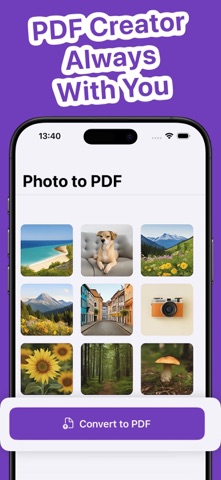


Description by Marcin Jedrzejak Written by the developer, not by AppBrain. Click to read.
Whether it’s receipts, homework, notes, or contracts, "Photo to pdf: ShotDocu" keeps your documents and pdf photos organized, compact, and easy to share anywhere.
Traveling without documents? Photo to pdf: ShotDocu saves time and storage, so you can get more done on the go.
What you can do:
- One-tap to PDF - Convert JPGs, pdf photos, and other images to high-quality PDFs instantly. No setup, no learning curve.
- Clean mobile scans - Capture documents, receipts, or notes and get crisp, professional-looking PDFs.
- Combine & organize fast - Merge multiple images, reorder pages, and create one tidy file ready to send.
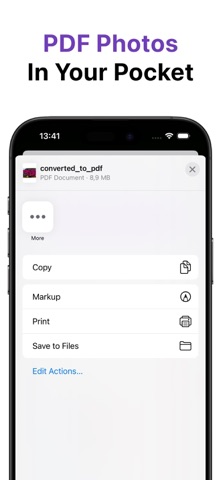
- Right-size every file - Choose quality level to balance clarity and file size — perfect for email and cloud uploads.
- Always with you - iCloud sync keeps documents updated across your Apple devices.
- Share in a tap - Send via email, iMessage, AirDrop, or save to your favorite cloud.
Why go Pro?
Unlock more convenience with Photo to pdf: ShotDocu Pro:
- Unlimited document creations
- Advanced optimization levels
- iCloud synchronization
- An ad-free experience with no interruptions
Download "Photo to pdf: ShotDocu" today and simplify your document workflow.
ShotDocu Privacy Policy - https://maartinj.notion.site/ShotDocu-Privacy-Policy-24587c79476f8073bb13e876ca14df01
Terms of Use - https://www.apple.com/legal/internet-services/itunes/dev/stdeula