

PhotoRings: Watch Face
PhotoRings: Watch Face is made and published by Yingchi Wang. AppBrain is an independent app data site and isn't affiliated with Yingchi Wang. The app name, icon, screenshots and description belong to Yingchi Wang and are shown as published on the App Store.
AppBrain's verdict
- Rating on App Store
- 3.00
- 2 ratings
- Last updated
- August 15, 2024
It doesn't have enough ratings yet to judge what users think.
Rankings
App Store top chartsApp Store Rankings for PhotoRings: Watch Face
Competitors
Similar apps and more from Yingchi WangAlternatives to PhotoRings: Watch Face





More from Yingchi Wang


Releases
Updates seen on the App Store- Version
- 2.4
- Launched
- March 2024
No changelog data
User feedback
Ratings and reviews on the App StoreComments on PhotoRings: Watch Face for iOS
We don't have enough comments to show example comments. Please check back later.
Technology
Found in the app by AppBrain- Price
- Free
- App size
- 11.6 MB
- Content rating
- Everyone
Technologies used by PhotoRings: Watch Face
About the app and developer
About PhotoRings: Watch Face
PhotoRings: Watch Face is an utilities app developed by Yingchi Wang.
User Ratings
PhotoRings: Watch Face is rated 3.00 out of 5 stars. The rating is based on 2 ratings.
App Information
PhotoRings: Watch Face is freely available from the App Store. The app size is 11.64 MB. The latest version available is 2.4. The last update was on August 15, 2024.
Technical Requirements
The app has a content rating of Everyone. The app has been available on the App Store since March 2024.
Developer information for Yingchi Wang
Address:
Frequently asked questions about PhotoRings: Watch Face
Is PhotoRings: Watch Face free?
Yes. PhotoRings: Watch Face is free on the App Store.
Is PhotoRings: Watch Face still available?
Yes. PhotoRings: Watch Face is on the App Store, and the last update we saw was on August 15, 2024.
How large is PhotoRings: Watch Face?
PhotoRings: Watch Face is 11.64 MB.
Is PhotoRings: Watch Face suitable for children?
App Store rates the content of PhotoRings: Watch Face as suitable for everyone.
How do people rate PhotoRings: Watch Face?
PhotoRings: Watch Face scores 3.00 out of 5 stars, from 2 ratings on the App Store.
Who made PhotoRings: Watch Face?
PhotoRings: Watch Face was developed by Yingchi Wang. It is listed in the utilities category on the App Store.
What are the best alternatives to PhotoRings: Watch Face?
People looking at PhotoRings: Watch Face also look at these utilities apps: WAS: User-Agent Switcher, iStory - your device timeline, Watch Battery Monitor, WFAmazfit - Watch Faces, TimeGlance - Complication.
Store listing
By Yingchi Wang, from the App Store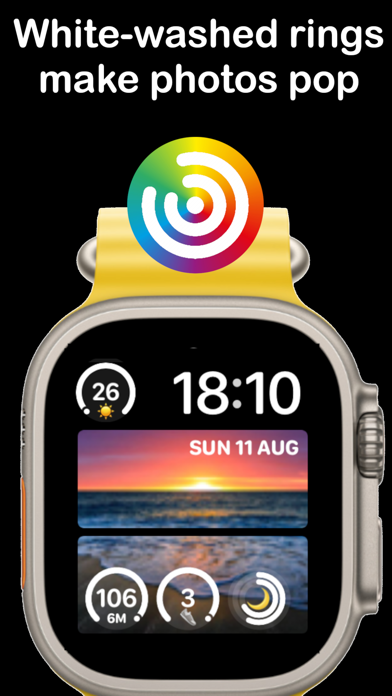

Description by Yingchi Wang Written by the developer, not by AppBrain. Click to read.
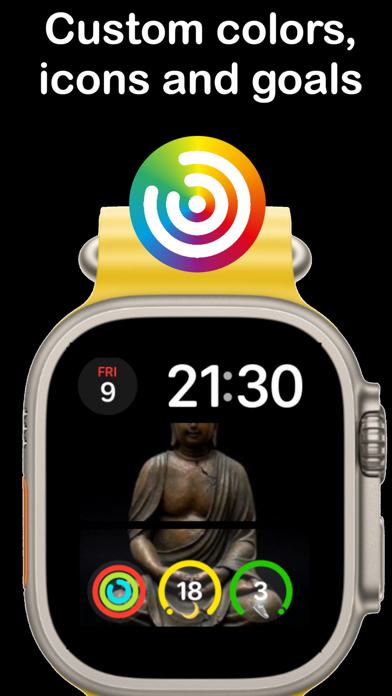
The app also lets you style the rings the way you like with colors, icons and goals. You can also use duo rings which show your progress to a goal over time along with a second ring for contributions to the goal in the last hour or day.
Download now for free and get rings on your photo face!
=-=-=-=-=-=
Note - You can only see PhotoRings small photos on modular watch face on watches above series 4. You can only see the larger photo face on the modular duo watch face on series 7 and above.
To unlock premium features you must purchase an auto-renewing subscription through an In-App Purchase:
Subscriptions will be charged to your credit card through your iTunes account. Subscriptions will automatically renew unless cancelled within 24-hours before the end of the current period. You can cancel anytime with your iTunes account settings. Any unused portion of a free trial, if offered, will be forfeited if you purchase a subscription.
The terms of service and privacy policy for this app can be found here:
Terms of Service - https://www.apple.com/legal/internet-services/itunes/dev/stdeula/
Privacy policy - https://megaface.azurewebsites.net/Privacy
This app integrates with HealthKit so it can read various health metrics which it needs in order to show the goal percentage for certain widgets. No health data is sent to our servers as stated in the privacy section in the app.