Download Android Apps and Games
AppBrain
  • Apps
  • Apps being viewed right now Trending apps today Most popular apps All-time most downloaded apps Top rated apps
  • Intelligence ▾
    Intelligence overview → Track any Android app or your whole market
    Track & analyze
    Keyword Tracker & OptimizerTrack & improve Play rankings App Performance ReportOne-off PDF for any app StatisticsFree Android & Play market stats
    Promote your app
    Featured Apps App Links
  • Intelligence
  • Pricing
  • Dashboard
  • Sign up
  • Log in
Last updated on: 2026-06-28
App Store Apps > Lifestyle > Picking List
Picking List icon

Picking List

1.0.6
Andrew Herring
0.00
0 reviews
$0.99

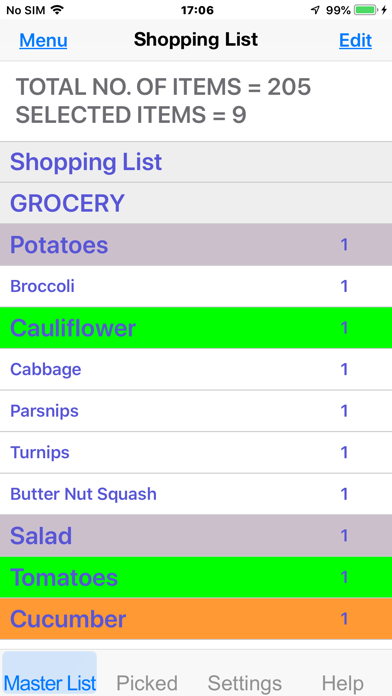
Picking List Screenshot 1 of 8
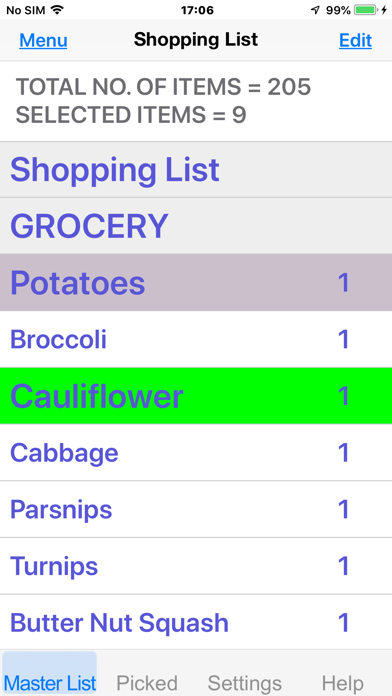
Picking List Screenshot 2 of 8
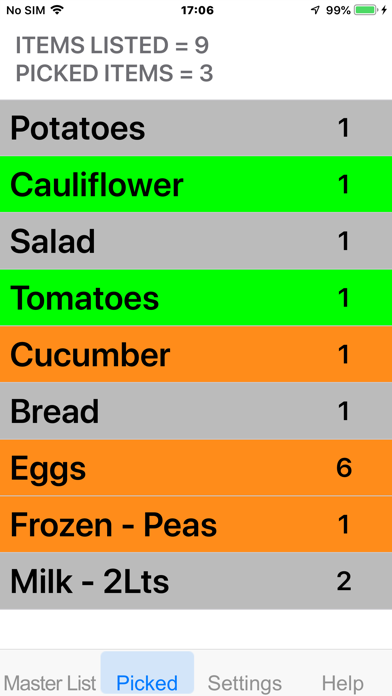
Picking List Screenshot 3 of 8
Picking List Screenshot 4 of 8
Picking List Screenshot 5 of 8
Picking List Screenshot 6 of 8
Picking List Screenshot 7 of 8
Picking List Screenshot 8 of 8
Download from the App Store

About Picking List

Picking List is an overall app developed by Andrew Herring.

How many times has Picking List been downloaded?

What is the rating of Picking List?

Picking List has no ratings yet.

Is Picking List free?

Picking List costs $0.99 to download. The APK download size is 9.13 MB. The latest version available is 1.0.6. The last update was on February 14, 2025.

What are the requirements for Picking List?

The app has a content rating of Everyone. The app has been available on Google Play June 2020.

Description
Description:-
This is a simple to use app that doesn't use the internet for selecting items from a list before shopping or packing a suitcase and then as the items are selected they are marked as ‘Picked’. The app comes with various templates for food shopping, packing for a holiday or possibly even a cruise. These templates can be customised by adding, editing or deleting items and then saved. The app can be closed at any time and when reopened, continue using as before. It works on either an iPhone, iPad or 5th generation iPod and because doesn't require the Internet its completely private.


Basic method of use:-
1/ Open app and select one of the templates.
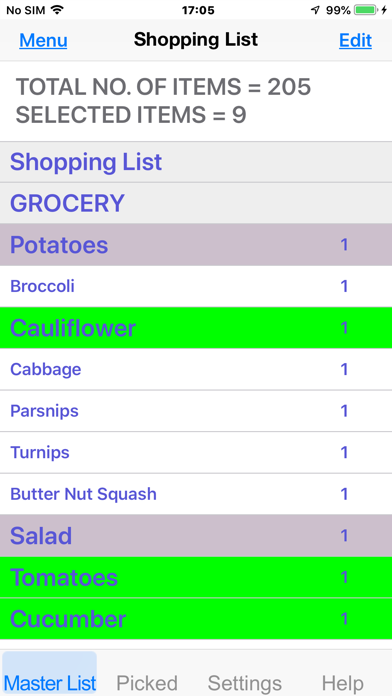
2/ By tapping an item in the ‘Master List’, its colour changes.
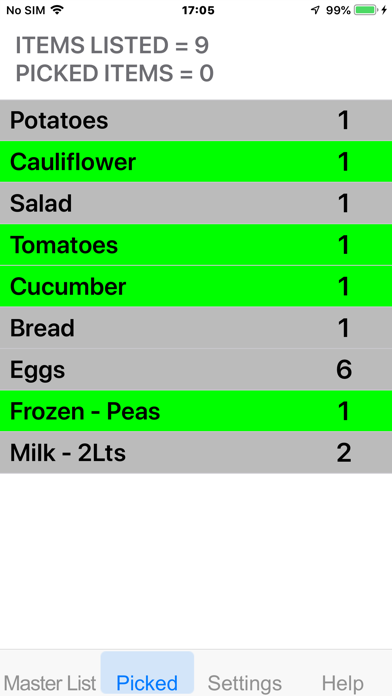
3/ When ready to pack a suitcase, shopping or even loading a vehicle, open the ‘Picked’ tab.
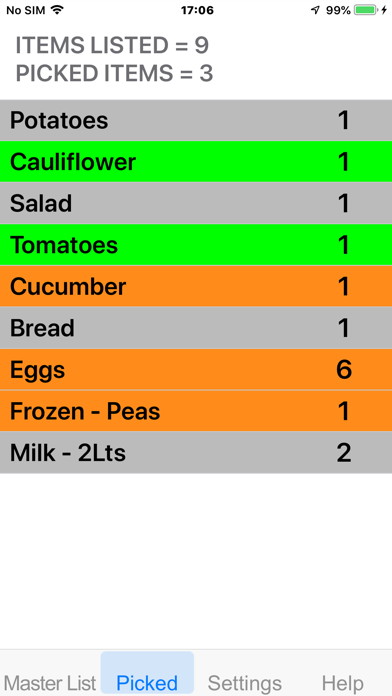
4/ As each item is ‘placed’ in a suitcase or shopping trolley, touch the item in the list and it goes Orange, signifying it’s been ‘Picked’.
5/ If you change your mind click it again and it will go green, indicating it hasn’t been picked.


Short Cuts:-
Tab ‘Master List’
1/ Short Touch item description, this reverses selection.
2/ Long touch an item and the editing window appears.
3/ Long touch in empty area below items and the option to Add an item appears.
4/ If you want to edit any of the details of an item do a long touch and a window appears allowing you to change Description, Quantity or Type / State of item. Note the minimum number of letters in a description is 4.
5/ The Shake function is to create a “Quick List”. The List can be quickly added just by shaking iPhone and either typing or using ‘Speech to Text’ into description box. The normal Selected style and a quantity of 1 but these can be edited at a later date if you decide to keep the list.

A/ Unselected = White.
B/ Selected = Green.
C/ Standard = Brown.
D/ Female = Pink.
E/ Male = Blue.
F/ Kids = Yellow.

Tab ‘Picked’
1/ Touch item description, this changes selection to Orange, signifying it’s been ‘Picked’.
2/ If you decide not to pick / pack an item, touch description again and this changes it back to ‘Selected’ (Green).


Menu (top left)
Here you have the options to Add, Edit, Delete or Insert an item or Subtitle.
When you add an item the list is displayed with green ‘+’ symbols and is always placed under the item you select.
If you delete an item the very top cell doesn’t have a red ‘-‘ symbol because this shouldn’t be deleted as its used in the Save list found in settings. You can edit this first title cell but not change its position.

Edit (top right)
When selected you can change the order of the items by grabbing one and dragging to a new place in the list.
To end click Done.

If you have any suggestions or would like a new template added please email me :-
supportcaduk@icloud.com

Compatibility:-
Picking List is Universal & compatible with all iPad’s & iPhone’s from iPhone 4S to latest iPhone or any Apple Silicon devices.

Requires iOS 12.0 or later on the iPad or iPod and iPhone or macOS.
Show more Show less

More data about Picking List

Price $0.99
Rating No ratings
Ranking Not ranked
Version 1.0.6
App download size 9.13 MB
Suitable for Everyone

Alternative downloads for the Picking List app

Higher rated
Hive icon Hive
Centrica Hive Limited
4.2
Free
745 ratings
Higher rated
Ring - Always Home icon Ring - Always Home
Ring.com
4.7
Free
1.8M ratings

More from Andrew Herring

Caravan Level - with Speech icon Caravan Level - with Speech
Andrew Herring
4.7
$1.99
37 ratings
Blue Badge Parking icon Blue Badge Parking
Andrew Herring
2.0
Free
4 ratings
Where Am I - with Speech icon Where Am I - with Speech
Andrew Herring
4.5
$0.99
2 ratings
CaravanWatch - Levelling icon CaravanWatch - Levelling
Andrew Herring
4.0
$2.99
1 ratings

Changelog of Picking List

No changelog data

Developer information for Andrew Herring

Andrew Herring

Address:

Share Picking List

Comments on Picking List for iOS

We don't have enough comments to show example comments. Please check back later.

App Store Rankings for Picking List

This app is not ranked

Technologies used by Picking List

Hive icon Hive
Ring - Always Home icon Ring - Always Home

Back to top
AppBrain Intelligence premium content

Subscribe now to get full and unlimited access to AppBrain Intelligence. You'll have access to:

  • App Intelligence dashboard (performance timeline, competitor comparison, country rankings, insight cards)
  • Detailed ranking data per app
  • Full timeline per developer
  • Device market shares data per country
1 Month

$75/mo
(billed every month)

SAVE 0%
Subscribe
3 Months

$65/mo
($195 billed every 3 months)

SAVE 13%
Subscribe
1 Year

$57.50/mo
($690 billed every year)

SAVE 23%
Subscribe
Each subscription will automatically renew 3 days before the expiration date for the same time period. Subscriptions can be cancelled at any time before the renewal.

AppBrain is a directory focused on discovering great apps and games. We give statistics, rankings and search options that Google Play and the App Store don't have. All trademarks are owned by their respective owners. AppBrain doesn't offer APKs or binaries, and always lets users install the official version from Google Play or the App Store.

More apps

  • Top Android apps being viewed
  • Kumar Sanu Hit Songs stats
  • Learn to Sing Android App
  • View Equisense Inside

Android Statistics

  • Android statistics
  • Google Play Developer stats
  • Trending Android Apps
  • Top popular Apps
  • Buy the best Android phone

About AppBrain

  • Contact
  • Privacy
  • Documentation
  • DMCA takedowns
  • Articles
  • Blog
  • Free webpage for your Android app
© 2010-2026 - AppBrain