

Pinpin - Bookmarks & Notes
Pinpin - Bookmarks & Notes is made and published by Patrice Cassard. AppBrain is an independent app data site and isn't affiliated with Patrice Cassard. The app name, icon, screenshots and description belong to Patrice Cassard and are shown as published on the App Store.
AppBrain's verdict
- Rating on App Store
- 4.50
- 4 ratings
- Last updated
- October 25, 2026
It doesn't have enough ratings yet to judge what users think.
Rankings
App Store top chartsApp Store Rankings for Pinpin - Bookmarks & Notes
Competitors
Similar apps and more from Patrice CassardAlternatives to Pinpin - Bookmarks & Notes


More from Patrice Cassard


Releases
Updates seen on the App Store- Version
- 3.4
- Launched
- December 2025
No changelog data
User feedback
Ratings and reviews on the App StoreComments on Pinpin - Bookmarks & Notes for iOS
We don't have enough comments to show example comments. Please check back later.
Technology
Found in the app by AppBrain- Price
- Free
- App size
- 5.51 MB
- Content rating
- Everyone
Technologies used by Pinpin - Bookmarks & Notes
About the app and developer
About Pinpin - Bookmarks & Notes
Pinpin - Bookmarks & Notes is an utilities app developed by Patrice Cassard.
User Ratings
Pinpin - Bookmarks & Notes is rated 4.50 out of 5 stars. The rating is based on 4 ratings.
App Information
Pinpin - Bookmarks & Notes is freely available from the App Store. The app size is 5.51 MB. The latest version available is 3.4. The last update was on October 25, 2026.
Technical Requirements
The app has a content rating of Everyone. The app has been available on the App Store since December 2025.
Developer information for Patrice Cassard
Address:
Store listing
By Patrice Cassard, from the App Store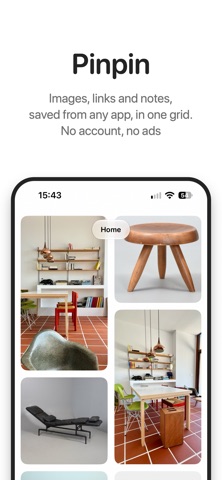




Description by Patrice Cassard Written by the developer, not by AppBrain. Click to read.
SAVE FROM ANYWHERE
Tap Share in Safari, Photos, TikTok, Music or any other app and choose Pinpin. Links arrive with their picture, photos are kept as they are, text becomes a note. Paste from the clipboard, take a photo, pick from your library, or dictate a note hands-free.
EVERYTHING LANDS IN INBOX
New saves wait in Inbox until you sort them, so nothing gets lost. Move one card or many at once, and undo if you change your mind.
A GRID THAT FITS YOU
Pinch to show two to five columns on iPhone, up to ten on iPad and Mac. Tap a link to open it, a photo to see it full screen, a note to edit it.
FIND IT INSTANTLY
Search titles, notes, descriptions, URLs, and even the text inside your images. A screenshot of a recipe, a poster, a receipt: Pinpin reads it on your device and makes it searchable.
NOTES ON PAPER
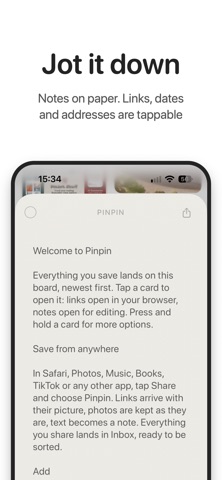
Quick notes on six paper tints. Links, phone numbers, addresses and dates inside a note are tappable: call, open in Maps, or add to your calendar.
CAPTURE WITHOUT OPENING THE APP
Home Screen and Lock Screen widgets, a Control Center button, the Action button and Shortcuts let you dictate, shoot or paste straight into Pinpin.
YOUR PINS ON THE HOME SCREEN
The Recent Pins widget shows your latest saves laid out like the app, from every category or just one. The Note widget keeps a note in view on its paper color: your latest one, or any note you pick.
SEE IT? FIND IT.
Search similar products on Amazon, eBay, Etsy and more from any saved image.
YOURS ONLY
Everything is stored on your device and synced through your private iCloud across iPhone, iPad and Mac. Works fully offline. Export your whole collection as a zip and import it back any time.
ON MAC
Keyboard shortcuts, drag and drop, and an optional local AI access that lets assistants like Claude browse your collection and look at your saved images. Off by default, nothing leaves your Mac.
Perfect for:
• Designers curating visual references
• Shoppers saving products to compare
• Travelers collecting places and itineraries
• Creatives building vision boards and mood boards
• Note-takers who want ideas next to their inspiration
• Anyone looking for a private, ad-free bookmarking app
Your inspiration. Your collection. No tracking.