We don't have enough comments to show example comments. Please check back later.
Store listing
By Scott Bennett, from the App Store
Description by Scott BennettWritten by the developer, not by AppBrain. Click to read.
PinShotCaller is a compact tool for building a “pinball journal” for each table you play. You can sketch or photograph (BKG) the playfield, mark key targets, and attach step‑by‑step messages (with DMD text) that advance as you simulate shots. Use it to: • Capture rules and scoring patterns for specific tables. • Practice sequences repeatedly to build consistency. • Demonstrate strategies to others by walking through the shots in order, with on‑screen prompts. • Save and share complete table profiles (artwork + targets + messages) as portable JSON packs.
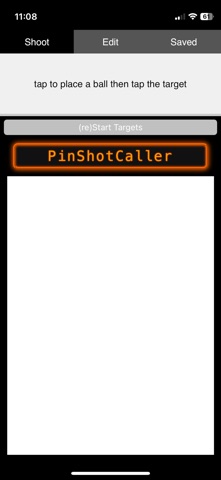
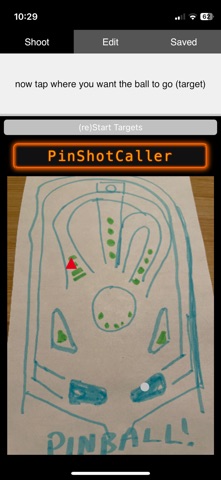
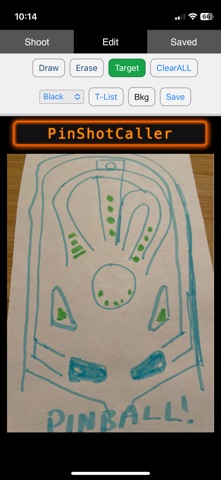
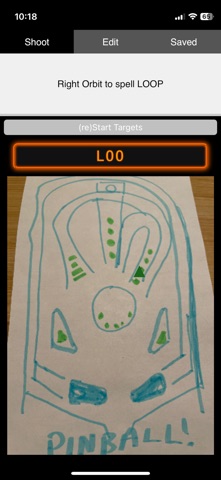
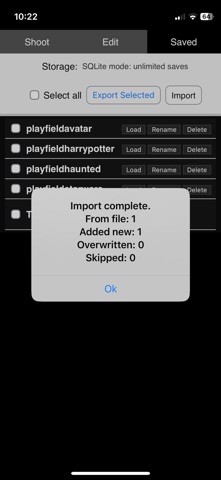
PinShotCaller has three tabs across the top: 1. Shoot – Run practice/demos. You “shoot” by clicking (or tapping) twice: first to set a launch point, second on the destination for the ball (target). The app checks whether you hit the active target, shows the message for that hit, updates the DMD banner, and moves on when a target is completed. 2. Edit – Build the playfield drawing or import a background (BKG) photo, then add, edit, and reorder targets. Each target can carry an ordered list of messages and optional DMD updates for each hit. 3. Saved – Save, load, rename, delete, import, and export entire table profiles.
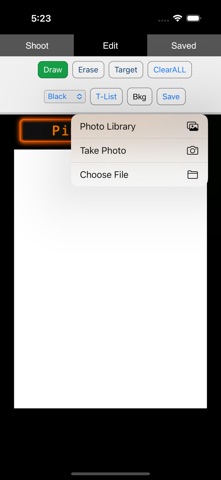
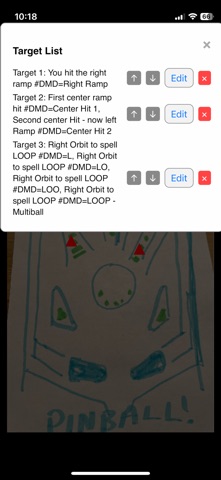
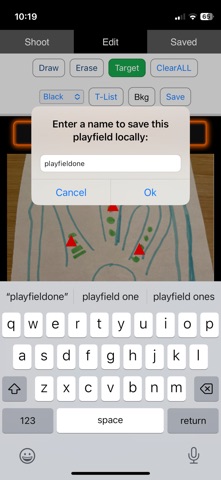
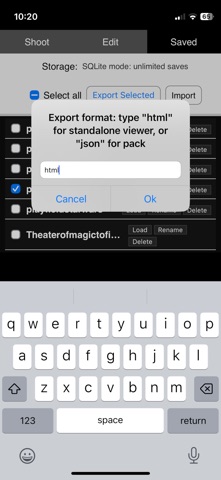
Quick Start (5 minutes) 1. Open Edit. Choose Draw to sketch lanes and ramps, or the Bkg (Background) file picker to load a photo/screenshot of the playfield. Edit is also where you save your playfield and targets to a pinshotcaller table (to export and save permanently etc.) 2. Add targets. Switch to Target mode and tap where a shot should register. A form opens—choose the number of hits (e.g., 3) and write the message(s) for each hit. Optionally add a DMD line per hit (appears on the Shoot tab’s banner). Save. 3. Reorder & refine. Use the T‑List to reorder targets (↑ / ↓), edit their messages, or delete them. 4. Save & share. Go to Saved, hit Save in Edit (or use the Saved tab to Export Selected as a JSON or HTML pack you can import on another device - HTML exports are also stand-alone viewable). 5. Practice. Switch to Shoot and press (re)Start Targets. Click once to set a ball, then click a destination (the blinking target). Advance through messages and targets; the banner updates as you go.
Safety and technology
Found in the app by AppBrain
Price
$0.99
App size
6.89 MB
Content rating
Everyone
Technologies used by Pinshotcaller
Releases
Updates seen on the App Store
Version
1.1
Launched
August 2025
No changelog data
Rankings
App Store top charts
App Store Rankings for Pinshotcaller
This app is not ranked
About the app and developer
About Pinshotcaller
Pinshotcaller is an entertainment app developed by Scott Bennett.
What is the rating of Pinshotcaller?
Pinshotcaller has no ratings yet.
Is Pinshotcaller free?
Pinshotcaller costs $0.99. The app size is 6.89 MB. The latest version available is 1.1. The last update was on August 29, 2025.
What are the requirements for Pinshotcaller?
The app has a content rating of Everyone. The app has been available on the App Store since August 2025.
Pinshotcaller is made and published by
Scott Bennett.
AppBrain is an independent app data site and isn't affiliated with Scott Bennett.
The app name, icon, screenshots and description belong to Scott Bennett and are shown as published on the App Store.
Each subscription will automatically renew 3 days before the expiration date for
the same time period. Subscriptions can be cancelled at any time before the renewal.