

Pinyinize is made and published by Kyle Watson. AppBrain is an independent app data site and isn't affiliated with Kyle Watson. The app name, icon, screenshots and description belong to Kyle Watson and are shown as published on the App Store.
AppBrain's verdict
- Rating on App Store
- 5.00
- 1 ratings
- Last updated
- March 28, 2024
It doesn't have enough ratings yet to judge what users think.
Rankings
App Store top chartsApp Store Rankings for Pinyinize
Competitors
Similar apps and more from Kyle WatsonAlternatives to Pinyinize







Releases
Updates seen on the App Store- Version
- 1.1.1
- Launched
- February 2024
No changelog data
User feedback
Ratings and reviews on the App StoreComments on Pinyinize for iOS
We don't have enough comments to show example comments. Please check back later.
Technology
Found in the app by AppBrain- Price
- Free
- App size
- 13.2 MB
- Content rating
- Everyone
Technologies used by Pinyinize
About the app and developer
About Pinyinize
Pinyinize is an education app developed by Kyle Watson.
User Ratings
Pinyinize is rated 5.00 out of 5 stars. The rating is based on one rating ratings.
App Information
Pinyinize is freely available from the App Store. The app size is 13.23 MB. The latest version available is 1.1.1. The last update was on March 28, 2024.
Technical Requirements
The app has a content rating of Everyone. The app has been available on the App Store since February 2024.
Developer information for Kyle Watson
Address:
Store listing
By Kyle Watson, from the App Store

Description by Kyle Watson Written by the developer, not by AppBrain. Click to read.
Have you ever been in a Chinese restaurant, looking at the menu, and wishing you knew how PinYin of the dishes' names to be able to order them from your server in Chinese? Have you ever been in the taxi in China or Taiwan and needed to tell your driver the destination, with the address in hand, but you could not pronounce it? Well guess what - the struggle is over!
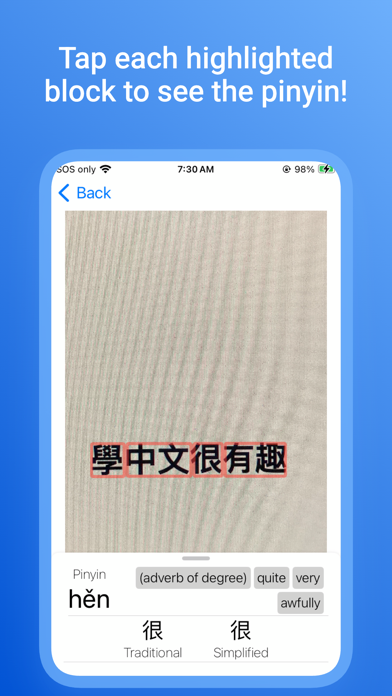
With the PinYinize, you can use your camera turn Chinese characters into phonetic PinYin at your fingertips!
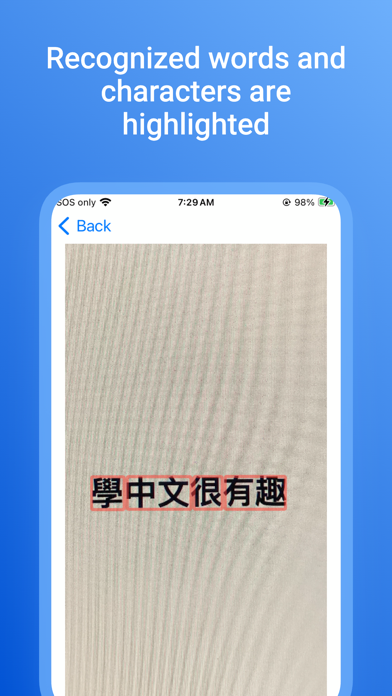
Simply point the in-app camera to the Chinese text you are interested in, take a photo, and the app will automatically convert them into PinYin for you.
What about those pesky characters that change in pronunciation based on the change in context? We've got you covered!
The PinYinize will display the Chinese characters in your photo by grouping them in helpful boxes that identifies the pertinent context they are in, and helps you pronounce the characters accurately!