

Pixel Animator: GIF Maker
Pixel Animator: GIF Maker is made and published by 熙亮 徐. AppBrain is an independent app data site and isn't affiliated with 熙亮 徐. The app name, icon, screenshots and description belong to 熙亮 徐 and are shown as published on the App Store.
AppBrain's verdict
Established- Rating on App Store
- 3.84
- 888 ratings
- Last updated
- November 30, 2021
- Size
- 76.6 MB
Users are divided: 3.8 stars from 888 ratings.
User feedback
Ratings and reviews on the App StoreComments on Pixel Animator: GIF Maker for iOS
We don't have enough comments to show example comments. Please check back later.
Store listing
By 熙亮 徐, from the App Store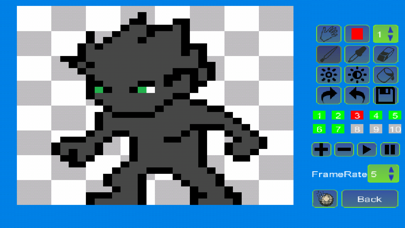
Description by 熙亮 徐 Written by the developer, not by AppBrain. Click to read.
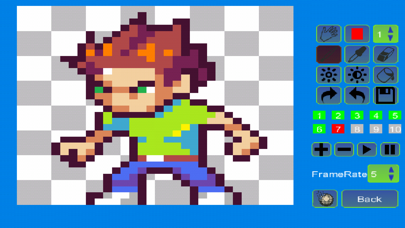
With Pixel Animator, you can do more than cool pixel art. Make your sprites moving is just like a piece of cake.
Features:
1 Make your pixel art from scratch or based on an existing photo or cartoon.
2 Adjust next GIF frame picture based the previous picture which saves your lots of time.
3 Export your animation as a GIF format which is support by every version of browser no matter on the PC platform or the mobile platform.
4 Edit an existing GIF file.
5 Share your GIF Pixel Animation with your friends.
Tips:
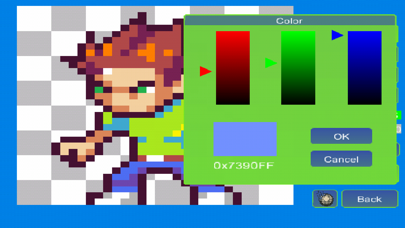
The Paint Bucket is very useful. You can use it to change the color of a line or change the color of a closed area.
If you think draw Avatar pixel by pixel is boring, you can download the DOODLE FUN. It makes avatars with lots of small parts.
Simple tutorial
To make a GIF with Pixel Animator, you should know 2 simple concepts.
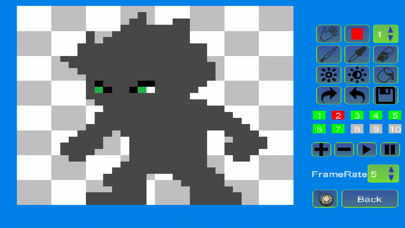
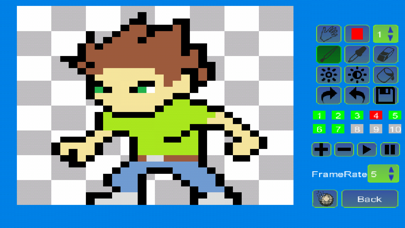
At first you should know what the current button is, the button that is working. The current button is blinking. The color is changing form normal to red and from red to normal repeatedly. The default current button is a pencil. You can change the current button by click the button on the right panel.
The second concept is GIF frame. A GIF animation is made up of many single images, which is called frame. If you click the “add” button, a new frame will be added. If you click the “minus” button, the current frame will be deleted. Pay attention to the color of frame numbers. Red means the frame is added, green means it is the current frame and gray means the frame can be added but not added yet. For the free version of Pixel Animator, you can add as to 10 frames.
Frame rate is the speed of the GIF animation. Large frame rate means quick animation.
More tutorial can be found at:
HYPERLINK "http://minikara.com/?p=100" http://minikara.com/?p=100
Key word:
GIF, avatar, bitstrips, animator, pixel art
Make your original GIF animation with fun.
Safety and technology
Found in the app by AppBrain- Price
- Free
- App size
- 76.6 MB
- Content rating
- Everyone
Technologies used by Pixel Animator: GIF Maker
Releases
Updates seen on the App Store- Version
- 1.0.7
- Launched
- November 2014
No changelog data
Alternatives
Similar apps and more from 熙亮 徐Alternatives to Pixel Animator: GIF Maker







More from 熙亮 徐






Rankings
App Store top chartsApp Store Rankings for Pixel Animator: GIF Maker
About the app and developer
About Pixel Animator: GIF Maker
Pixel Animator: GIF Maker is an entertainment app developed by 熙亮 徐.
What is the rating of Pixel Animator: GIF Maker?
Pixel Animator: GIF Maker is rated 3.84 out of 5 stars, based on 890 ratings.
Is Pixel Animator: GIF Maker free?
Pixel Animator: GIF Maker is free. The app size is 76.59 MB. The latest version available is 1.0.7. The last update was on November 30, 2021.
What are the requirements for Pixel Animator: GIF Maker?
The app has a content rating of Everyone. The app has been available on the App Store since November 2014.
Developer information for 熙亮 徐
Address: