



AppBrain's verdict
- Rating on App Store
- 4.65
- 17 ratings
- Last updated
- December 27, 2024
- Size
- 27.6 MB
It doesn't have enough ratings yet to judge what users think.
User feedback
Ratings and reviews on the App StoreComments on PixLab - AI Image Editor for iOS
We don't have enough comments to show example comments. Please check back later.
Store listing
By Dylan Oliver, from the App StoreDescription by Dylan Oliver Written by the developer, not by AppBrain. Click to read.
Key Features:
• Background Removal – Effortlessly remove backgrounds from any photo. Perfect for creating clean, professional-looking images for e-commerce, presentations, or social media. With just one tap, you can make your images look polished and ready for any project.
• AI Photo Colorizer – Give life to your vintage or black-and-white photos. Our AI colorization technology intelligently adds vibrant, realistic colors to your pictures, bringing your memories back to life. Watch as your photos transform with stunning accuracy.
• Image Upscaler – Enhance the resolution of your images with cutting-edge AI technology. Upscale photos to 2x, 4x, or even higher, ensuring sharper details and crisper images. Ideal for printing or sharing high-quality images on social media.
• Photo Retouching – Perfect your portraits with our advanced AI retouching tools. Smooth out imperfections, brighten skin tones, and add a radiant glow to your photos. Whether you're enhancing a selfie or working on a professional headshot, the app offers easy-to-use tools that take your photos to the next level.
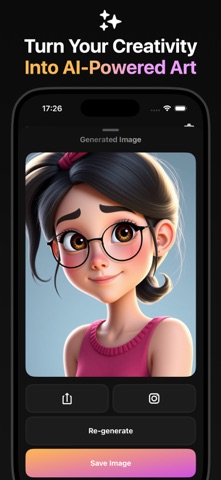
• AI Image Generator – Let your imagination run wild. Generate stunning images simply by typing a text prompt. Our AI interprets your words and turns them into one-of-a-kind images. Whether you need original artwork, marketing visuals, or inspiration, the AI image generator makes it quick and easy to create something unique.
• Intuitive Interface – We’ve designed an interface that’s easy to navigate and perfect for users of all experience levels. With simple controls and an intuitive layout, you can start editing and enhancing your photos in no time.
• Fast & Accurate Results – Say goodbye to long processing times. Whether you’re upscaling an image, removing backgrounds, or generating new artwork, you’ll get fast, high-quality results, ensuring you never waste time waiting for edits.
• Save & Share – Once you’re satisfied with your edits, you can easily save your images or share them directly to social media platforms, email, or messaging apps. Perfect for showcasing your newly created photos or artwork with friends, family, or clients.
• Reliable & Secure – Your privacy is our priority. We handle your images securely and process them only on your device, so you can trust that your photos are safe.
Why Choose This App?
• AI-Powered Tools – Leverage the latest advancements in artificial intelligence to perform tasks that once took hours or required expensive software. • Comprehensive Editing – From background removal and colorization to retouching and upscaling, this app offers a complete suite of editing tools. • Easy-to-Use – Whether you’re a beginner or an expert, our user-friendly interface lets you edit images like a pro in minutes. • Perfect for Social Media – Need professional-quality images for Instagram, Facebook, or any other platform? This app has everything you need to create eye-catching content that stands out. • Save Time – With one-tap solutions for complex image edits, you can create stunning visuals faster than ever before.
Take control of your photos with the most powerful, AI-driven photo editor on the market. Whether you're enhancing memories, improving professional images, or creating entirely new visuals, this app empowers you to get the results you want with ease. Download it now and start transforming your photos today!
Privacy Policy: https://sd-development.jimdosite.com/
Terms of Use: https://sd-development.jimdosite.com/terms/
Safety and technology
Found in the app by AppBrain- Price
- Free
- App size
- 27.6 MB
- Content rating
- Everyone
Technologies used by PixLab - AI Image Editor
Releases
Updates seen on the App Store- Version
- 1.0
- Launched
- December 2024
No changelog data
Alternatives
Similar apps and more from Dylan OliverAlternatives to PixLab - AI Image Editor


More from Dylan Oliver


Rankings
App Store top chartsApp Store Rankings for PixLab - AI Image Editor
About the app and developer
About PixLab - AI Image Editor
PixLab - AI Image Editor is a graphics & design app developed by Dylan Oliver.
User Ratings
PixLab - AI Image Editor is rated 4.65 out of 5 stars. The rating is based on 17 ratings.
App Information
PixLab - AI Image Editor is freely available from the App Store. The app size is 27.55 MB. The latest version available is 1.0. The last update was on December 27, 2024.
Technical Requirements
The app has a content rating of Everyone. The app has been available on the App Store since December 2024.
PixLab - AI Image Editor is made and published by Dylan Oliver. AppBrain is an independent app data site and isn't affiliated with Dylan Oliver. The app name, icon, screenshots and description belong to Dylan Oliver and are shown as published on the App Store.
Developer information for Dylan Oliver
Address: