Pixquare is the #1 pixel art editor, recommended by top pixel artists, game developers, and creators worldwide! Whether you're a beginner or a pro, its simple interface and rich toolset make pixel art creation easy and fun!
Download now to create game assets, animate, or simply doodle pixel art! With feedback from thousands of artists, Pixquare is designed for your best pixel art experience ever!
• HIGHLIGHTS:
- Support both iPads & iPhones
- Highly customizable and intuitive UI with left-hand mode available
- RGB and Indexed mode
- Tileset/Tilemap system
- Timelapse recording
- Apple Pencil support: gestures, sensitivity, touch rejection
- Manual & auto-save modes
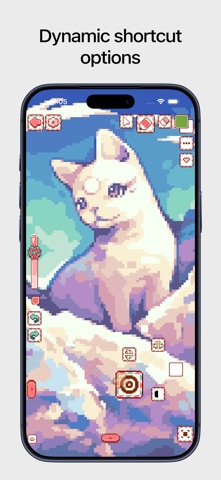
- Shortcut options: keyboard, gesture pad, joystick
- Custom themes
• VERSATILE TOOLS:
- Brush: spray, pixel perfect, pressure sensitivity, contour, dithering, custom brush, jumble, blur
- Eraser: pixel perfect, pressure sensitivity, dithering
- Move: transformation and snapping supported
- Line: straight & curve mode, perfect angle
- Shape: ellipse & rectangle mode, filled, perfect ratio
- Selection: 5 types & 5 modes
- Color: solid/gradient fill, contiguous/non-contiguous, and more
- Color picker: 4 modes (HSV, HSL, Wheel, RGB), history, drag-to-fill
- All tools offer shading
- Additional tools:
+ Color replace
+ Color adjustment
+ Outline
+ Text with font import capability
+ Custom object
• LAYER/TIMELINE PANEL:
- Optimized for animation & organized layers
- Multi-selection, layer grouping, frame tagging, and bulk operations
- Visibility and editing-lock toggle
- Supports reference layers
- Frame duration and cel opacity
- Linked cells, onion skin, and clipping mask
• ADDITIONAL FEATURES:
- Symmetry tool with unlimited axes
- Reference images
- Color palette: save/load from Lospec, import/export, color gradient generator
- Blending modes, alpha lock
- Preview with a separate animation loop
- Canvas rotation, Finder-like file system
- Guideline
• FILE IMPORT/EXPORT:
- Aseprite file compatibility (importing & exporting)
- GIF importing with all frames
- PNG, GIF, MOV, Sprite sheet export options (layers, frames, size, and animation)
- Import Photos and files as reference layers and images
-------------------------------
WHY ARTISTS LOVE PIXQUARE?
"Genuinely the best pixel art app for the iPad that I would recommend anyone to get!" - Jon Davies, Pixel Artist on Super House of Dead Ninjas, Binding of Isaac.
"Pixquare has more than meets the eye. A seemingly simple interface that has the intuitive control you look for. The gesture pad is comparable to a desktop keypad." - Michael, Pixel Artist, Author of Pixel Logic book
"I've been sharing it with basically everyone I know with an iPad because I think it's one of the best software out there for creating pixels on the iPad." - CupOhJoe, Game Developer
"This is one fine app to pixel on the iPad! You can tell there's a lot of love for the craft poured in here" - Ota Jaider, Pixel Artist
-------------------------------
• SCREENSHOT ARTWORK AUTHORS:
- FICO (@FicoPx)
- Tofu (@tofupixel.bsky.social)
- Mossy (@MossyPixe)
- chili (@ryviolie)
- Lesma (@pixe_lesma)
- ue_voxel (@UeVoxel)
- TransientCode (@TransientCode)
- 08games (@the08games)
- Rinspirit_art(@rinspiritart.bsky.social)
- natalie (@cafeaunat)
-------------------------------
SUPPORT:
User guide: https://docs.pixquare.art
Email: info@pixquare.art
Twitter: https://twitter.com/pixquare_app
Website: https://www.pixquare.art/
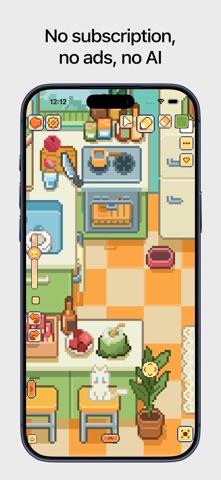
NO SUBSCRIPTION. BUY ONCE AND ENJOY FREE UPDATES FOREVER!
Show more
Show less