

Platterset is made and published by Robert Corbin. AppBrain is an independent app data site and isn't affiliated with Robert Corbin. The app name, icon, screenshots and description belong to Robert Corbin and are shown as published on the App Store.
AppBrain's verdict
- Last updated
- September 13, 2026
Rankings
App Store top chartsApp Store Rankings for Platterset
Competitors
Similar apps and more from Robert CorbinAlternatives to Platterset





More from Robert Corbin


Releases
Updates seen on the App Store- Version
- 3.0
- Launched
- June 2026
No changelog data
User feedback
Ratings and reviews on the App StoreComments on Platterset for iOS
We don't have enough comments to show example comments. Please check back later.
Technology
Found in the app by AppBrain- Price
- $2.99
- App size
- 3.98 MB
- Content rating
- Everyone
Technologies used by Platterset
About the app and developer
About Platterset
Platterset is an utilities app developed by Robert Corbin.
User Ratings
The app has no ratings yet.
App Information
Platterset costs $2.99. The app size is 3.98 MB. The latest version available is 3.0. The last update was on September 13, 2026.
Technical Requirements
The app has a content rating of Everyone. The app has been available on the App Store since June 2026.
Developer information for Robert Corbin
Address:
Frequently asked questions about Platterset
Is Platterset free?
No. Platterset costs $2.99 on the App Store.
Is Platterset still available?
Yes. Platterset is on the App Store, and the last update we saw was on September 13, 2026.
How large is Platterset?
Platterset is 3.98 MB.
Is Platterset suitable for children?
App Store rates the content of Platterset as suitable for everyone.
Who made Platterset?
Platterset was developed by Robert Corbin. It is listed in the utilities category on the App Store.
What are the best alternatives to Platterset?
People looking at Platterset also look at these utilities apps: ChordMarker: Chord Chart Maker, ZiadaTime - multi-stopwatch, GET GOD, Calculator Sci Unit Converter, Scanner Gun.
Store listing
By Robert Corbin, from the App Store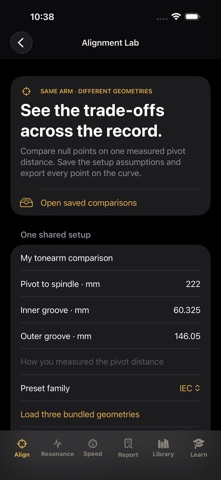


Description by Robert Corbin Written by the developer, not by AppBrain. Click to read.
HOW TO USE THE UPGRADE
1. Open Align → Alignment Lab. Enter the pivot distance and groove span for the record format.
2. Compare one to six trials using bundled null-point references or custom null radii. Inspect the curves and geometric values.
3. Save the comparison and export the CSV. Follow your turntable and cartridge instructions for actual adjustment.
Alignment references, overhang tools, record-format references and other turntable setup tools remain. Existing setup records are preserved under Earlier setup records.
WHAT TO KNOW
Curves sample 401 points and report sampled peak and unweighted RMS angular error. They are theoretical geometry, not audible distortion, cartridge compatibility, setup accuracy or sound-quality scores. One to six trials and up to 50 sessions. Earlier setup records remain accessible as historical heuristic worksheets.
iPhone and iPad. No account required.