

Play On Cue
Play On Cue is made and published by Giebler Enterprises. AppBrain is an independent app data site and isn't affiliated with Giebler Enterprises. The app name, icon, screenshots and description belong to Giebler Enterprises and are shown as published on the App Store.
AppBrain's verdict
Established- Rating on App Store
- 2.50
- 12 ratings
- Last updated
- March 17, 2019
- Size
- 9.62 MB
It doesn't have enough ratings yet to judge what users think.
User feedback
Ratings and reviews on the App StoreComments on Play On Cue for iOS
We don't have enough comments to show example comments. Please check back later.
Store listing
By Giebler Enterprises, from the App Store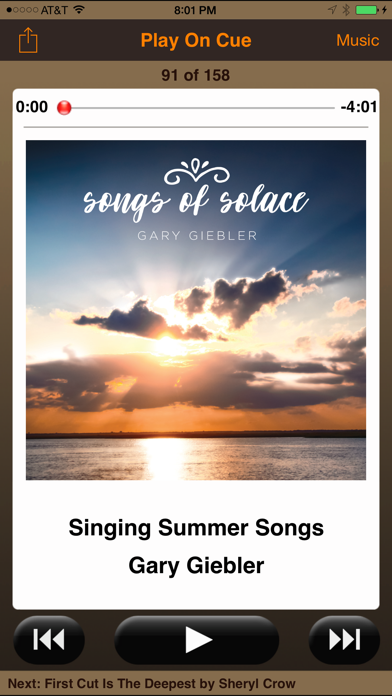

Description by Giebler Enterprises Written by the developer, not by AppBrain. Click to read.
Play On Cue is intended for theater groups, talent shows, concerts, karaoke, musicians, DJ's, sound engineers - anyone who needs to start each song on a specific cue. Users can add additional songs, playlists or empty the cue without interrupting playback of the current song. Song title and artist are displayed in large easy to read text along with album artwork (when available).
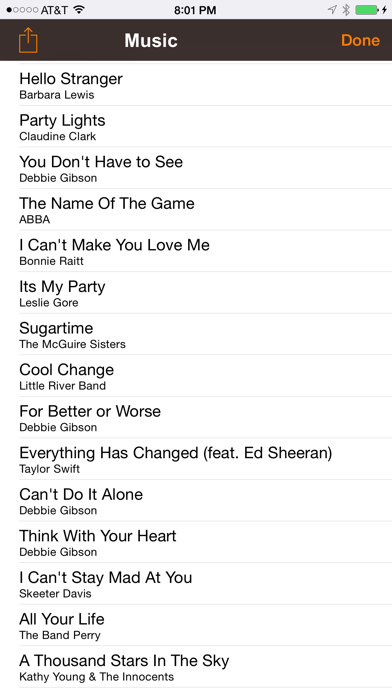
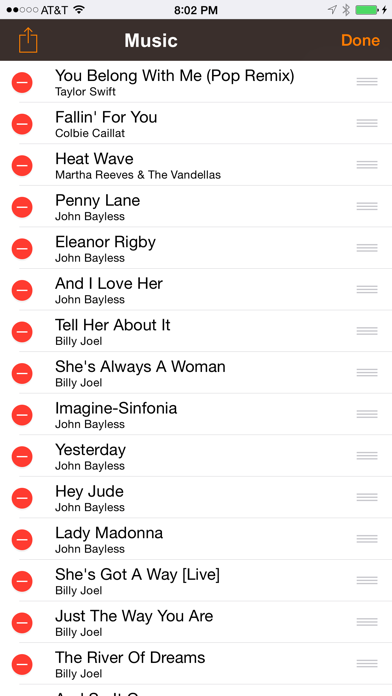
Use iTunes to create your playlists. Select the playlists in Play On Cue and tap "Load all songs" for each set or scene. Sounds or songs will be in the order saved in the playlist. Songs can be added, removed or reordered while playing.
Play On Cue is a simple way to start sounds or songs ONE SONG AT A TIME when needed in a live performance.
** Play On Cue intentionally stops automatically after each song. **
Support for AirTurn and other BlueTooth remotes can be enabled /disabled in system settings along with support for rotating the display upside down so that the audio cable is out of the way.
Support for AirTurn is DISABLED by default - you MUST ENABLE it in system settings if you want to use it. Some remote devices should select a different mode to properly control the transport.
When the iPod music player is playing (intermission or before a show), Play On Cue continues to play and monitor the iPod's playlist. When you are ready to start your show, tap the NEXT or PREVIOUS button to stop the iPod's playback and queue your song list.
Although Play On Cue will stream songs in the cloud from iTunes Match, for best performance, and to prevent a glitch during a performance due to unforeseen network issues, we recommend only playing songs stored locally on your device.
Safety and technology
Found in the app by AppBrain- Price
- $1.99
- App size
- 9.62 MB
- Content rating
- Everyone
Technologies used by Play On Cue
Releases
Updates seen on the App Store- Version
- 2.0.6
- Launched
- before 2010
No changelog data
Alternatives
Similar apps and more from Giebler EnterprisesAlternatives to Play On Cue








More from Giebler Enterprises



Rankings
App Store top chartsApp Store Rankings for Play On Cue
About the app and developer
About Play On Cue
Play On Cue is a music app developed by Giebler Enterprises.
User Ratings
Play On Cue is rated 2.50 out of 5 stars. The rating is based on 12 ratings.
App Information
Play On Cue costs $1.99. The app size is 9.62 MB. The latest version available is 2.0.6. The last update was on March 17, 2019.
Technical Requirements
The app has a content rating of Everyone. The app has been available on the App Store since before 2010.
Developer information for Giebler Enterprises
Address: