

PLAY OPC is made and published by Hiroki Ishiura. AppBrain is an independent app data site and isn't affiliated with Hiroki Ishiura. The app name, icon, screenshots and description belong to Hiroki Ishiura and are shown as published on the App Store.
AppBrain's verdict
Established- Rating on App Store
- 3.22
- 9 ratings
- Last updated
- February 23, 2023
- Size
- 4.74 MB
It doesn't have enough ratings yet to judge what users think.
User feedback
Ratings and reviews on the App StoreComments on PLAY OPC for iOS
We don't have enough comments to show example comments. Please check back later.
Store listing
By Hiroki Ishiura, from the App Store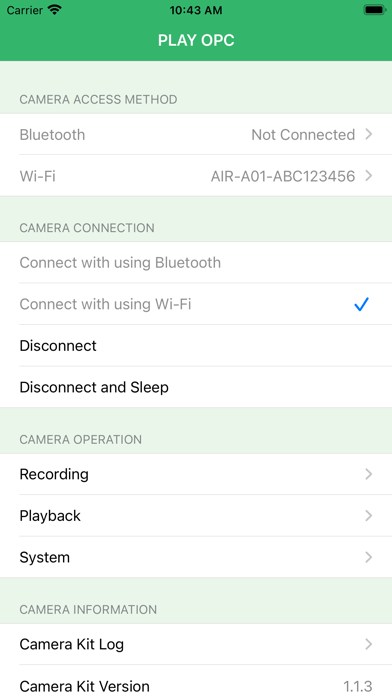
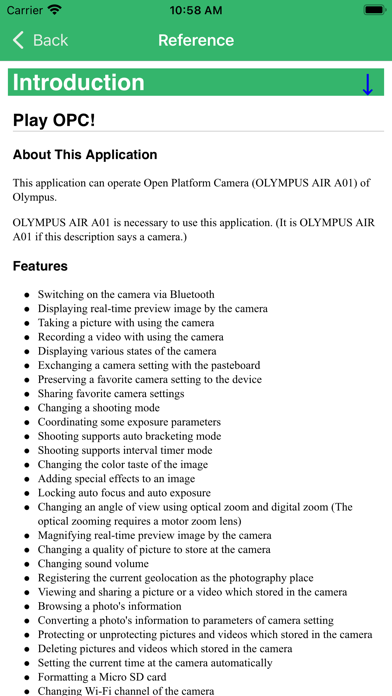
Description by Hiroki Ishiura Written by the developer, not by AppBrain. Click to read.
OLYMPUS AIR A01 is necessary to use this application. (It is OLYMPUS AIR A01 if this description says a camera.)
Features
* Switching on the camera via Bluetooth
* Displaying real-time preview image by the camera
* Taking a picture with using the camera
* Recording a video with using the camera
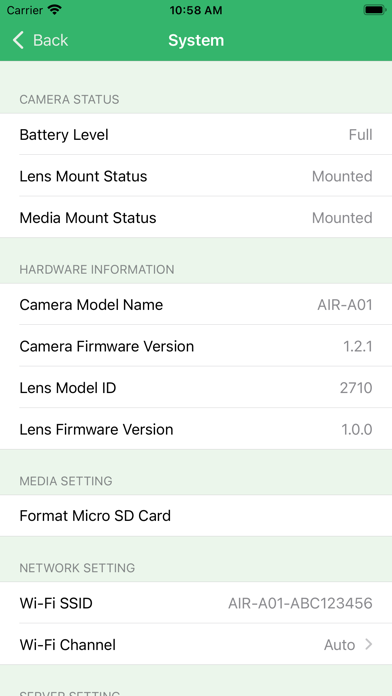
* Displaying various states of the camera
* Exchanging a camera setting with the pasteboard
* Preserving a favorite camera setting to the device
* Sharing favorite camera settings
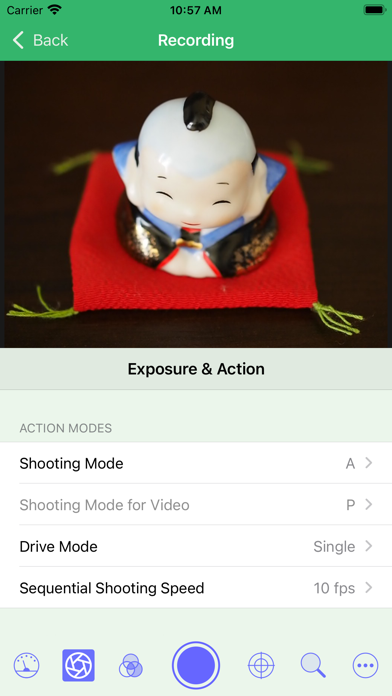
* Changing a shooting mode
* Coordinating some exposure parameters
* Shooting supports auto bracketing mode
* Shooting supports interval timer mode
* Changing the color taste of the image
* Adding special effects to an image
* Locking auto focus and auto exposure
* Changing an angle of view using optical zoom and digital zoom (The optical zooming requires a motor zoom lens)
* Magnifying real-time preview image by the camera
* Changing a quality of picture to store at the camera
* Changing sound volume
* Registering the current geolocation as the photography place
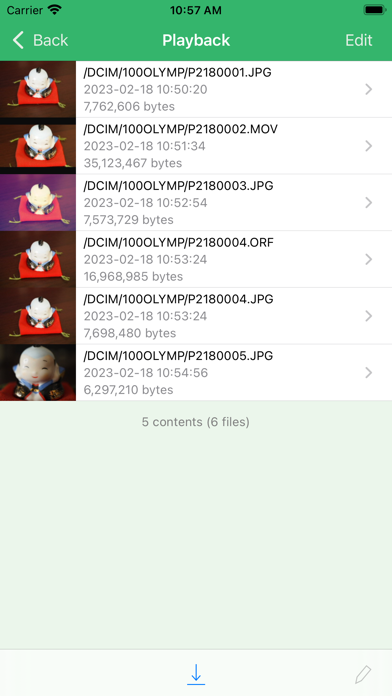
* Viewing and sharing a picture or a video which stored in the camera
* Browsing a photo's information
* Converting a photo's information to parameters of camera setting
* Protecting or unprotecting pictures and videos which stored in the camera
* Deleting pictures and videos which stored in the camera
* Setting the current time at the camera automatically
* Formatting a Micro SD card
* Changing Wi-Fi channel of the camera
* Switching off the camera
Known Issue
* If the device cannot connect the camera via Wi-Fi automatically, it is necessary to connect the camera by manual operation.
* The operation of the camera is not stable and may not work at the place where Wi-Fi is crowded.
Other Information
* The OLYMPUS AIR A01 was discontinued by the manufacturer on 2018-03-31 and is currently only available on the used market.
* If you are interested in handling the OLYMPUS AIR A01, please check the published instruction manual. (http://sapp.olympus-imaging.com/manual/man_a01_us_enu.pdf)
* If you are interested in the details of camera functions and setting values, please check the published SDK document. (https://dl-support.olympus-imaging.com/opc/en/)
* This application is Open Source. If you want to know what the application does inside, you are able to find almost source codes in GitHub. (https://github.com/ura14h/PlayOPC)
Safety and technology
Found in the app by AppBrain- Price
- Free
- App size
- 4.74 MB
- Content rating
- Everyone
Technologies used by PLAY OPC
Releases
Updates seen on the App Store- Version
- 2.0
- Launched
- June 2015
No changelog data
Alternatives
Similar apps and more from Hiroki IshiuraAlternatives to PLAY OPC








More from Hiroki Ishiura

Rankings
App Store top chartsApp Store Rankings for PLAY OPC
About the app and developer
About PLAY OPC
PLAY OPC is a photo & video app developed by Hiroki Ishiura.
User Ratings
PLAY OPC is rated 3.22 out of 5 stars. The rating is based on 9 ratings.
App Information
PLAY OPC is freely available from the App Store. The app size is 4.74 MB. The latest version available is 2.0. The last update was on February 23, 2023.
Technical Requirements
The app has a content rating of Everyone. The app has been available on the App Store since June 2015.
Developer information for Hiroki Ishiura
Address:
Frequently asked questions about PLAY OPC
Is PLAY OPC free?
Yes. PLAY OPC is free on the App Store.
Is PLAY OPC still available?
Yes. PLAY OPC is on the App Store, and the last update we saw was on February 23, 2023.
How large is PLAY OPC?
PLAY OPC is 4.74 MB.
Is PLAY OPC suitable for children?
App Store rates the content of PLAY OPC as suitable for everyone.
How do people rate PLAY OPC?
PLAY OPC scores 3.22 out of 5 stars, from 9 ratings on the App Store.
Who made PLAY OPC?
PLAY OPC was developed by Hiroki Ishiura. It is listed in the photo & video category on the App Store.
What are the best alternatives to PLAY OPC?
People looking at PLAY OPC also look at these photo & video apps: MOZA Artist, WooGIF-GIF & Live Wallpaper, NIR Color, Photo Reflect - Video too!, 漫画風になっちゃうカメラ.