

playing cards Seven Bridge
playing cards Seven Bridge is made and published by Jun Koizumi. AppBrain is an independent app data site and isn't affiliated with Jun Koizumi. The app name, icon, screenshots and description belong to Jun Koizumi and are shown as published on the App Store.
AppBrain's verdict
Established- Rating on App Store
- 5.00
- 1 ratings
- Last updated
- November 23, 2025
It doesn't have enough ratings yet to judge what users think.
Rankings
App Store top chartsApp Store Rankings for playing cards Seven Bridge
Competitors
Similar apps and more from Jun Koizumi


Releases
Updates seen on the App Store- Version
- 1.5
- Launched
- February 2021
No changelog data
User feedback
Ratings and reviews on the App StoreComments on playing cards Seven Bridge for iOS
We don't have enough comments to show example comments. Please check back later.
Technology
Found in the app by AppBrain- Price
- Free
- App size
- 72.0 MB
- Content rating
- Everyone
Technologies used by playing cards Seven Bridge
About the app and developer
About playing cards Seven Bridge
playing cards Seven Bridge is a games app developed by Jun Koizumi.
What is the rating of playing cards Seven Bridge?
playing cards Seven Bridge is rated 5.00 out of 5 stars, based on one rating ratings.
Is playing cards Seven Bridge free?
playing cards Seven Bridge is free. The app size is 71.99 MB. The latest version available is 1.5. The last update was on November 23, 2025.
What are the requirements for playing cards Seven Bridge?
The app has a content rating of Everyone. The app has been available on the App Store since February 2021.
Developer information for Jun Koizumi
Address:
Frequently asked questions about playing cards Seven Bridge
Is playing cards Seven Bridge free?
Yes. playing cards Seven Bridge is free on the App Store.
Is playing cards Seven Bridge still available?
Yes. playing cards Seven Bridge is on the App Store, and the last update we saw was on November 23, 2025.
How large is playing cards Seven Bridge?
playing cards Seven Bridge is 71.99 MB.
Is playing cards Seven Bridge suitable for children?
App Store rates the content of playing cards Seven Bridge as suitable for everyone.
How do people rate playing cards Seven Bridge?
playing cards Seven Bridge has one rating of 5.00 stars on the App Store.
Who made playing cards Seven Bridge?
playing cards Seven Bridge was developed by Jun Koizumi. It is listed in the games category on the App Store.
What are the best alternatives to playing cards Seven Bridge?
People looking at playing cards Seven Bridge also look at these games apps: Pisti Classic, FreeCell Solitaire: Klondike, Word Snap - Brain Pic Games, Spades Auction, Epic Jigsaw Puzzles: Nature.
Store listing
By Jun Koizumi, from the App Store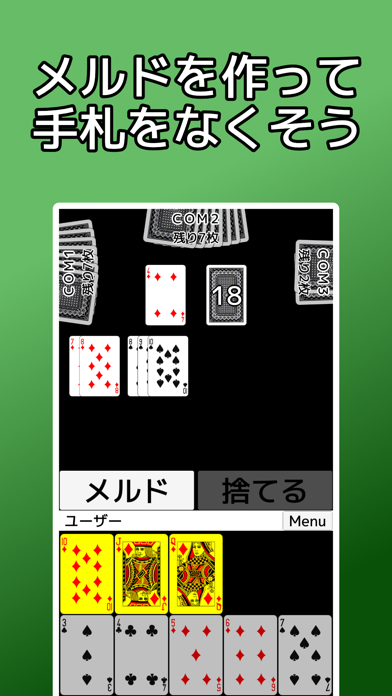
Description by Jun Koizumi Written by the developer, not by AppBrain. Click to read.
It is an application that you can play the Japanese card game "Seven Bridges".
It is a game that combines the card game Rummy and Mahjong.
Players compete to get rid of their hand as quickly as possible by performing the following actions.
・Make a meld with the same number combination (group) or a sequence number combination (sequence) with the same suit, and publish the meld.
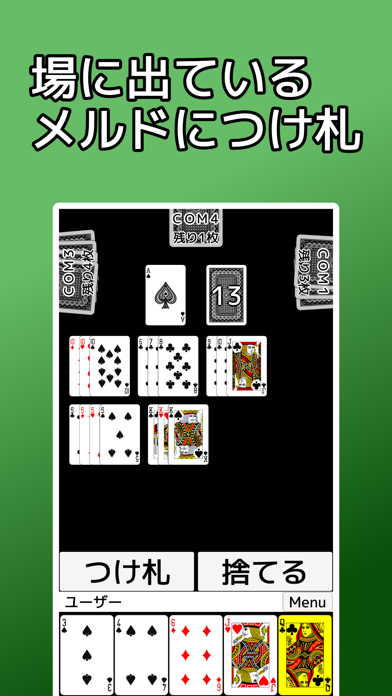
・Put a tag on the published meld
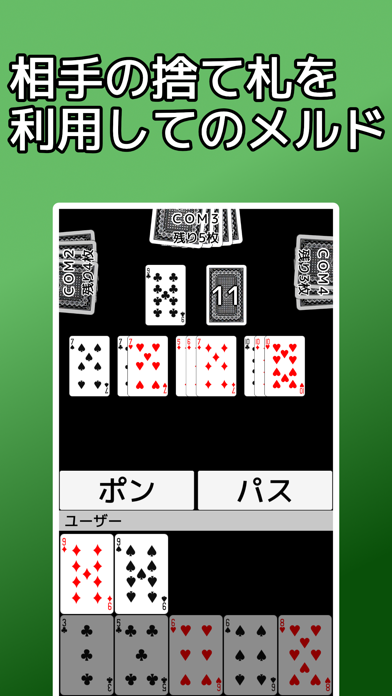
- Use other players' discard piles to pong or chi to reveal melds.
Compared to mahjong, there are only 7 cards in hand and 2 types of roles (meld), making it easy for beginners to play. When it goes up, the points are calculated from the other players' hands and the total becomes the score.
Melds can be revealed in play, which reduces the points in your hand. Published melds can be tagged by any player who has already published them. A balance needs to be struck between revealing melds to reduce scoring risk and hiding melds so they don't get tagged.
It is a popular classic card game that can be played with family and friends from adults to children.
【function】
・Assistance is provided so that only cards that can be played according to the rules can be selected.
・Assistance is provided so that only actions that are possible according to the rules can be selected.
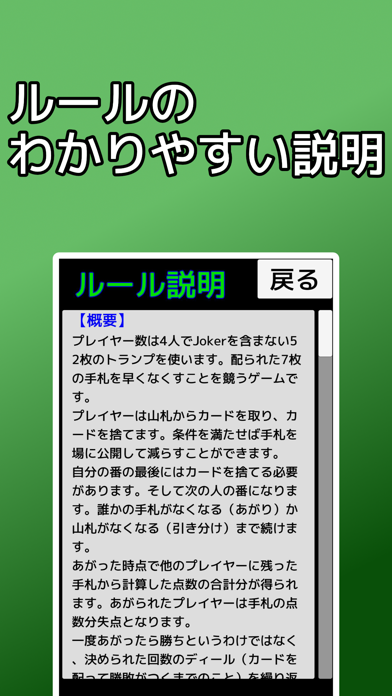
・There is an easy-to-understand explanation of the rules, so even people who don't know how to play can start.
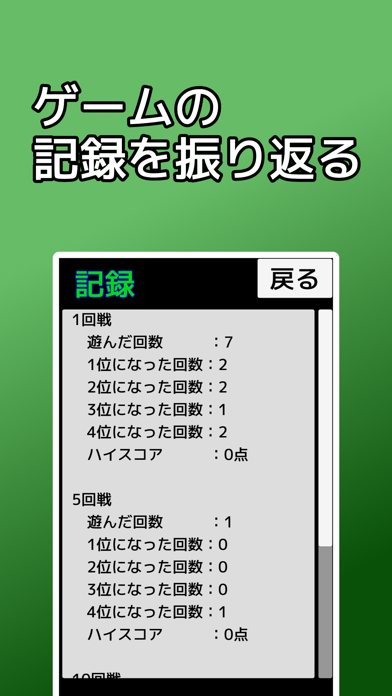
・You can see records such as the number of times you won each game.
・You can play the game with 1, 5, or 10 deals.
[Operation instructions]
-What to do on your turn
Select a card and press a button to decide your action. Each button can only be pressed when the appropriate card is selected.
・Discard pile Select any card and press the discard button.
・Meld He selects a card that can create a meld and presses the meld button.
・Take a tag Select one tag and press the tag button. If there are multiple attachment points, select which one to attach.
-What to do after another player's discard pile
Buttons will appear to make declarations when Pong and Chi are possible.
・Pong Declaration: Press to declare Pong.
- Declare Chi: Press to declare Chi.
・Pass Let it proceed without doing anything.
If there are multiple candidates for how to put out when Pong and Chi are performed, select the card to put out and press the OK button.
【price】
You can play all for free.