It doesn't have enough ratings yet to judge what users think.
Playlist Transfer - Easy Sync is made and published by
Simon Roetzer.
AppBrain is an independent app data site and isn't affiliated with Simon Roetzer.
The app name, icon, screenshots and description belong to Simon Roetzer and are shown as
published on the App Store.
About Playlist Transfer - Easy Sync
Playlist Transfer - Easy Sync is a music app developed by Simon Roetzer.
What is the rating of Playlist Transfer - Easy Sync?
Playlist Transfer - Easy Sync is rated 3.00 out of 5 stars, based on 2 ratings.
Is Playlist Transfer - Easy Sync free?
Playlist Transfer - Easy Sync is free. The app size is 2.08 MB. The latest version available is 1.0.1. The last update was on November 25, 2024.
What are the requirements for Playlist Transfer - Easy Sync?
The app has a content rating of Everyone. The app has been available on the App Store since November 2024.
Description by Simon Roetzer(from the App Store)
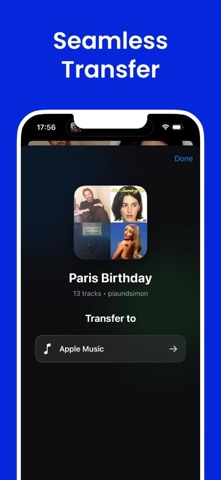
Easily Transfer Your Playlists Across Music Platforms!
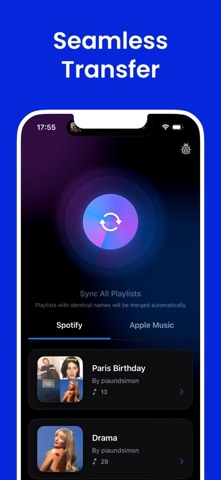
Our app makes playlist transfer simple and fast. Whether you’re switching from Spotify to Apple Music or merging your playlists across different platforms, we’ve got you covered. Say goodbye to manually recreating playlists and enjoy your favorite songs wherever you go.
Key Features:
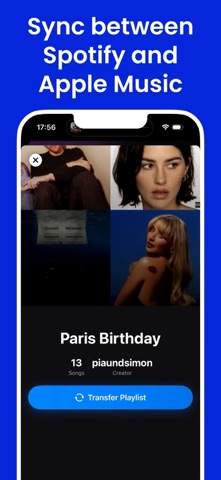
• Seamless Playlist Transfer: Move entire playlists between Spotify, Apple Music, and more with a few taps. • Automatic Syncing: Keep your playlists up-to-date across platforms. • Merge Identical Playlists: Avoid duplicates with automatic merging for playlists with the same name. • Cross-Platform Compatibility: Works with major music streaming services, including Spotify and Apple Music.
Why Choose Us?
With our app, playlist transfer has never been easier. Perfect for users who want to keep their playlists organized across multiple music platforms without the hassle. Enjoy a smooth, reliable transfer experience backed by user-friendly design and top-tier functionality.
How It Works:
1. Connect your music accounts (e.g., Spotify, Apple Music). 2. Select the playlists you want to transfer or sync. 3. Start the Transfer – Your playlists will be ready in moments!
Start your playlist transfer journey today and keep your music at your fingertips, no matter the platform. Download now and experience music without borders.
Terms of Service: https://www.apple.com/legal/internet-services/itunes/dev/stdeula/
Each subscription will automatically renew 3 days before the expiration date for
the same time period. Subscriptions can be cancelled at any time before the renewal.