

Pocket Guitar Chords
Pocket Guitar Chords is made and published by John Walbolt. AppBrain is an independent app data site and isn't affiliated with John Walbolt. The app name, icon, screenshots and description belong to John Walbolt and are shown as published on the App Store.
AppBrain's verdict
EstablishedLoved by users- Rating on App Store
- 4.78
- 1,356 ratings
- Last updated
- October 14, 2026
Users love it: 4.8 stars from 1,356 ratings.
Rankings
App Store top chartsApp Store Rankings for Pocket Guitar Chords
Competitors
Similar apps and more from John WalboltAlternatives to Pocket Guitar Chords


More from John Walbolt


Releases
Updates seen on the App Store- Version
- 3.0
- Launched
- March 2017
No changelog data
User feedback
Ratings and reviews on the App StoreComments on Pocket Guitar Chords for iOS
We don't have enough comments to show example comments. Please check back later.
Technology
Found in the app by AppBrain- Price
- Free
- App size
- 5.34 MB
- Content rating
- Medium
Technologies used by Pocket Guitar Chords
About the app and developer
About Pocket Guitar Chords
Pocket Guitar Chords is a music app developed by John Walbolt.
User Ratings
Pocket Guitar Chords is rated 4.78 out of 5 stars. The rating is based on 1.4 thousand ratings.
App Information
Pocket Guitar Chords is freely available from the App Store. The app size is 5.34 MB. The latest version available is 3.0. The last update was on October 14, 2026.
Technical Requirements
The app has a content rating of Medium Maturity. The app has been available on the App Store since March 2017.
Developer information for John Walbolt
Address:
Store listing
By John Walbolt, from the App Store

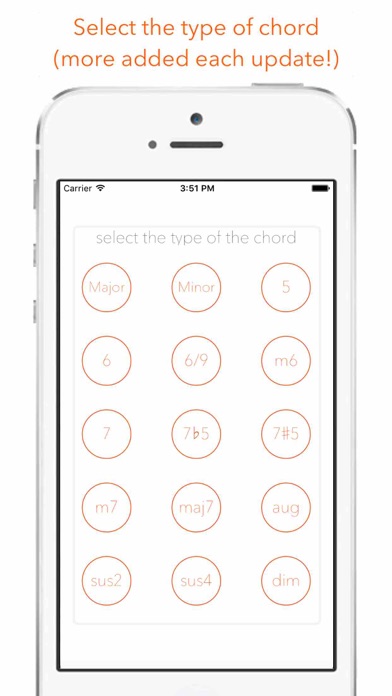
Description by John Walbolt Written by the developer, not by AppBrain. Click to read.
Pocket Guitar Chords is a fast, clear chord reference with everything you need to play your songs live: chord charts, set lists, and a stage view built to be read at arm's length.
CHORDS
• 180 chords: every root with 15 chord types, from major and minor to 7ths, sus, 6/9, augmented and diminished
• More than one shape for most chords, with finger numbers
• Hear every chord: strum it, or play it string by string
• Capo control that shifts the sound to match
• Search by name (try “Bm7”) and keep your favorites one tap away
• “Sounds great with” suggests chords that go together
• Left-handed diagrams
NAME THAT CHORD
Tap where your fingers are on the fretboard and the app tells you what you’re playing, then lets you hear it.
SONGS
• Chart the chords for each song, section by section
• Transpose up or down, set a capo and tempo
• Tap any chord to hear it
• Auto-scroll while you play
SET LISTS
• Put songs in running order for a gig, with the venue and date
• Play the set: big, high-contrast chords on a dark screen that stays awake, with the next song shown at the bottom
• Step through the set song by song
WIDGETS
• Next Gig: your upcoming set list and its songs on your home or lock screen
• Chord of the Day: a new chord every day
ALSO
• Designed for iPhone and iPad
• Light and dark appearance
• No account needed. Your songs and set lists stay on your device.