

Pocket Informant – Desktop
Pocket Informant – Desktop is made and published by Fanatic Software, Inc. AppBrain is an independent app data site and isn't affiliated with Fanatic Software, Inc. The app name, icon, screenshots and description belong to Fanatic Software, Inc. and are shown as published on the App Store.
AppBrain's verdict
- Last updated
- September 14, 2026
Rankings
App Store top chartsApp Store Rankings for Pocket Informant – Desktop
Competitors
Similar apps and more from Fanatic Software, Inc.More from Fanatic Software, Inc.

Releases
Updates seen on the App Store- Version
- 2.0.4
- Launched
- January 2018
No changelog data
User feedback
Ratings and reviews on the App StoreComments on Pocket Informant – Desktop for iOS
We don't have enough comments to show example comments. Please check back later.
Technology
Found in the app by AppBrain- Price
- $49.99
- App size
- 29.4 MB
- Content rating
- Everyone
Technologies used by Pocket Informant – Desktop
About the app and developer
About Pocket Informant – Desktop
Pocket Informant – Desktop is a productivity app developed by Fanatic Software, Inc.
User Ratings
The app has no ratings yet.
App Information
Pocket Informant – Desktop costs $49.99. The app size is 29.43 MB. The latest version available is 2.0.4. The last update was on September 14, 2026.
Technical Requirements
The app has a content rating of Everyone. The app has been available on the App Store since January 2018.
Developer information for Fanatic Software, Inc.
Address:
Frequently asked questions about Pocket Informant – Desktop
Is Pocket Informant – Desktop free?
No. Pocket Informant – Desktop costs $49.99 on the App Store.
Is Pocket Informant – Desktop still available?
Yes. Pocket Informant – Desktop is on the App Store, and the last update we saw was on September 14, 2026.
How large is Pocket Informant – Desktop?
Pocket Informant – Desktop is 29.43 MB.
Is Pocket Informant – Desktop suitable for children?
App Store rates the content of Pocket Informant – Desktop as suitable for everyone.
Who made Pocket Informant – Desktop?
Pocket Informant – Desktop was developed by Fanatic Software, Inc. It is listed in the productivity category on the App Store.
Store listing
By Fanatic Software, Inc., from the App Store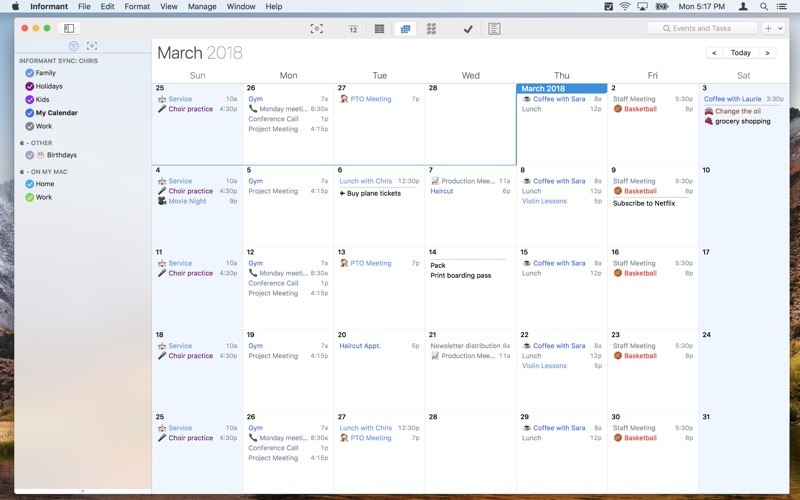
Description by Fanatic Software, Inc. Written by the developer, not by AppBrain. Click to read.
---
Why do customers choose Informant?
-”Informant puts tasks & calendar together in ONE app, the way it should be.”
-”Better, more useful calendar views. Native calendar apps are designed to be “pretty”, Informant is designed to be “pretty AND smart”.
-”It’s more fun with features like color coding, and emoticons.”
---
In our debut release of Informant for macOS, we're so excited to bring you many of the features that helped make Informant for iOS so popular...and a couple features unique to macOS:
BETTER CALENDARING
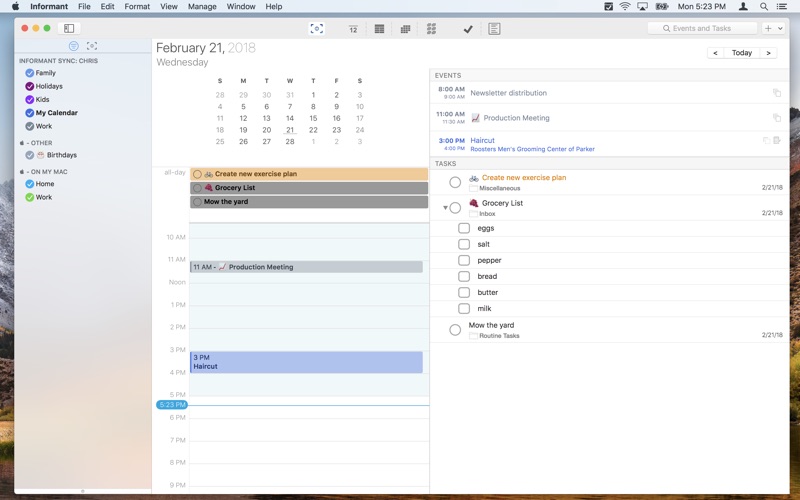
• Tasks are integrated into all calendar views - get a truly complete picture of what your day looks like
• Our unique "Focus View" that lets you focus on a single day at a time with customizable sections for which groups of tasks you want to see
• Show the "Focus" sidebar in any calendar view! Drag and drop between the focus sidebar and your calendar view.
TASKS & PROJECTS
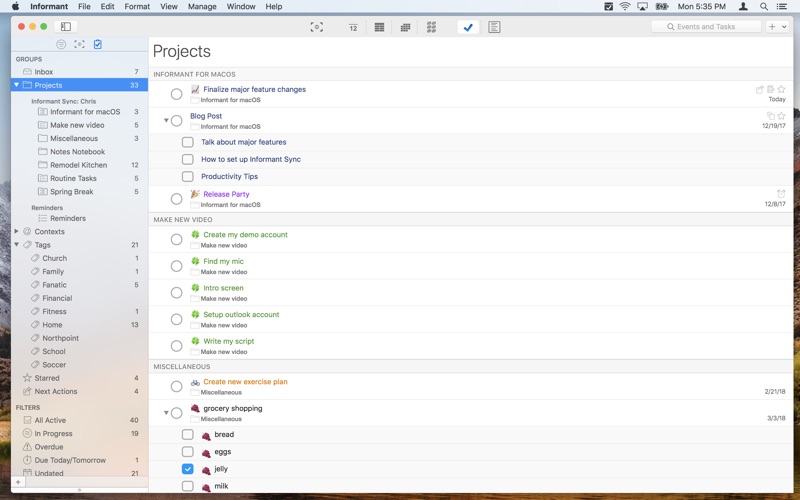
• Powerful task manager - create projects, use subtasks, and manage tasks with Franklin Style priorities or by using the GTD® principles
• Informant lets you manage your Apple Reminders in addition to your other tasks & projects
• Use checklists for tasks that contain lists - like groceries, packing, etc.
• Show tasks in your calendar
TRIGGERS
• Triggers: create "templates" for appointments & tasks that you can trigger to automatically fill out fields
• Add triggers to the "New" menu, or trigger them while typing a keyword in the title for an event or task
QUICK ENTRY
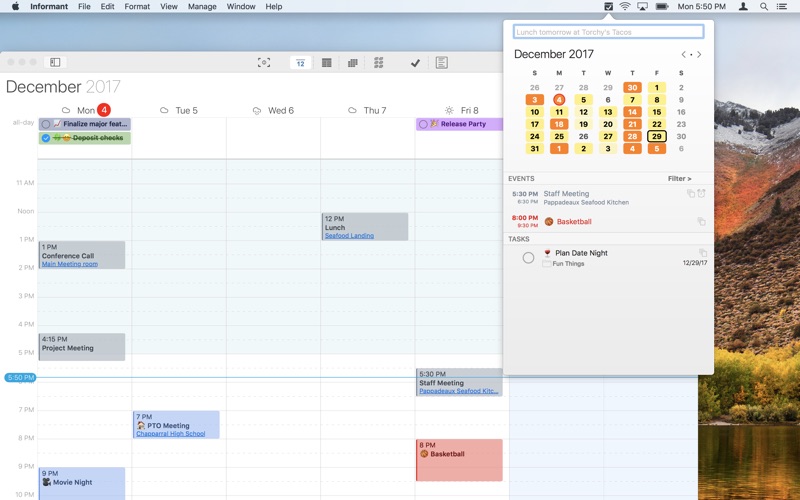
• Use Quick Entry to create new events and tasks no matter which app you are in. Define a custom hot key to bring up the Quick Entry window even when the main Informant App isn't running!
INFORMANT HELPER
• A super handy menu bar utility that you can fully customize. Pick which groups of tasks you'd like to see, create a calendar filter to limit which events you see and you can also use it for creating new events and tasks with natural langauge!
EXTREMELY CUSTOMIZABLE
• TAGS: You can create an apply tags to events or tasks. You can assign a custom color & icon to that tag and every item that you assign the tag to will automatically inherit those properties
• TABS: Informant lets you create multiple tabs to customize your workspace. Perhaps you might like to keep the month view open on one tab, a week view in another tab, and your task list open on another tab, etc.
• CALENDAR ITEM COLORS & ICONS: You can assign custom event/task colors and icons directly to an event or task, or to a tag, or to a calendar.
• SMART FILTERS: Create custom rules for finding tasks and save those as a Smart Filter. These smart filters show up on your main task view, but can also be included on your Focus View.
SYNC
• Informant supports syncing with Google Calendar, Google Task, Toodledo, Evernote and our very own Informant Sync.
INFORMANT SYNC (optional subscription)
• Keep ALL your devices in sync! Informant Sync was designed from the ground up to be the best way to keep all your Informant data in sync between your iPhone, iPad, iPod Touch and now your Mac. In addition to syncing your events, tasks and notes, Informant Sync syncs all data unique to Informant - including Smart Filters, Tags, Icons, Colors and more!
• Is automatically included for everyone who subscribes to Informant 5 for iOS!
SO MUCH MORE!
Visit http://pocketinformant.com/ for more information!
Our privacy and terms of use: http://pocketinformant.com/company-press/privacy/
GTD and Getting Things Done are ® of the David Allen Company