

Pocket Jam: Loop & Tempo
Pocket Jam: Loop & Tempo is made and published by Martin Hoeller. AppBrain is an independent app data site and isn't affiliated with Martin Hoeller. The app name, icon, screenshots and description belong to Martin Hoeller and are shown as published on the App Store.
AppBrain's verdict
Established- Rating on App Store
- 4.37
- 41 ratings
- Last updated
- October 18, 2026
It doesn't have enough ratings yet to judge what users think.
Rankings
App Store top chartsApp Store Rankings for Pocket Jam: Loop & Tempo
Competitors
Similar apps and more from Martin HoellerAlternatives to Pocket Jam: Loop & Tempo





More from Martin Hoeller


Releases
Updates seen on the App Store- Version
- 6.0.2
- Launched
- September 2016
No changelog data
User feedback
Ratings and reviews on the App StoreComments on Pocket Jam: Loop & Tempo for iOS
We don't have enough comments to show example comments. Please check back later.
Technology
Found in the app by AppBrain- Price
- Free
- App size
- 21.0 MB
- Content rating
- Everyone
Technologies used by Pocket Jam: Loop & Tempo
About the app and developer
About Pocket Jam: Loop & Tempo
Pocket Jam: Loop & Tempo is a music app developed by Martin Hoeller.
User Ratings
Pocket Jam: Loop & Tempo is rated 4.37 out of 5 stars. The rating is based on 41 ratings.
App Information
Pocket Jam: Loop & Tempo is freely available from the App Store. The app size is 21.02 MB. The latest version available is 6.0.2. The last update was on October 18, 2026.
Technical Requirements
The app has a content rating of Everyone. The app has been available on the App Store since September 2016.
Developer information for Martin Hoeller
Address:
Store listing
By Martin Hoeller, from the App Store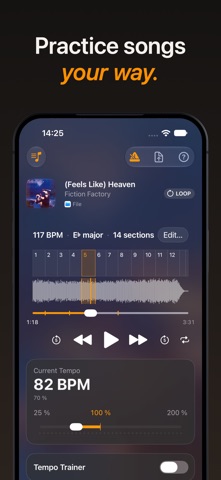

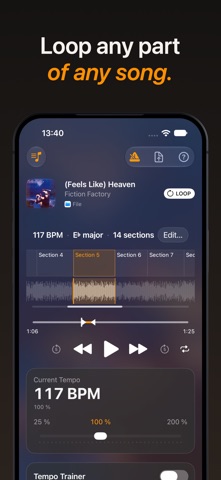


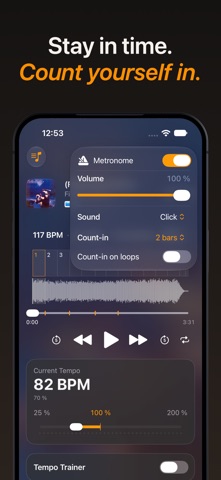


Description by Martin Hoeller Written by the developer, not by AppBrain. Click to read.
If you don't have a capo to hand — or worse, the song is in a lower tuning than you, Pocket Jam has you covered. You can change the pitch up and down — in real time — to any amount of semitones up to an octave.
Looping lets you pick specific parts of the song you want to practise. Once enabled, drag the left and right handles on the play bar to set the start and end of the loop, and it'll loop between them.
And when looping isn't enough, you can use the speed trainer. With a loop set up up, you can have it start each loop playing slowly, and gradually get faster after each loop. You can customise how slow it starts, and how many loops it takes to reach the full tempo.
Mark specific times in a song with section markers. It'll let you jump to parts or set up loops quicker.
You can add songs from your Apple Music library — streaming or downloads — or from your Files on device, and play them back in real time, or export them. Pitch adjustments and file exporting are not available when streaming from Apple Music.
Terms & Conditions: https://pocketjam.app/terms/