Pocket Shell - SSH client is made and published by
Apps Haus.
AppBrain is an independent app data site and isn't affiliated with Apps Haus.
The app name, icon, screenshots and description belong to Apps Haus and are shown as
published on the App Store.
About Pocket Shell - SSH client
Pocket Shell - SSH client is a productivity app developed by Apps Haus.
What is the rating of Pocket Shell - SSH client?
Pocket Shell - SSH client has no ratings yet.
Is Pocket Shell - SSH client free?
Pocket Shell - SSH client is free. The app size is 29.09 MB. The latest version available is 1.0.0. The last update was on May 14, 2026.
What are the requirements for Pocket Shell - SSH client?
The app has a content rating of Everyone. The app has been available on the App Store since May 2026.
Description by Apps Haus(from the App Store)
Pocket Shell is a modern SSH client built for developers, server owners, IT users and anyone who needs quick access to remote machines from a mobile device.
Connect to your servers, manage saved hosts, browse files with SFTP and run terminal commands from one clean, dark-mode interface.
Whether you are checking a VPS, managing a cloud instance, accessing a Linux server or handling quick maintenance tasks while away from your computer, Pocket Shell gives you a simple and focused way to stay connected.
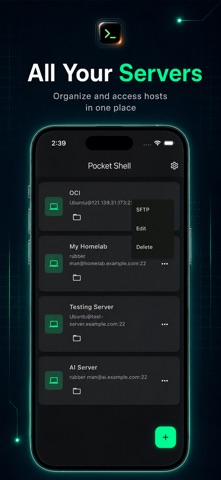
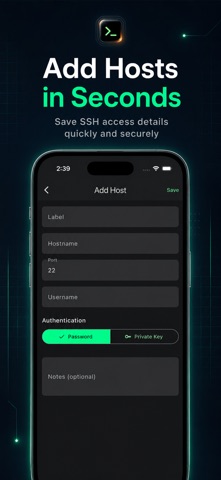
Key Features: * SSH Client Save and organize your server connections in one place. Add host details such as hostname, port, username and authentication method, then access your servers quickly when needed.
* Terminal Access Open a remote terminal session and run commands directly from your phone. Pocket Shell is designed for quick checks, server monitoring, command execution and remote troubleshooting.
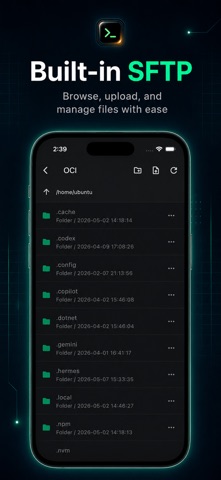
* Built-in SFTP File Browser Browse remote folders and manage server files through a clean SFTP interface. Move through directories, view folder structures and access server files without switching tools.
* Local Terminal Access a local terminal area for command-line workflows directly inside the app.
* Clean Dark Interface Pocket Shell uses a focused dark UI with clear text, simple navigation and developer-friendly controls, making it comfortable to use during long sessions or quick checks.
Designed For: - Developers - System administrators - Cloud server users - VPS owners - Linux users - Homelab users - IT support users - Students learning server management - Anyone who needs SSH access on mobile
Why Pocket Shell? Pocket Shell is built around one idea: remote server access should feel simple, clean and reliable on mobile. Instead of a cluttered interface, the app keeps the most important tools close: saved hosts, SSH terminal, SFTP file browsing, authentication options and quick access controls.
Use Pocket Shell when you need to: - Connect to a Linux server - Check server status - Run quick terminal commands - Manage SSH hosts - Browse remote files with SFTP - Access your VPS or cloud instance - Work with your homelab server - Handle quick server maintenance while away from your computer
Each subscription will automatically renew 3 days before the expiration date for
the same time period. Subscriptions can be cancelled at any time before the renewal.