
PocketIgo is made and published by SilverStarJapan. AppBrain is an independent app data site and isn't affiliated with SilverStarJapan. The app name, icon, screenshots and description belong to SilverStarJapan and are shown as published on the App Store.
AppBrain's verdict
Established- Rating on App Store
- 5.00
- 1 ratings
- Last updated
- July 29, 2023
It doesn't have enough ratings yet to judge what users think.
Rankings
App Store top chartsApp Store Rankings for PocketIgo
Competitors
Similar apps and more from SilverStarJapan











Releases
Updates seen on the App Store- Version
- 2.0
- Launched
- June 2018
No changelog data
User feedback
Ratings and reviews on the App StoreComments on PocketIgo for iOS
We don't have enough comments to show example comments. Please check back later.
Technology
Found in the app by AppBrain- Price
- Free
- App size
- 151.3 MB
- Content rating
- Everyone
Technologies used by PocketIgo
About the app and developer
About PocketIgo
PocketIgo is a games app developed by SilverStarJapan.
User Ratings
PocketIgo is rated 5.00 out of 5 stars. The rating is based on one rating ratings.
App Information
PocketIgo is freely available from the App Store. The app size is 151.34 MB. The latest version available is 2.0. The last update was on July 29, 2023.
Technical Requirements
The app has a content rating of Everyone. The app has been available on the App Store since June 2018.
Developer information for SilverStarJapan
Address:
Frequently asked questions about PocketIgo
Is PocketIgo free?
Yes. PocketIgo is free on the App Store.
Is PocketIgo still available?
Yes. PocketIgo is on the App Store, and the last update we saw was on July 29, 2023.
How large is PocketIgo?
PocketIgo is 151.34 MB.
Is PocketIgo suitable for children?
App Store rates the content of PocketIgo as suitable for everyone.
How do people rate PocketIgo?
PocketIgo has one rating of 5.00 stars on the App Store.
Who made PocketIgo?
PocketIgo was developed by SilverStarJapan. It is listed in the games category on the App Store.
What are the best alternatives to PocketIgo?
People looking at PocketIgo also look at these games apps: 詰碁の森 - 入門からプロまで遊べる囲碁アプリ, 手筋の森 - 入門からプロまで遊べる囲碁アプリ, IgoStadium, The World Go, みんなの将棋 ~将棋ゲームと日替わり詰将棋.
Store listing
By SilverStarJapan, from the App Store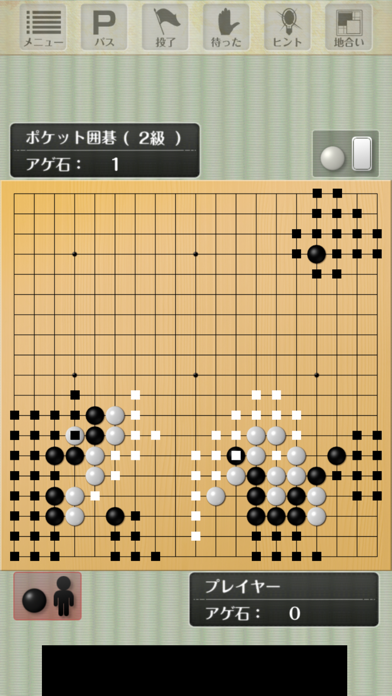
Description by SilverStarJapan Written by the developer, not by AppBrain. Click to read.
○ Game mode
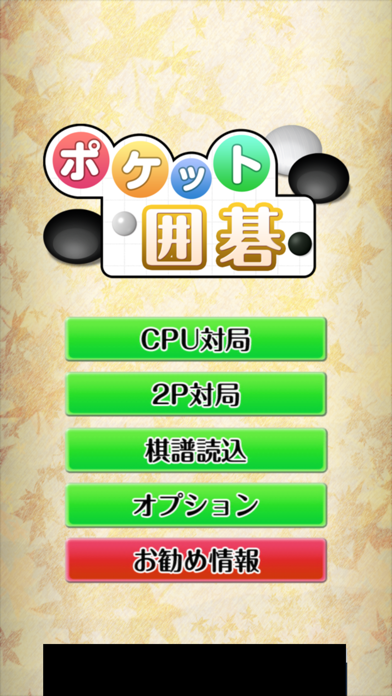
◆ CPU game station
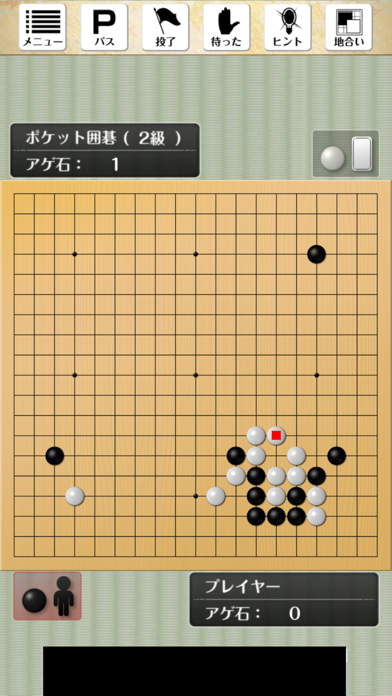
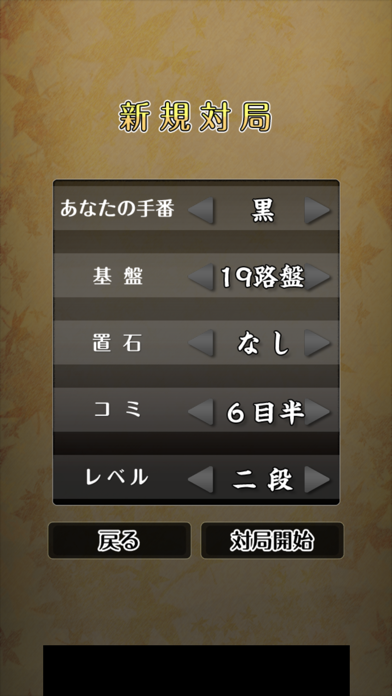
It is a mode where you choose a level from 8 stages of Introductory / Beginner / Grade 4 / Grade 3 / Grade 2 / Grade 1 / First Stage / 2 Stage, and you will face the computer.
=======================
Thinking time fluctuates depending on the performance of the terminal you are using and the setting of the game against the other.
● Reference information ●
Model: iPhone 6
Board: 19 Road
Level: 'second dan'
Thinking time: 1 handwriting 10 seconds
=======================
◆ 2P opponent
Using a single terminal, the game is played by striking stones alternately by two people. Even if there is no go board or go stone, you can play games between humans at once. Also, 2P game mode can be used not only for the game but also for entering game records. It is convenient for input and browsing on the go.
○ Save and resume function of game record
Game game can be saved and read. You can save up to 100 game records. You can sort the game records later or restart the game.
○ Function in game
"Pocket Go" has many functions that are useful during the game.
◆ Corresponding board: 19 way / 13 way / 9 way
◆ Comic: half a meter from 0 to 7 half eyes
◆ stones: 0 to 9 children (19 roads), 0 to 4 children (13, 9 roads)
◆ "Hint" function that will tell you the next hand during the game
◆"Form display" function which displays and calculates the form on the board
Equipped with a regular expression display function
○ Various functions to realize light operation
Various functions will support you so that you can operate lightly and accurately even on 19 roads.
◆ Zoom the periphery of the place you touched once on the board, then strike the stone Auto zoom function
◆ Display the cursor at the location where you are touching and hit the stone by releasing your finger according to the target location Cursor function
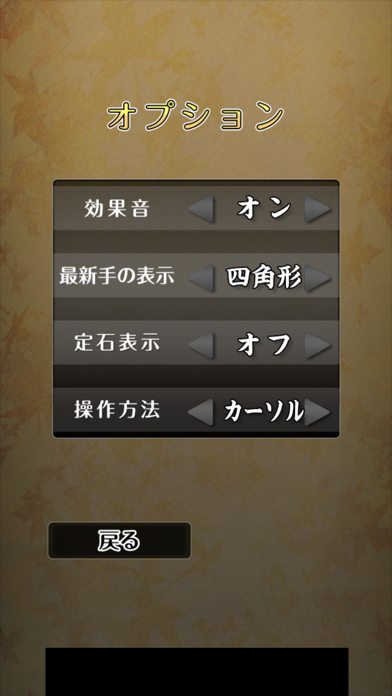
* Zoom function and cursor function can switch functions from "Option".
(C) SilverStarJapan