Download Android Apps and Games
AppBrain
  • Apps
  • Apps being viewed right now Trending apps today Most popular apps All-time most downloaded apps Top rated apps
  • Intelligence ▾
    Intelligence overview → Track any Android app or your whole market
    Track & analyze
    Keyword Tracker & OptimizerTrack & improve Play rankings App Performance ReportOne-off PDF for any app StatisticsFree Android & Play market stats
    Promote your app
    Featured Apps App Links
  • Intelligence
  • Pricing
  • Dashboard
  • Sign up
  • Log in
Last updated on: 2026-05-27
App Store Apps > Education > Podium - Slideshow Maker
Podium - Slideshow Maker icon

Podium - Slideshow Maker

4.922
Good Effect
0.00
0 reviews
$2.99

Not recently updated — last update was on 2024-03-15. This app may no longer be actively maintained.
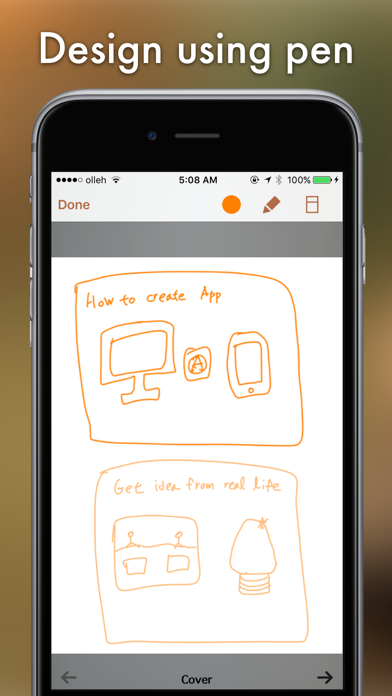
Podium - Slideshow Maker Screenshot 1 of 4
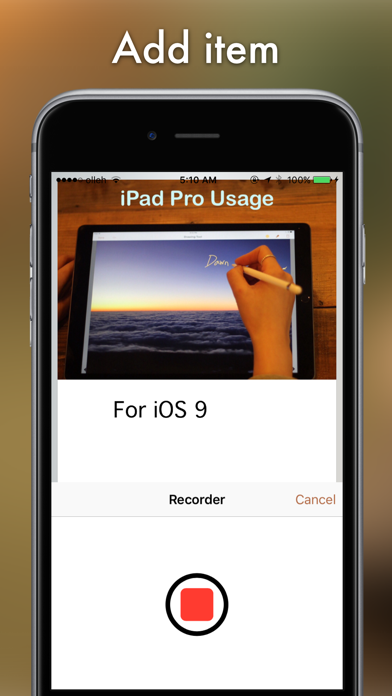
Podium - Slideshow Maker Screenshot 2 of 4
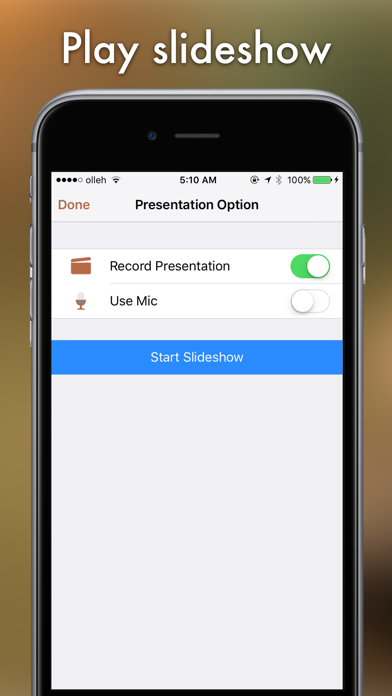
Podium - Slideshow Maker Screenshot 3 of 4
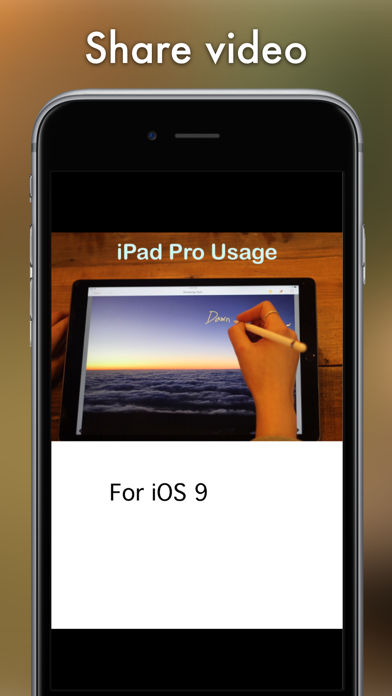
Podium - Slideshow Maker Screenshot 4 of 4
Download from the App Store

About Podium - Slideshow Maker

Podium - Slideshow Maker is an overall app developed by Good Effect.

How many times has Podium - Slideshow Maker been downloaded?

What is the rating of Podium - Slideshow Maker?

Podium - Slideshow Maker has no ratings yet.

Is Podium - Slideshow Maker free?

Podium - Slideshow Maker costs $2.99 to download. The APK download size is 73.37 MB. The latest version available is 4.922. The last update was on March 15, 2024.

What are the requirements for Podium - Slideshow Maker?

The app has a content rating of Everyone. The app has been available on Google Play April 2016.

Description
Take Note, Organize Idea, Make a Presentation.
Make your own presentation with Podium. Anyone can easily make a slideshow.

Make an interactive slideshow and enjoy making and playing the slideshow you made!

You can use it in school, work, and at home to make all types of slideshow such as PR booklet, PDF documents, and etc.


Making a multimedia slideshow

You can add pictures, text, voice recordings, songs, and videos on the page.
You can use the camera to take pictures or videos and add them right on to the page.
You can draw image and edit image using Pen Tool.
Podium provides interactive functions such as item connection and auto play to make your presentation more fun.


Easy and intuitive interface

Children of all ages can easily use this interface.
Use the Item Bar to add items to the page by drag & drop.
The size of the items can be changed by pinch-zooming with two fingers, and the items can be moved to any location by dragging.
All text are shown on the page in real time with the In-Page text editor that is provided.
Use the Undo function to return to the previous work.


Record your slideshow

You can record slideshow while it is playing. Also you can record your voice simultaneously.
The recorded slideshow can export as video and it will download to Photo Library.
You can record yourself by using front facing camera while slideshow.


Share your slideshow

You can share your slideshow with others using Book World. Join the Book World and upload your slideshow to Book World, and follow your favorite author.
You can share you made with Podium on Dropbox or Google Drive, etc, or you may send the books to iTunes or via E-mail.
You can upload your slideshow video to YouTube, Vimeo, etc.
Save your presentation as a PDF document or you can use AirPrint or use Export to print the slideshow.
You can export your slideshow to Book Writer which is support iBooks.


In Class

Brother of Podium, Book Writer is being used in many countries by thousands of people for educational use.
Podium helps students to make a slideshow by organizing their thoughts. With an intuitive interface, anyone can easily express and organize their thoughts.
You can easily share your slideshow using Book World.


50% sale for educational institutions.

Use App Store Volume Purchase Program to purchase Podium.
For more details - http://www.apple.com/itunes/education/


Main Functions

Use drag & drop to easily add items.
You can use the photos from Photo Library to add to the slideshow, or you can add pictures taken directly from camera.
Pictures can be moved, the size can be adjusted, and you can rotate or crop the pictures by touching.
Text box item can be added to the page to input text.
Podium supports fonts and styles of various types.
You can draw image and edit image using Pen Tool.
You can add videos from your album or you can directly record videos with your camera to add them.
Use recorder to record your voice and add to the slideshow, or add music from Music Library to your slideshow.
Bring any music from Music Library to add as your background music.
Use the auto play function to automatically play the media at the time you want.
Item connection function is provided to connect your pictures or text to sound items.
The Undo function allows you to return to your previous work.
Use the Page Editor to add or delete pages or change the order of the page by using drag & drop.
The completed slideshow can be play in ‘Presentation Mode’.
Slideshows that have been created can be shared via Book World, iTunes, E-mail, Dropbox, or Google Drive, etc.

Online support is included. Please visit our homepage - http://goodeffect.com
Show more Show less

More data about Podium - Slideshow Maker

Price $2.99
Rating No ratings
Ranking Not ranked
Version 4.922
App download size 73.4 MB
Suitable for Everyone

Alternative downloads for the Podium - Slideshow Maker app

Italian Pro:dictionary tutor icon Italian Pro:dictionary tutor
Iaroslav Mironov
5.0
$9.99
3 ratings
Creative Widget Builder icon Creative Widget Builder
Tiger Ng
5.0
Free
2 ratings
Splashtop Classroom icon Splashtop Classroom
Splashtop Inc.
3.9
Free
14 ratings
G2X | Athlete Discipleship icon G2X | Athlete Discipleship
Athletes In Action Sports Complex And Retreat Center, Inc.
3.0
Free
2 ratings
Integral Calculator app icon Integral Calculator app
talha rehman
0.0
Free
ICAI icon ICAI
The Institute of Chartered Accountants of India
5.0
Free
3 ratings
BKF Multimediaguide icon BKF Multimediaguide
Bucerius Kunst Forum gemeinnutzige GmbH
4.5
Free
10 ratings
Teacher Aide Pro icon Teacher Aide Pro
Glen Botha
4.6
Free
111 ratings

More from Good Effect

Book Writer One icon Book Writer One
Good Effect
2.5
Free
16 ratings
Book Writer icon Book Writer
Good Effect
3.9
$3.99
11 ratings
Fairy Tale icon Fairy Tale
Good Effect
1.7
Free
7 ratings
My Kinfolk icon My Kinfolk
Good Effect
3.2
Free
5 ratings
Match - Brain Training Game icon Match - Brain Training Game
Good Effect
0.0
Free
Not To Do - Break Bad Habits icon Not To Do - Break Bad Habits
Good Effect
0.0
$0.99
Focus - Pomodoro Timer icon Focus - Pomodoro Timer
Good Effect
0.0
Free

Changelog of Podium - Slideshow Maker

No changelog data

Show more Show less

Developer information for Good Effect

Good Effect

N/A

Share Podium - Slideshow Maker

Comments on Podium - Slideshow Maker for iOS

We don't have enough comments to show example comments. Please check back later.

App Store Rankings for Podium - Slideshow Maker

This app is not ranked

Technologies used by Podium - Slideshow Maker

Apps on sale Apps other people are watching Top new apps Today's trending apps Popular Overall
Italian Pro:dictionary tutor icon Italian Pro:dictionary tutor
Creative Widget Builder icon Creative Widget Builder
Splashtop Classroom icon Splashtop Classroom
G2X | Athlete Discipleship icon G2X | Athlete Discipleship
Integral Calculator app icon Integral Calculator app
ICAI icon ICAI
BKF Multimediaguide icon BKF Multimediaguide
Teacher Aide Pro icon Teacher Aide Pro

Back to top
AppBrain Intelligence premium content

Subscribe now to get full and unlimited access to AppBrain Intelligence. You'll have access to:

  • App Intelligence dashboard (performance timeline, competitor comparison, country rankings, insight cards)
  • Detailed ranking data per app
  • Full timeline per developer
  • Device market shares data per country
1 Month

$75/mo
(billed every month)

SAVE 0%
Subscribe
3 Months

$65/mo
($195 billed every 3 months)

SAVE 13%
Subscribe
1 Year

$57.50/mo
($690 billed every year)

SAVE 23%
Subscribe
Each subscription will automatically renew 3 days before the expiration date for the same time period. Subscriptions can be cancelled at any time before the renewal.

AppBrain is a directory focused on discovering great apps and games. We give statistics, rankings and search options that Google Play and the App Store don't have. All trademarks are owned by their respective owners. AppBrain doesn't offer APKs or binaries, and always lets users install the official version from Google Play or the App Store.

More apps

  • Top Android apps being viewed
  • Superbolter
  • Expense Planner Budget Tracker
  • Bus Arrival stats

Android Statistics

  • Android statistics
  • Google Play Developer stats
  • Trending Android Apps
  • Top popular Apps
  • Buy the best Android phone

About AppBrain

  • Contact
  • Privacy
  • Documentation
  • DMCA takedowns
  • Articles
  • Blog
  • How to improve the earnings of your ad units
© 2010-2026 - AppBrain