

Poison Maps - UK & Ireland
Poison Maps - UK & Ireland is made and published by CCS Ltd. AppBrain is an independent app data site and isn't affiliated with CCS Ltd. The app name, icon, screenshots and description belong to CCS Ltd and are shown as published on the App Store.
AppBrain's verdict
Established- Rating on App Store
- 4.50
- 2 ratings
- Last updated
- April 4, 2018
It doesn't have enough ratings yet to judge what users think.
Rankings
App Store top chartsApp Store Rankings for Poison Maps - UK & Ireland
Competitors
Similar apps and more from CCS LtdAlternatives to Poison Maps - UK & Ireland





More from CCS Ltd





Releases
Updates seen on the App Store- Version
- 3.0.8
- Launched
- December 2013
No changelog data
User feedback
Ratings and reviews on the App StoreComments on Poison Maps - UK & Ireland for iOS
We don't have enough comments to show example comments. Please check back later.
Technology
Found in the app by AppBrain- Price
- Free
- App size
- 75.4 MB
- Content rating
- Everyone
Technologies used by Poison Maps - UK & Ireland
About the app and developer
About Poison Maps - UK & Ireland
Poison Maps - UK & Ireland is a navigation app developed by CCS Ltd.
What is the rating of Poison Maps - UK & Ireland?
Poison Maps - UK & Ireland is rated 4.50 out of 5 stars, based on 2 ratings.
Is Poison Maps - UK & Ireland free?
Poison Maps - UK & Ireland is free. The app size is 75.41 MB. The latest version available is 3.0.8. The last update was on April 4, 2018.
What are the requirements for Poison Maps - UK & Ireland?
The app has a content rating of Everyone. The app has been available on the App Store since December 2013.
Developer information for CCS Ltd
Address:
Store listing
By CCS Ltd, from the App Store

Description by CCS Ltd Written by the developer, not by AppBrain. Click to read.
The app contains every possible category of POI: hotels, banks, toilets, tourist attractions, hills, towns, transport, hospitals, churches, schools, libraries, civic buildings, rescue services, fuel stations, restaurants, bars, shops, leisure, parking and much much more.
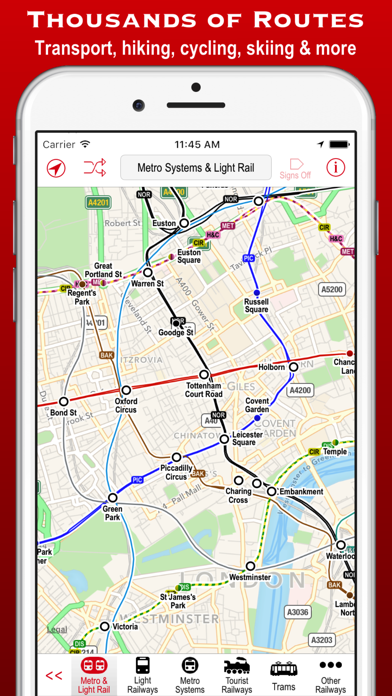
It also contains hundreds of thousands of miles of colour-coded routes, such as railways, subway maps, bus routes, cycle routes, hiking trails and ski pistes. The POIs and routes are all taken from the fantastic OpenStreetMap project.
The app includes many unique features:
• a toolbar at the bottom of the screen that allows you to display what you want in just 2 or 3 taps;
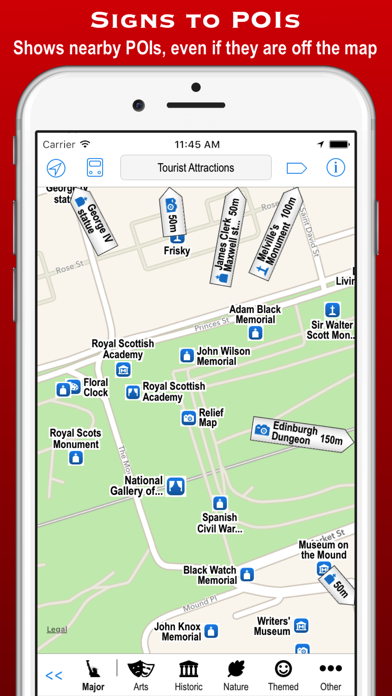
• signs pointing to offscreen POIs, so that you never miss a nearby POI;
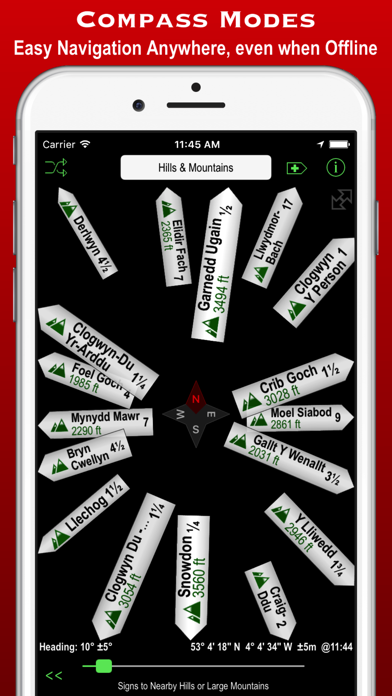
• compass, radar and scanner modes that display the nearest POIs in different ways;
• a unique gesture that allows rapid panning by temporarily zooming out (using 3D Touch when available);
• back and forward buttons that help you retrace what you have looked at (like on a browser);
• an Apple Watch app that shows what you want in only a few taps (or just one tap of the complication);
Compass mode simply shows signs to the POIs. This is particularly useful when you just want to know what is around you or which way to head, and you haven’t got time to inspect a map, such as when cycling or hiking. It also works offline and is perfect for people who hate maps: they just follow the sign to where they want to go. It is also great at viewpoints to identify what hills, towns and structures you can see.
Radar mode and Scanner modes are similar but also include a map that rotates around the current position. They include radar “rings” to show the distances from the current position. Scanner mode uniquely positions the GPS dot at the bottom of the screen so that you can see much more information in the direction that you are pointing.
The unique panning gesture requires just one touch of one finger instead of the multi-finger gymnastics required by the traditional “pinch to zoom” approach (although that is still available). It also provides a quick way of zooming out and back in again when you are not sure what area the map is showing. It is a brilliant and completely original use of 3D Touch but also works fine on iPhones without it (using a long touch).
The Apple Watch app also allows you to select any category in just a few taps. When you have selected a category then the nearest POIs are shown on a mini-map with the details listed below. The watch app also provides navigation to a POI, and you can even phone a POI from the watch!
These are just some of the unique aspects of the app. All the usual map features are also provided, such as super-fast searching, directions, bookmarks, POI information, favouriting of brands, and much more. You can even create your own POIs, such as where you parked your car.
Note that this free version includes most of the categories, but the expansion pack is required for POIs and routes in the food & drink, shops, sport & leisure and driving categories.