

PolyDelay is made and published by Rob Jackson. AppBrain is an independent app data site and isn't affiliated with Rob Jackson. The app name, icon, screenshots and description belong to Rob Jackson and are shown as published on the App Store.
AppBrain's verdict
- Rating on App Store
- 5.00
- 3 ratings
- Last updated
- January 18, 2026
It doesn't have enough ratings yet to judge what users think.
Rankings
App Store top chartsApp Store Rankings for PolyDelay
Competitors
Similar apps and more from Rob JacksonMore from Rob Jackson



Releases
Updates seen on the App Store- Version
- 1.0.2
- Launched
- August 2025
No changelog data
User feedback
Ratings and reviews on the App StoreComments on PolyDelay for iOS
We don't have enough comments to show example comments. Please check back later.
Technology
Found in the app by AppBrain- Price
- $1.99
- App size
- 12.7 MB
- Content rating
- Everyone
Technologies used by PolyDelay
About the app and developer
About PolyDelay
PolyDelay is a music app developed by Rob Jackson.
User Ratings
PolyDelay is rated 5.00 out of 5 stars. The rating is based on 3 ratings.
App Information
PolyDelay costs $1.99. The app size is 12.69 MB. The latest version available is 1.0.2. The last update was on January 18, 2026.
Technical Requirements
The app has a content rating of Everyone. The app has been available on the App Store since August 2025.
Developer information for Rob Jackson
Address:
Frequently asked questions about PolyDelay
Is PolyDelay free?
No. PolyDelay costs $1.99 on the App Store.
Is PolyDelay still available?
Yes. PolyDelay is on the App Store, and the last update we saw was on January 18, 2026.
How large is PolyDelay?
PolyDelay is 12.69 MB.
Is PolyDelay suitable for children?
App Store rates the content of PolyDelay as suitable for everyone.
How do people rate PolyDelay?
PolyDelay scores 5.00 out of 5 stars, from 3 ratings on the App Store.
Who made PolyDelay?
PolyDelay was developed by Rob Jackson. It is listed in the music category on the App Store.
Store listing
By Rob Jackson, from the App Store

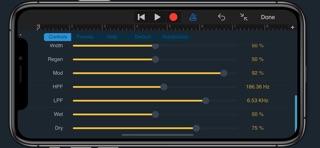
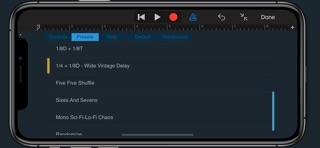

Description by Rob Jackson Written by the developer, not by AppBrain. Click to read.
PolyDelay is an audio effect plugin that can run standalone, or in any AU compatible host application such as Logic Pro or GarageBand.
Overview
PolyDelay is a dual delay line / stereo effect with optional host tempo sync. While PolyDelay can be used to create interesting stereo polyrhythmic delays, it can also produce more familiar delay patterns such as dotted eighth and quarter note triplets.
Polyrhythms, Divisions and Beats
PolyDelay calculates delay times based on a BPM (beats per minute) tempo, and the polyrhythmic notation of D:B, where D = divisions and B = beats. For example, 3:2 would mean that the time for 2 beats should be divided by 3. If you're more use to the idea of note lengths and delay times, such as quarter notes and dotted eighths, etc., this might be confusing at first, but hopefully this guide will help.
Firstly, everything starts with the beat! So, for 120BPM, each beat (or quarter note) will be half a second, or 500ms. So if you want a quarter note delay, you want 1 division within one beat, so you would set Divs and Beats to 1.
Here are some typical note values, lengths (120BPM) and their D:B values:
1/4 = 500ms = 1:1 (take the length of one beat, and divide that by one)
1/8 = 250ms = 2:1 (take the length of one beat, and divide that by two)
1/16 = 125ms = 4:1 (etc.)
1/32 = 63ms = 8:1 (etc.)
See how the divisions are doubled-up for each note? And here are some dotted and triplet note examples - see how the D:B numbers start to get interesting!
1/4D = 750ms = 2:3
1/4T = 333ms = 3:2
1/8D = 375ms = 4:3
1/8T = 167ms = 3:1
A classic stereo delay would be 1:1 (1/4) left, and 4:3 (1/8D) right with Width set to max. If you want a really long delay, a 1:8 setting would give you 4 seconds at 120BPM with Multiply set to Normal, or 8 seconds set to Half. The Presets also include some typical (and not so typical!) examples to get you started.
The fun really starts when you start mixing "unusual" (typically odd numbers) divisions and beats, such as 5:4 or 2:7. These sorts of relationships are what we typically refer to as polyrhythms. Try experimenting with PolyDelay on simple sequences and drum parts / patterns and you may start to hear all sorts of interesting rhythmic interplay as your brain tries to figure out what's going on!
For additional tone-shaping, PolyDelay includes variable stereo width, a high and low pass filter, stereo modulation and internal limiting to keep audio levels in check.
For more info and support please visit:
www.waverley-instruments.com/robjackson