

Pomodoro Clock | Focus on work
Pomodoro Clock | Focus on work is made and published by Takatoshi Ichige. AppBrain is an independent app data site and isn't affiliated with Takatoshi Ichige. The app name, icon, screenshots and description belong to Takatoshi Ichige and are shown as published on the App Store.
AppBrain's verdict
- Last updated
- July 17, 2026
- Size
- 99.4 MB
User feedback
Ratings and reviews on the App StoreComments on Pomodoro Clock | Focus on work for iOS
We don't have enough comments to show example comments. Please check back later.
Store listing
By Takatoshi Ichige, from the App Store


Description by Takatoshi Ichige Written by the developer, not by AppBrain. Click to read.
This app combines the simplicity of a Pomodoro timer with the practicality of displaying the current time, giving you an all-in-one tool for productivity and time management.
Whether you're working, studying, or tackling daily tasks, this app helps you stay focused and in control of your time.
Key Features
1. Simple and Intuitive Pomodoro Timer
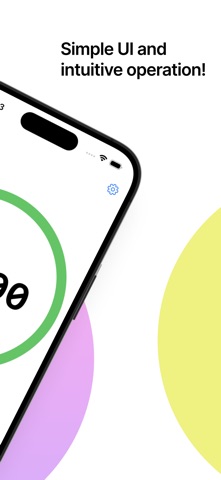
Designed with a sleek and minimal UI, this app allows you to jump into focus mode immediately.
With balanced work and break intervals, you can manage your tasks efficiently without distractions.
2. Check the Current Time While You Work
Unlike other Pomodoro timers, this app shows the current time right on the main screen.
Now you can stay aware of the clock while keeping your focus on the task at hand—perfect for managing deadlines and scheduling.
3. Flexible Customization Options
Tailor the app to match your unique workflow with a range of settings:
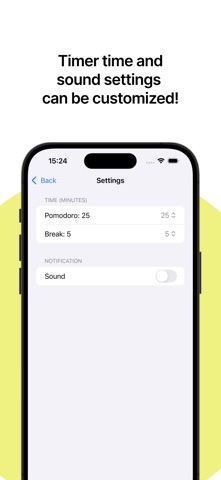
Adjustable Timer Durations: Set work and break intervals to suit your productivity style.
Sound Notifications: Get notified with sound alerts when it's time to switch tasks.
You can also mute sounds for quiet environments.
4. Auto-Switching Between Modes
The timer automatically transitions to the next mode (work or break) after each notification.
No need to fiddle with settings—just focus on your tasks, and let the app handle the rest.
5. Portrait and Landscape Mode Support
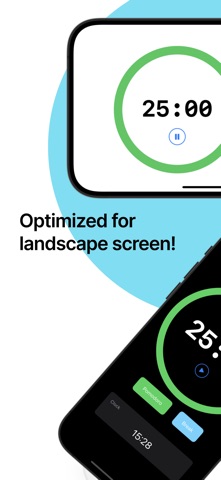
Whether you prefer holding your device upright or sideways, this app adapts seamlessly to your screen orientation for maximum convenience.
6. Dark Mode Compatibility
Enjoy a comfortable experience with dark mode, especially when working at night or in dimly lit environments. Protect your eyes and maintain focus longer.
Perfect for...
Boosting your productivity during work or study
Staying aware of the current time while focusing
Simplifying your task management with an easy-to-use timer
Building effective time management habits
Anyone looking for a smart and simple productivity tool
Boost Focus & Take Control of Your Time!
Transform the way you work and study with this powerful yet simple time management app. Download now and unlock a new level of productivity and time efficiency in your daily routine!
Terms of Use
https://sly-pudding-816.notion.site/Terms-of-Use-24fd3730639f80549ab2c44bf3ebd44b
Safety and technology
Found in the app by AppBrain- Price
- Free
- App size
- 99.4 MB
- Content rating
- Everyone
Technologies used by Pomodoro Clock | Focus on work
Releases
Updates seen on the App Store- Version
- 1.5.1
- Launched
- December 2024
No changelog data
Alternatives
Similar apps and more from Takatoshi IchigeMore from Takatoshi Ichige


Rankings
App Store top chartsApp Store Rankings for Pomodoro Clock | Focus on work
About the app and developer
About Pomodoro Clock | Focus on work
Pomodoro Clock | Focus on work is a productivity app developed by Takatoshi Ichige.
User Ratings
The app has no ratings yet.
App Information
Pomodoro Clock | Focus on work is freely available from the App Store. The app size is 99.37 MB. The latest version available is 1.5.1. The last update was on July 17, 2026.
Technical Requirements
The app has a content rating of Everyone. The app has been available on the App Store since December 2024.
Developer information for Takatoshi Ichige
Address: