Pomodoro Study Timer Easy is made and published by
Michihito Kato.
AppBrain is an independent app data site and isn't affiliated with Michihito Kato.
The app name, icon, screenshots and description belong to Michihito Kato and are shown as
published on the App Store.
About Pomodoro Study Timer Easy
Pomodoro Study Timer Easy is an utilities app developed by Michihito Kato.
What is the rating of Pomodoro Study Timer Easy?
Pomodoro Study Timer Easy has no ratings yet.
Is Pomodoro Study Timer Easy free?
Pomodoro Study Timer Easy is free. The app size is 12.46 MB. The latest version available is 2.8.0. The last update was on July 3, 2026.
What are the requirements for Pomodoro Study Timer Easy?
The app has a content rating of Everyone. The app has been available on the App Store since August 2011.
Description by Michihito Kato(from the App Store)
Boost your focus and productivity. Easy Timer is the perfect simple countdown timer for studying, workouts, tasks, and daily routines. Easy to use and beautifully designed to help structure your day.
【Features】 - Simple and intuitive interface - Perfect for study sessions and training workouts - Interval timer functionality for repeated tasks - Great for managing daily schedules - Works in the background - Clean and readable design - Notifications to support goal achievement
【Recommended for】 - Students who want to focus on studying - Athletes or anyone training regularly - People who want to organize their daily life - Fans of simple, functional tools
Make every day more productive and enjoyable with Easy Timer.
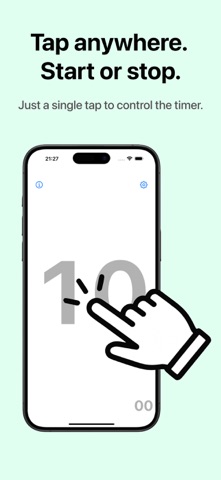
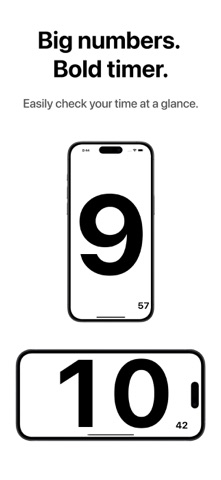
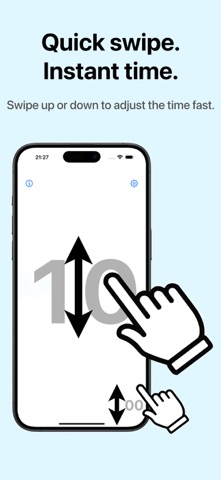
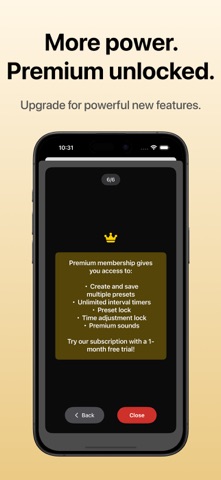
◆ Key Features: * Start/stop the timer easily with a tap * Reset or adjust time intuitively with swipe gestures * Interval mode: Set the number of timer repetitions (*) * Preset management: Save and quickly reuse your favorite settings (*) * Sound customization: Choose your preferred alert sound (*) * Preset Sync: Share presets across devices via iCloud (*) * Supports landscape view — ideal during workouts or other active use * Fully optimized for iPad * Mirror View: Flip the display horizontally for live streaming, front camera recording, or mirror workouts and dance practice * Works in the background with end-of-time notifications * Simple, clear design that’s easy to use without confusion (* Premium features available for subscription users)
◆ Premium Service Details [Payment] * Your Apple ID account will be charged. * The subscription automatically renews every month from the start date.
[Auto-Renewal Details] * Your subscription will automatically renew unless canceled at least 24 hours before the end of the current period. * Charges for the next billing cycle will be made within 24 hours before the current period ends.
[Check Membership Status / Cancel Subscription] You can check or cancel your subscription by following these steps: 1. Open the App Store app 2. Tap your account icon 3. Sign in if needed 4. Tap "Subscriptions" to view or manage your subscription settings *Note: Cancellation of premium service subscriptions made via iTunes Store cannot be performed from within the app or website. Please use the App Store settings. [Cancellation for the Current Month] Cancellations for the current month of premium service are not accepted.
◆ Terms of Use https://www.apple.com/legal/internet-services/itunes/dev/stdeula/ ◆ Privacy Policy https://privacypolicyforeasytimer.carrd.co
Each subscription will automatically renew 3 days before the expiration date for
the same time period. Subscriptions can be cancelled at any time before the renewal.