

PopBoardz is made and published by Moonbeach, Inc. AppBrain is an independent app data site and isn't affiliated with Moonbeach, Inc. The app name, icon, screenshots and description belong to Moonbeach, Inc. and are shown as published on the App Store.
AppBrain's verdict
Established- Rating on App Store
- 3.88
- 16 ratings
- Last updated
- November 5, 2020
It doesn't have enough ratings yet to judge what users think.
Rankings
App Store top chartsApp Store Rankings for PopBoardz
Competitors
Similar apps and more from Moonbeach, Inc.Alternatives to PopBoardz







Releases
Updates seen on the App Store- Version
- 4.3.1
- Launched
- March 2013
No changelog data
User feedback
Ratings and reviews on the App StoreComments on PopBoardz for iOS
We don't have enough comments to show example comments. Please check back later.
Technology
Found in the app by AppBrain- Price
- Free
- App size
- 117.5 MB
- Content rating
- Everyone
Technologies used by PopBoardz
About the app and developer
About PopBoardz
PopBoardz is a productivity app developed by Moonbeach, Inc.
User Ratings
PopBoardz is rated 3.88 out of 5 stars. The rating is based on 16 ratings.
App Information
PopBoardz is freely available from the App Store. The app size is 117.45 MB. The latest version available is 4.3.1. The last update was on November 5, 2020.
Technical Requirements
The app has a content rating of Everyone. The app has been available on the App Store since March 2013.
Developer information for Moonbeach, Inc.
Address:
Store listing
By Moonbeach, Inc., from the App Store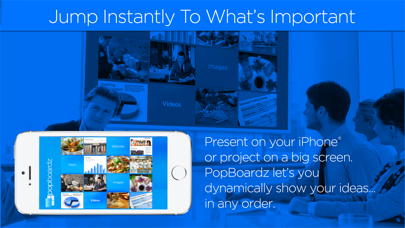

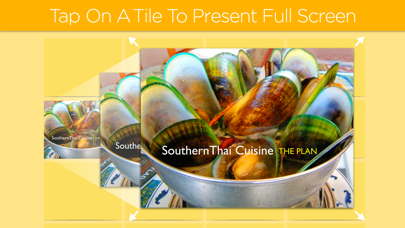

Description by Moonbeach, Inc. Written by the developer, not by AppBrain. Click to read.
Whether you are a sales executive, teacher, corporate professional, real estate broker or a day-to-day presenter pitching an idea to your team, classroom or clients - Think of PopBoardz as Your Perfect “Wingman” for Any Discussion.
Put all your content types on one screen.
Import:
Images
PDFs
Websites
Notes
Videos
PopBoardz gives you instant-access to the perfect example the moment you need it.
There are ONLY A FEW THINGS TO REMEMBER
1. Tap and Hold on a Tile to Add Content.
2. Tap and Hold on filled tiles to change Thumbnails or Copy the contents.
3. Swipe on the content inside of the tiles to advance pages.
4. Tap on the “X” to close the tile (or pinch to close as well).
5. Swiping on the home screen of a board will advance PopBoardz to your next board.
Other features
1. Thumbnail Text have three different edit options: Text Only, Text & Image and Caption.
2. Nested Boardz allow you import an entire board into a tile (think 16 boardz inside 16 tiles) Look for the blue icon that says “Import Boardz”.
3. Clear Tiles - If you don’t fill all 16 Tiles and want the remainder to disappear, now you can. When “Edit Thumbnail” select “Make Tile Clear” and the “tile disappears” but it actually still functions as a “Tile”. You can fill it with “hidden” information if you like. Think “stealth” tile.
Reach out to us if you have any questions at all. Keeping our customers loving PopBoardz is what we live for.
Please take a moment to leave a review. It’s super helpful for our other users.
Check out PopBoardz for your iPad and MacOS laptop or desktop.