

Poste is made and published by Cloud CIRCUS, Inc. AppBrain is an independent app data site and isn't affiliated with Cloud CIRCUS, Inc. The app name, icon, screenshots and description belong to Cloud CIRCUS, Inc. and are shown as published on the App Store.
AppBrain's verdict
Established- Best rank
- #68
- Top Free, Japan
- Rating on App Store
- 5.00
- 1 ratings
- Last updated
- July 28, 2026
It doesn't have enough ratings yet to judge what users think. Its best ranking is #68 in Top Free, Books in Japan.
Rankings
App Store top charts- Highest rank
- #68
- Chart
- Top Free
- Books
- Country
- Japan
App Store Rankings for Poste
Top rankings
| Rank | Country | Category | List |
|---|---|---|---|
| 68 | Japan | Books | Top Free |
Ranking history in Japan
Competitors
Similar apps and more from Cloud CIRCUS, Inc.Alternatives to Poste





More from Cloud CIRCUS, Inc.


Releases
Updates seen on the App Store- Version
- 7.33.0
- Launched
- January 2018
No changelog data
User feedback
Ratings and reviews on the App StoreComments on Poste for iOS
We don't have enough comments to show example comments. Please check back later.
Technology
Found in the app by AppBrain- Price
- Free
- App size
- 80.8 MB
- Content rating
- Everyone
Technologies used by Poste
About the app and developer
About Poste
Poste is a books app developed by Cloud CIRCUS, Inc.
What is the rating of Poste?
Poste is rated 5.00 out of 5 stars, based on one rating ratings.
Is Poste free?
Poste is free. The app size is 80.79 MB. The latest version available is 7.33.0. The last update was on July 28, 2026.
What are the requirements for Poste?
The app has a content rating of Everyone. The app has been available on the App Store since January 2018.
Developer information for Cloud CIRCUS, Inc.
Address:
Store listing
By Cloud CIRCUS, Inc., from the App Store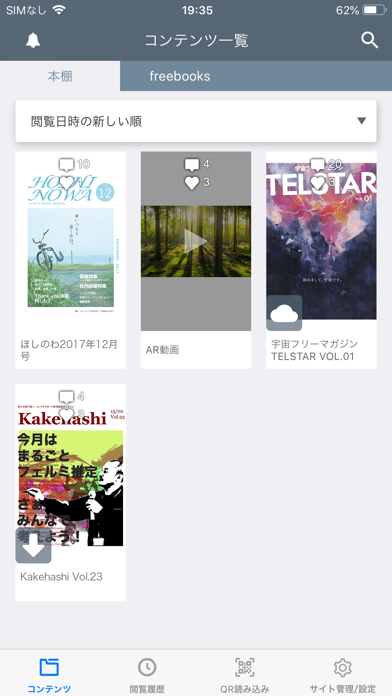

Description by Cloud CIRCUS, Inc. Written by the developer, not by AppBrain. Click to read.
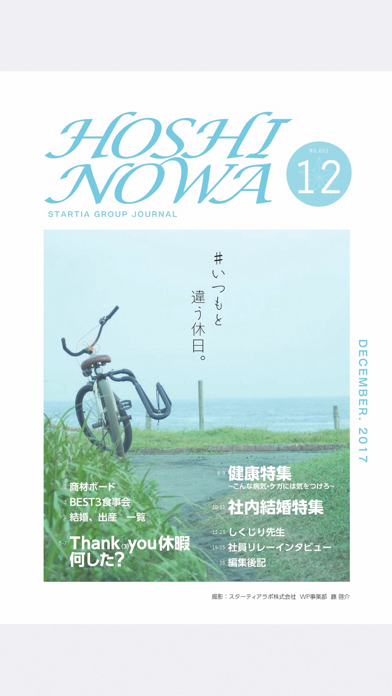
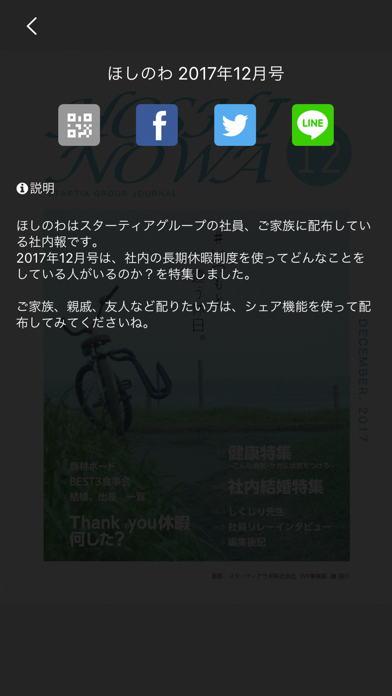
様々な企業、団体、個人が、フリーマガジン、広報誌、会報誌、パンフレットなどを提携サイトで公開しており、ユーザーが気になるコンテンツをアプリ上の登録してご覧頂くこと、後から簡単に見返すこと、友達に共有することが可能です。
このアプリの使い方■
●コンテンツを入手
コンテンツが公開されているWebページ上で「アプリで見る」をタップするか、アプリ上の「QRを読み込む」を利用することでコンテンツを入手できます。
●サイトタブ
コンテンツを入手したサイトが自動的に登録されます。
●通知
送られてきた通知を受け取る事ができます。
●本棚
入手したコンテンツが保存されます。コンテンツをタップすると閲覧できます。
一覧の中を検索することもできます。
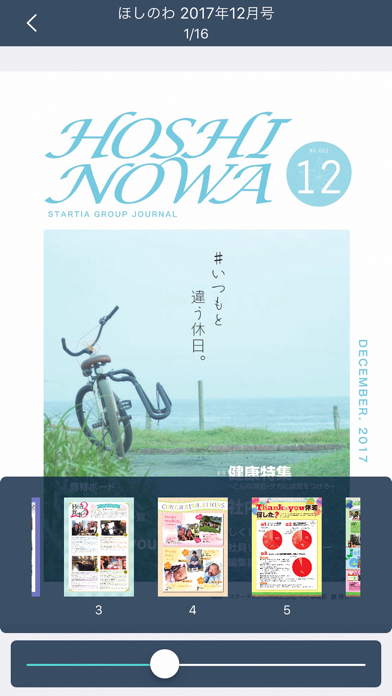
●コンテンツ閲覧
コンテンツを閲覧することができます。
タップまたはスライドでページをめくることができます。
■動作確認端末
アプリがリリースされた時点での、最新のiOSバージョンで動作確認しております。
iOSが古いバージョンの場合、問題が起こる可能性があるためiOSを最新バージョンにしてご利用ください。
アプリがリリースされた日付は「履歴」をご確認ください。