

Poster: Photo Editor & Borders
Poster: Photo Editor & Borders is made and published by JURGIS NARVILS. AppBrain is an independent app data site and isn't affiliated with JURGIS NARVILS. The app name, icon, screenshots and description belong to JURGIS NARVILS and are shown as published on the App Store.
AppBrain's verdict
- Rating on App Store
- 5.00
- 4 ratings
- Last updated
- September 1, 2026
It doesn't have enough ratings yet to judge what users think.
Rankings
App Store top chartsApp Store Rankings for Poster: Photo Editor & Borders
Competitors
Similar apps and more from JURGIS NARVILSAlternatives to Poster: Photo Editor & Borders


More from JURGIS NARVILS

Releases
Updates seen on the App Store- Version
- 1.1.0
- Launched
- October 2025
No changelog data
User feedback
Ratings and reviews on the App StoreComments on Poster: Photo Editor & Borders for iOS
We don't have enough comments to show example comments. Please check back later.
Technology
Found in the app by AppBrain- Price
- Free
- App size
- 71.3 MB
- Content rating
- Everyone
Technologies used by Poster: Photo Editor & Borders
About the app and developer
About Poster: Photo Editor & Borders
Poster: Photo Editor & Borders is a photo & video app developed by JURGIS NARVILS.
User Ratings
Poster: Photo Editor & Borders is rated 5.00 out of 5 stars. The rating is based on 4 ratings.
App Information
Poster: Photo Editor & Borders is freely available from the App Store. The app size is 71.31 MB. The latest version available is 1.1.0. The last update was on September 1, 2026.
Technical Requirements
The app has a content rating of Everyone. The app has been available on the App Store since October 2025.
Developer information for JURGIS NARVILS
Address:
Frequently asked questions about Poster: Photo Editor & Borders
Is Poster: Photo Editor & Borders free?
Yes. Poster: Photo Editor & Borders is free on the App Store.
Is Poster: Photo Editor & Borders still available?
Yes. Poster: Photo Editor & Borders is on the App Store, and the last update we saw was on September 1, 2026.
How large is Poster: Photo Editor & Borders?
Poster: Photo Editor & Borders is 71.31 MB.
Is Poster: Photo Editor & Borders suitable for children?
App Store rates the content of Poster: Photo Editor & Borders as suitable for everyone.
How do people rate Poster: Photo Editor & Borders?
Poster: Photo Editor & Borders scores 5.00 out of 5 stars, from 4 ratings on the App Store.
Who made Poster: Photo Editor & Borders?
Poster: Photo Editor & Borders was developed by JURGIS NARVILS. It is listed in the photo & video category on the App Store.
What are the best alternatives to Poster: Photo Editor & Borders?
People looking at Poster: Photo Editor & Borders also look at these photo & video apps: No Crop - Simple Border, White Background Frame, White Border, Atlas Photo – Photo Companion, AI Photo Editor - PhotoPix.
Store listing
By JURGIS NARVILS, from the App Store



Description by JURGIS NARVILS Written by the developer, not by AppBrain. Click to read.
Poster turns your photos into finished social posts. Set the frame and crop. Build a collage or carousel. Add text anywhere, including behind the main subject.
TEXT
Start with a blank text layer or choose from more than 160 templates. Set the font and placement. Add a background or text effect. Use subject masking to place text behind the main subject. Save finished designs to My Templates for later projects.
LAYOUTS AND CAROUSELS
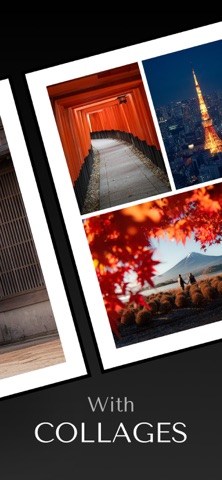
Choose an aspect ratio and move each photo independently. Adjust frames and gaps or use background blur around a fitted photo. Layouts include rows, columns, grids, and mosaics.
Create a carousel in one project. Add pages or reorder them. Split a wide photo across page boundaries so the image continues through the swipe.
SAVE AND PLAN
Keep projects in the Library and organize them with folders. Save layouts as templates. Use the Planner to arrange upcoming posts, then mark each one as published after it goes live. Export photos and supported videos to your camera roll.
FREE AND POSTER PRO
Free includes core editing and carousels of up to three pages. A selection of templates and fonts is included.
Poster Pro removes the carousel page limit and adds split-image carousels. Every layout and the full Planner are included. Text effects and subject masking are Pro features. The full font and template collection is included, along with saved templates. Pro also adds background blur and advanced export controls.
Poster Pro is available by subscription or as a lifetime purchase. Subscriptions are billed monthly or yearly. Eligible customers can try the yearly plan free for seven days.
Previous Poster Pro purchases keep lifetime access.
Terms of Use: https://www.apple.com/legal/internet-services/itunes/dev/stdeula/