

PostFrame: AI Photo Guide
PostFrame: AI Photo Guide is made and published by Xepatech LLC. AppBrain is an independent app data site and isn't affiliated with Xepatech LLC. The app name, icon, screenshots and description belong to Xepatech LLC and are shown as published on the App Store.
AppBrain's verdict
- Rating on App Store
- 4.10
- 10 ratings
- Last updated
- April 12, 2026
- Size
- 79.5 MB
It doesn't have enough ratings yet to judge what users think.
User feedback
Ratings and reviews on the App StoreComments on PostFrame: AI Photo Guide for iOS
We don't have enough comments to show example comments. Please check back later.
Store listing
By Xepatech LLC, from the App Store


Description by Xepatech LLC Written by the developer, not by AppBrain. Click to read.
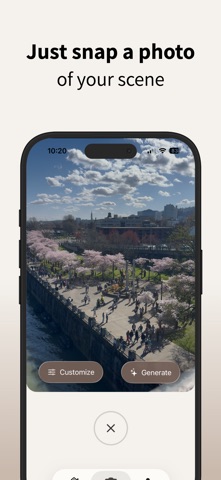
PostFrame helps you go from taking ordinary photos to taking perfectly composed shots effortlessly. Whether you are a beginner or a creator refining your craft, our AI-powered guidance teaches you to see every scene through a professional's eye.
Designed with a calm, modern aesthetic, PostFrame feels like a creative mentor in your pocket, not an editing tool.
How it works:
• Snap or upload a photo of your scene
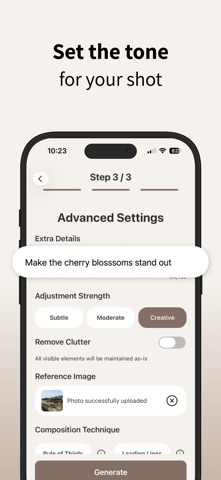
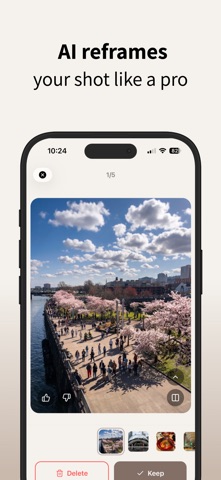
• Let PostFrame reframe it into an ideal composition
• Get visual tips explaining what improved
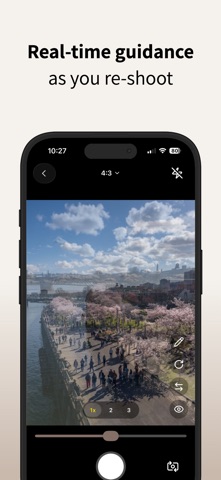
• Re-shoot with an overlay of the ideal composition to guide you
• Save and reuse your favorite compositions
• Explore and reference thousands of expert examples for inspiration
Every generation is more than a result. It is a mini lesson in composition. PostFrame shows you what changed, why it works, and how to recreate that framing in real life. You will start noticing balance, patterns, and beauty in the scenes around you, with no technical jargon required.
*PostFrame requires a subscription (in-app purchase) to use. There is no free content or functionality available without a subscription.
If you choose a PostFrame subscription, payment will be charged to your iTunes account at confirmation of purchase. Your subscription will automatically renew unless auto-renew is turned off in your iTunes account settings at least 24 hours before the current period ends. You can manage your subscription and disable auto-renewal in your iTunes account settings.
You may start a 3-day free trial to access PostFrame. Unless you cancel at least 24 hours before the end of the free trial, you will be automatically charged the price indicated on the payment screen for your chosen subscription period. If you subscribe before your trial ends, the remaining free trial period will be forfeited when your purchase is confirmed.
Terms of use: https://www.apple.com/legal/internet-services/itunes/dev/stdeula/
Have an idea to make your experience with PostFrame better? Please email us at support@xepatech.com so we can help!
Safety and technology
Found in the app by AppBrain- Price
- Free
- App size
- 79.5 MB
- Content rating
- Everyone
Technologies used by PostFrame: AI Photo Guide
Releases
Updates seen on the App Store- Version
- 1.0.6
- Launched
- December 2025
No changelog data
Alternatives
Similar apps and more from Xepatech LLCAlternatives to PostFrame: AI Photo Guide


Rankings
App Store top chartsApp Store Rankings for PostFrame: AI Photo Guide
About the app and developer
About PostFrame: AI Photo Guide
PostFrame: AI Photo Guide is a photo & video app developed by Xepatech LLC.
User Ratings
PostFrame: AI Photo Guide is rated 4.10 out of 5 stars. The rating is based on 10 ratings.
App Information
PostFrame: AI Photo Guide is freely available from the App Store. The app size is 79.54 MB. The latest version available is 1.0.6. The last update was on April 12, 2026.
Technical Requirements
The app has a content rating of Everyone. The app has been available on the App Store since December 2025.
Developer information for Xepatech LLC
Address: