

Postparty
Postparty is made and published by Life On Air, Inc. AppBrain is an independent app data site and isn't affiliated with Life On Air, Inc. The app name, icon, screenshots and description belong to Life On Air, Inc and are shown as published on the App Store.
AppBrain's verdict
Loved by users- Rating on App Store
- 4.70
- 21,446 ratings
- Last updated
- September 10, 2025
Users love it: 4.7 stars from 21,446 ratings.
Rankings
App Store top chartsApp Store Rankings for Postparty
Competitors
Similar apps and more from Life On Air, IncAlternatives to Postparty





Also available on Google Play

Releases
Updates seen on the App Store- Version
- 1.7.1
- Launched
- February 2023
No changelog data
User feedback
Ratings and reviews on the App StoreComments on Postparty for iOS
We don't have enough comments to show example comments. Please check back later.
Technology
Found in the app by AppBrain- Price
- Free
- App size
- 55.0 MB
- Content rating
- Everyone
Technologies used by Postparty
About the app and developer
About Postparty
Postparty is an entertainment app developed by Life On Air, Inc.
User Ratings
Postparty is rated 4.70 out of 5 stars. The rating is based on 21 thousand ratings.
App Information
Postparty is freely available from the App Store. The app size is 54.99 MB. The latest version available is 1.7.1. The last update was on September 10, 2025.
Technical Requirements
The app has a content rating of Everyone. The app has been available on the App Store since February 2023.
Developer information for Life On Air, Inc
Address:
Store listing
By Life On Air, Inc, from the App Store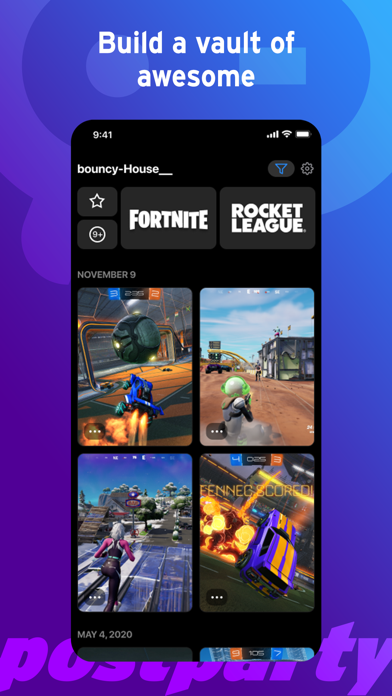
Description by Life On Air, Inc Written by the developer, not by AppBrain. Click to read.
Whether you're a pro streamer looking to quickly share a victory with your followers on social media, or a casual gamer just trying to save a memorable moment with your squad - sharing gameplay clips, regardless of whether you're playing on console or PC has never been easier.
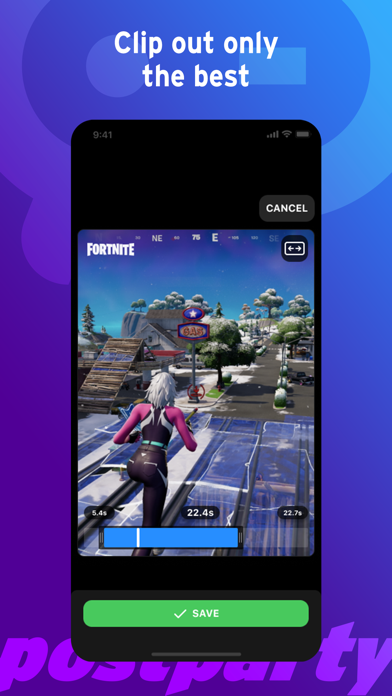
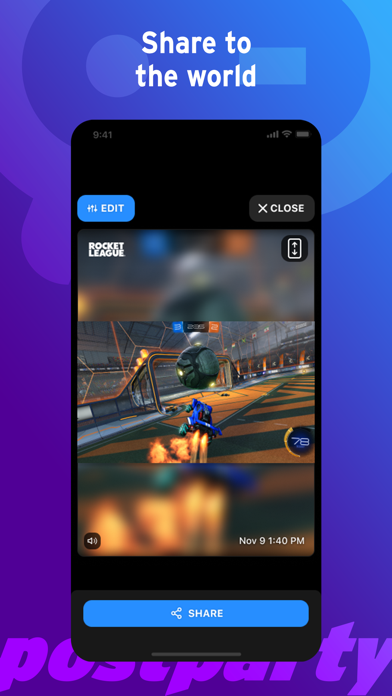
Now when you make an awe-inspiring move during a game, Postparty won't just be there to save it for you, it will even remind you to clip your awesomeness to share with others. After clipping it, you can use Postparty to edit the clip and then easily share it through social media (or messages or email or however you want). You can finally get the recognition you deserve. Or you can save it to share later. With Postparty, you can store clips so they are easily accessible when you are ready to share them or just rewatch them over and over again for your own personal enjoyment.
How does Postparty work?
1. Login to Postparty with your Epic Games account in order to directly upload content to the Postparty app.
2. Capture moments from Epic Games Fortnite or Psyonix Rocket League with the press and hold of a button on your controller. Postparty will save, store and even organize your content in the app.
3. When you're ready, you can easily trim your clips and share them however you like.