

Power PDF - PDF Manager
Power PDF - PDF Manager is made and published by ComcSoft Corporation. AppBrain is an independent app data site and isn't affiliated with ComcSoft Corporation. The app name, icon, screenshots and description belong to ComcSoft Corporation and are shown as published on the App Store.
AppBrain's verdict
EstablishedLoved by users- Rating on App Store
- 4.78
- 1,006 ratings
- Last updated
- November 8, 2025
Users love it: 4.8 stars from 1,006 ratings.
Rankings
App Store top chartsApp Store Rankings for Power PDF - PDF Manager
Competitors
Similar apps and more from ComcSoft CorporationAlternatives to Power PDF - PDF Manager







More from ComcSoft Corporation


Releases
Updates seen on the App Store- Version
- 11.01
- Launched
- March 2013
No changelog data
User feedback
Ratings and reviews on the App StoreComments on Power PDF - PDF Manager for iOS
We don't have enough comments to show example comments. Please check back later.
Technology
Found in the app by AppBrain- Price
- Free
- App size
- 75.1 MB
- Content rating
- Everyone
Technologies used by Power PDF - PDF Manager
About the app and developer
About Power PDF - PDF Manager
Power PDF - PDF Manager is an utilities app developed by ComcSoft Corporation.
What is the rating of Power PDF - PDF Manager?
Power PDF - PDF Manager is rated 4.78 out of 5 stars, based on 1 thousand ratings.
Is Power PDF - PDF Manager free?
Power PDF - PDF Manager is free. The app size is 75.13 MB. The latest version available is 11.01. The last update was on November 8, 2025.
What are the requirements for Power PDF - PDF Manager?
The app has a content rating of Everyone. The app has been available on the App Store since March 2013.
Developer information for ComcSoft Corporation
Address:
Store listing
By ComcSoft Corporation, from the App Store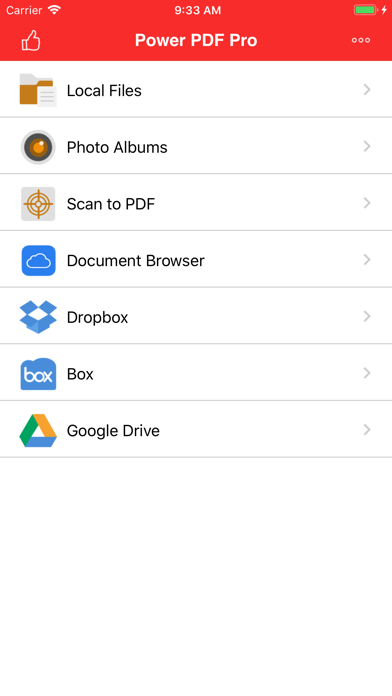






Description by ComcSoft Corporation Written by the developer, not by AppBrain. Click to read.
Power PDF lets you create PDF documents on your iPhone/iPad with ease. It supports:
- Create PDF documents from many file types, including: DOC, XLS, PPT, TXT, RTF, XML, HTML and all text files.
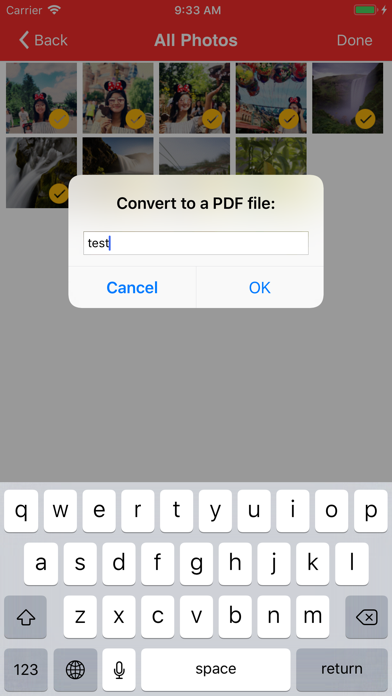
- Convert photos to a PDF document.
- Scan to a PDF document using your Camera.
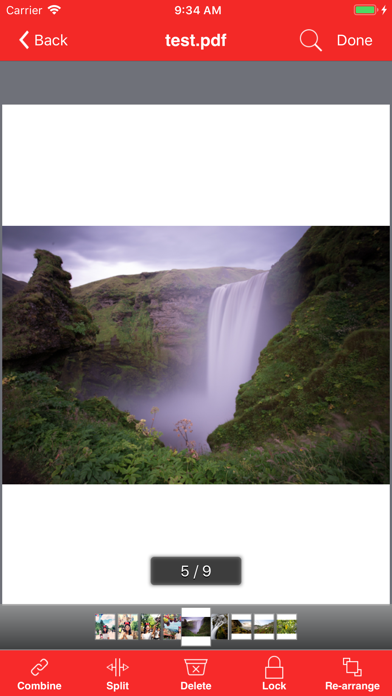
Power PDF lets you modify PDF documents on your iPhone/iPad with ease. It supports:
- Combine PDF documents.
- Split a PDF document into two or more documents.
- Delete pages in a PDF document.
- Re-arrange pages in a PDF document.
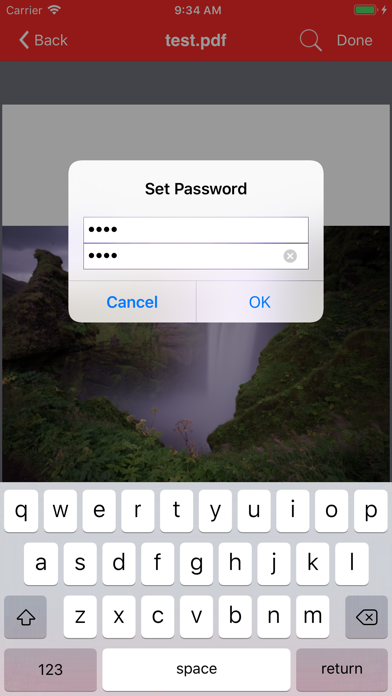
- Add password protection to a PDF document.
Power PDF lets you view PDF documents with ease. It supports:
- View PDF documents in thumbnail or full screen modes.
- Extract text from a PDF document.
- Add bookmarks on a PDF document.
- Search within a PDF document.
- Fast Navigate within a PDF document.
- Zooms in/Zooms out on a PDF document.
- Annotate in a PDF document.
Power PDF also has a File Manager, which supports the following features:
- Import files from your Camera Roll, Email or another App through “Open In”.
- Manage Files including: rename, delete, move, create folder and sort.
- Search file name in Local Files and Camera Roll.
- Open many document types, including: DOC, EXCEL, PPT, TXT, image files, and audio files.
With its simple interfaces, Power PDF provides the easiest way to manage PDF documents on iPhone and iPad.
If you have more questions, please visit: http://www.comcsoft.com/Portfolio/our_apps/PowerPDF/PowerPDF_overview.php.