

Preview mini: Image & PDF tool
Preview mini: Image & PDF tool is made and published by Marian Koenig. AppBrain is an independent app data site and isn't affiliated with Marian Koenig. The app name, icon, screenshots and description belong to Marian Koenig and are shown as published on the App Store.
AppBrain's verdict
Well rated- Rating on App Store
- 4.26
- 212 ratings
- Last updated
- December 14, 2025
- Size
- 103.5 MB
Users rate it well: 4.3 stars from 212 ratings.
User feedback
Ratings and reviews on the App StoreComments on Preview mini: Image & PDF tool for iOS
We don't have enough comments to show example comments. Please check back later.
Store listing
By Marian Koenig, from the App Store


Description by Marian Koenig Written by the developer, not by AppBrain. Click to read.
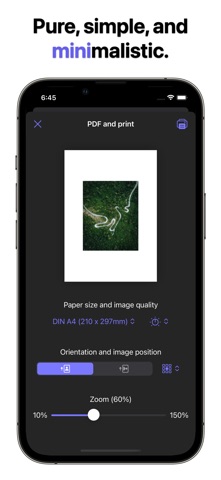
Preview mini combines the convenience of editing images and PDFs into a single application, offering advanced features for viewing, annotating, and converting files.
The macOS-inspired desktop experience, featuring the brand-new File Desktop, familiar window controls, drag and drop, keyboard interaction, and even more to fall in love with.
IMAGE EDITING
– Highlight and crop image fragments
– Rotate, flip, and resize
– Add text, notes, and shapes
– Support for blank templates with resolution selection
PDF HANDLING
– Edit and annotate PDF documents
– Highlight text and create custom annotations*
– Duplicate, convert, and manage PDF pages*
– Add and remove passwords to protect files*
IMPORT, EXPORT, AND INTEGRATION
– Export images in HD quality*
– Export JPEG/PNG with file size preview*
– Support for keyboard shortcuts and trackpad for convenient use*
*Features available in the full version of the application.
Using Preview mini significantly simplifies the processing of images and PDF documents. You can quickly edit files, highlight important details, fill out forms, and add signatures without the
need to switch between different applications. This saves you time, increases productivity, and makes working with documents convenient and intuitive!
Download Preview mini and manage images and PDFs with macOS convenience on your iPhone and iPad!
–––
Legal notice
This application is NOT an Apple product. Preview mini is an independent development, inspired by macOS but not affiliated with Apple Inc.
Images in the screenshots are provided by artists:
Pok Rie (https://www.pexels.com/de-de/@pok-rie-33563)
Fabian Wiktor (https://www.pexels.com/de-de/@fabianwiktor)
Safety and technology
Found in the app by AppBrain- Price
- Free
- App size
- 103.5 MB
- Content rating
- Everyone
Technologies used by Preview mini: Image & PDF tool
Releases
Updates seen on the App Store- Version
- 5.4
- Launched
- January 2022
No changelog data
Alternatives
Similar apps and more from Marian KoenigAlternatives to Preview mini: Image & PDF tool



More from Marian Koenig


Rankings
App Store top chartsApp Store Rankings for Preview mini: Image & PDF tool
About the app and developer
About Preview mini: Image & PDF tool
Preview mini: Image & PDF tool is a graphics & design app developed by Marian Koenig.
What is the rating of Preview mini: Image & PDF tool?
Preview mini: Image & PDF tool is rated 4.26 out of 5 stars, based on 210 ratings.
Is Preview mini: Image & PDF tool free?
Preview mini: Image & PDF tool is free. The app size is 103.47 MB. The latest version available is 5.4. The last update was on December 14, 2025.
What are the requirements for Preview mini: Image & PDF tool?
The app has a content rating of Everyone. The app has been available on the App Store since January 2022.
Developer information for Marian Koenig
Address: