

Printer App: AI Scanner & PDF
Printer App: AI Scanner & PDF is made and published by AMOBEAR GROUP. AppBrain is an independent app data site and isn't affiliated with AMOBEAR GROUP. The app name, icon, screenshots and description belong to AMOBEAR GROUP and are shown as published on the App Store.
AppBrain's verdict
- Best rank
- #64
- Top Grossing, Germany
- Rating on App Store
- 4.46
- 46 ratings
- Last updated
- September 30, 2026
It doesn't have enough ratings yet to judge what users think. Its best ranking is #64 in Top Grossing, Business in Germany.
Rankings
App Store top charts- Highest rank
- #64
- Chart
- Top Grossing
- Business
- Country
- Germany
Competitors
Similar apps and more from AMOBEAR GROUPAlternatives to Printer App: AI Scanner & PDF


More from AMOBEAR GROUP


Releases
Updates seen on the App Store- Version
- 1.1.0
- Launched
- June 2026
No changelog data
User feedback
Ratings and reviews on the App StoreComments on Printer App: AI Scanner & PDF for iOS
We don't have enough comments to show example comments. Please check back later.
Technology
Found in the app by AppBrain- Price
- Free
- App size
- 171.4 MB
- Content rating
- Everyone
Technologies used by Printer App: AI Scanner & PDF
About the app and developer
About Printer App: AI Scanner & PDF
Printer App: AI Scanner & PDF is a business app developed by AMOBEAR GROUP.
User Ratings
Printer App: AI Scanner & PDF is rated 4.46 out of 5 stars. The rating is based on 46 ratings.
App Information
Printer App: AI Scanner & PDF is freely available from the App Store. The app size is 171.40 MB. The latest version available is 1.1.0. The last update was on September 30, 2026.
Technical Requirements
The app has a content rating of Everyone. The app has been available on the App Store since June 2026.
Developer information for AMOBEAR GROUP
Address:
Store listing
By AMOBEAR GROUP, from the App Store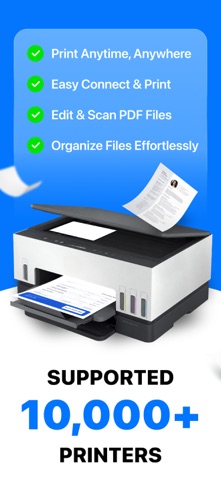



Description by AMOBEAR GROUP Written by the developer, not by AppBrain. Click to read.
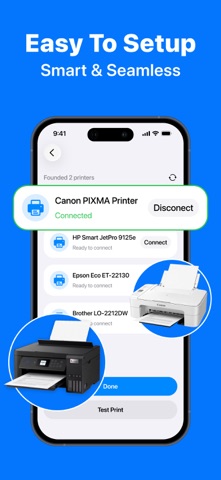
WIRELESS PRINTING
Connect to your local network and print from almost anywhere.
• Print PDF, DOCX, XLSX, and PPTX files.
• Print photos directly from your camera roll or photo library.
• Print emails, contacts, and webpages with one tap.
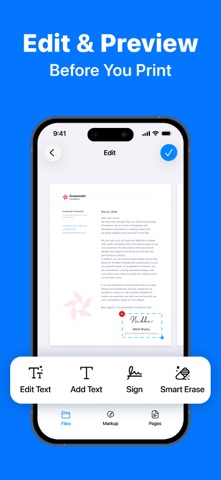
• Sign documents and make quick edits before printing.
• Review and reprint recent jobs from your print history.
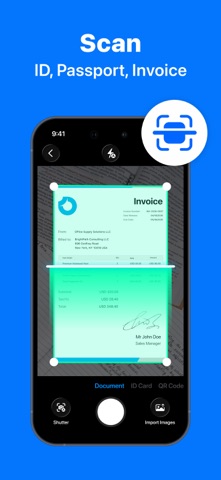
SMART SCANNER
Turn paper into clean, polished digital files in seconds.
• Auto-crop and OCR scan documents, receipts, and multi-page books.
• Dedicated scan modes for ID cards and passports.
• Instant QR code scanning.
• On-device text recognition (OCR) turns scans into searchable, editable text.
PDF & FILE TOOLS
Edit and organize your files without leaving the app.
• Merge multiple PDFs into one, or split a PDF into separate files.
• Compress PDFs for easier sharing and smaller email attachments.
• Rotate pages and lock or unlock PDFs with a password.
• Crop and compress photos, remove image backgrounds, and extract text with OCR.
• Convert PDFs from multiple file types, including DOCX, XLSX, PPTX, JPG, PNG, and more.
FILE MANAGER
Keep everything organized in one place.
• Manage local files and your photo library with a clean, simple layout.
• Sync automatically with iCloud.
• Print directly from cloud files without downloading first.
YOUR PRIVACY COMES FIRST
All scanning, OCR, and photo editing happen directly on your iPhone — not on a remote server. Your contracts, IDs, and personal documents stay private and never leave your device during processing.
Download Smart Printer: PDF & Scanner today and turn your iPhone into your complete mobile printing and document toolkit.
Privacy Policy: https://sites.google.com/view/smartclean-ai-storage-cleaner/home
EULA: https://www.apple.com/legal/internet-services/itunes/dev/stdeula/