

Printer: Smart Print & Scan
Printer: Smart Print & Scan is made and published by Secgin LLC. AppBrain is an independent app data site and isn't affiliated with Secgin LLC. The app name, icon, screenshots and description belong to Secgin LLC and are shown as published on the App Store.
AppBrain's verdict
- Last updated
- September 17, 2026
Rankings
App Store top chartsApp Store Rankings for Printer: Smart Print & Scan
Competitors
Similar apps and more from Secgin LLCAlternatives to Printer: Smart Print & Scan


More from Secgin LLC







Releases
Updates seen on the App Store- Version
- 1.0.3
- Launched
- September 2026
No changelog data
User feedback
Ratings and reviews on the App StoreComments on Printer: Smart Print & Scan for iOS
We don't have enough comments to show example comments. Please check back later.
Technology
Found in the app by AppBrain- Price
- Free
- App size
- 21.1 MB
- Content rating
- Everyone
Technologies used by Printer: Smart Print & Scan
About the app and developer
About Printer: Smart Print & Scan
Printer: Smart Print & Scan is a business app developed by Secgin LLC.
What is the rating of Printer: Smart Print & Scan?
Printer: Smart Print & Scan has no ratings yet.
Is Printer: Smart Print & Scan free?
Printer: Smart Print & Scan is free. The app size is 21.12 MB. The latest version available is 1.0.3. The last update was on September 17, 2026.
What are the requirements for Printer: Smart Print & Scan?
The app has a content rating of Everyone. The app has been available on the App Store since September 2026.
Developer information for Secgin LLC
Address:
Frequently asked questions about Printer: Smart Print & Scan
Is Printer: Smart Print & Scan free?
Yes. Printer: Smart Print & Scan is free on the App Store.
Is Printer: Smart Print & Scan still available?
Yes. Printer: Smart Print & Scan is on the App Store, and the last update we saw was on September 17, 2026.
How large is Printer: Smart Print & Scan?
Printer: Smart Print & Scan is 21.12 MB.
Is Printer: Smart Print & Scan suitable for children?
App Store rates the content of Printer: Smart Print & Scan as suitable for everyone.
Who made Printer: Smart Print & Scan?
Printer: Smart Print & Scan was developed by Secgin LLC. It is listed in the business category on the App Store.
What are the best alternatives to Printer: Smart Print & Scan?
People looking at Printer: Smart Print & Scan also look at these business apps: Aircare Employee App, EasyPrints, Smart Printer & Docs Scanner, Printer: wireless printing, Smart Printer App․.
Store listing
By Secgin LLC, from the App Store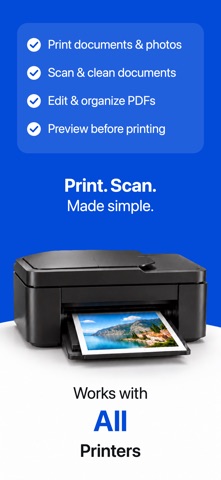


Description by Secgin LLC Written by the developer, not by AppBrain. Click to read.
CHECK BEFORE YOU PAY
• Select an AirPrint printer and verify that it is reachable.
• Print a free diagnostic test page.
• See clear guidance for Wi-Fi, printer power, VPN, and AirPrint support.
PREPARE THE PAGE
• Import PDF, JPEG, PNG, HEIC, text, and web content.
• Preview paper size, orientation, margins, fit, color mode, pages, and sheets.
• Crop and rotate content before opening the system print panel.
SCAN AND KEEP IT LOCAL
• Capture multiple pages with the document camera.
• Crop, reorder, rotate, clean, save as PDF, or share.
• Find scans, prepared files, and drafts in the on-device Library.
• Document content, OCR, and PDF processing stay on your iPhone.
The free core includes printer selection and testing, single-source printing, scanning, basic preparation, and local recent items. PrintDock Pro unlocks multi-source jobs, smart paper layouts, searchable scan PDFs, and additional preparation tools.
Requires a compatible AirPrint printer on an available network. PrintDock does not configure printer Wi-Fi or replace manufacturer software.
Terms of Use (EULA): https://www.apple.com/legal/internet-services/itunes/dev/stdeula/