

PrintToDevice
PrintToDevice is made and published by Select Technology Limited. AppBrain is an independent app data site and isn't affiliated with Select Technology Limited. The app name, icon, screenshots and description belong to Select Technology Limited and are shown as published on the App Store.
AppBrain's verdict
- Last updated
- September 4, 2025
Rankings
App Store top chartsApp Store Rankings for PrintToDevice
Competitors
Similar apps and more from Select Technology LimitedAlso available on Google Play

Releases
Updates seen on the App Store- Version
- 1.0.4
- Launched
- September 2025
No changelog data
User feedback
Ratings and reviews on the App StoreComments on PrintToDevice for iOS
We don't have enough comments to show example comments. Please check back later.
Technology
Found in the app by AppBrain- Price
- $0.99
- App size
- 7.77 MB
- Content rating
- Everyone
Technologies used by PrintToDevice
About the app and developer
About PrintToDevice
PrintToDevice is an utilities app developed by Select Technology Limited.
User Ratings
The app has no ratings yet.
App Information
PrintToDevice costs $0.99. The app size is 7.77 MB. The latest version available is 1.0.4. The last update was on September 4, 2025.
Technical Requirements
The app has a content rating of Everyone. The app has been available on the App Store since September 2025.
Developer information for Select Technology Limited
Address:
Frequently asked questions about PrintToDevice
Is PrintToDevice free?
No. PrintToDevice costs $0.99 on the App Store.
Is PrintToDevice still available?
Yes. PrintToDevice is on the App Store, and the last update we saw was on September 4, 2025.
How large is PrintToDevice?
PrintToDevice is 7.77 MB.
Is PrintToDevice suitable for children?
App Store rates the content of PrintToDevice as suitable for everyone.
Who made PrintToDevice?
PrintToDevice was developed by Select Technology Limited. It is listed in the utilities category on the App Store.
Store listing
By Select Technology Limited, from the App Store



Description by Select Technology Limited Written by the developer, not by AppBrain. Click to read.
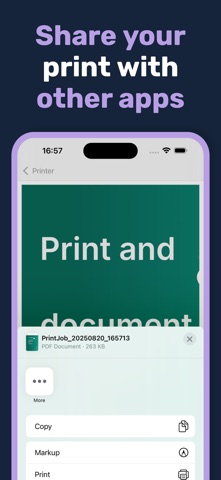
Simply open the app, find your unique printer name at the bottom of the screen and search for that device when adding a printer. Once the printer is added, you can print to it from any application as you normally would. The only difference being that the print goes direct to the device and not onto paper.
If printing from another phone or tablet, simply select your printer from the list of printers when you go to print. There are no drivers to install and it should just work.
Remember that your device and the device you are printing from must be on the same Wi-Fi network. If that's not possible you can always connect your devices together using your personal hotspot.