

Profile Picture Frame Maker
Profile Picture Frame Maker is made and published by Darshankumar Shankar. AppBrain is an independent app data site and isn't affiliated with Darshankumar Shankar. The app name, icon, screenshots and description belong to Darshankumar Shankar and are shown as published on the App Store.
AppBrain's verdict
- Last updated
- May 21, 2024
Rankings
App Store top chartsApp Store Rankings for Profile Picture Frame Maker
Competitors
Similar apps and more from Darshankumar ShankarAlternatives to Profile Picture Frame Maker






More from Darshankumar Shankar





Releases
Updates seen on the App Store- Version
- 1.0
- Launched
- May 2024
No changelog data
User feedback
Ratings and reviews on the App StoreComments on Profile Picture Frame Maker for iOS
We don't have enough comments to show example comments. Please check back later.
Technology
Found in the app by AppBrain- Price
- Free
- App size
- 42.5 MB
- Content rating
- Everyone
Technologies used by Profile Picture Frame Maker
About the app and developer
About Profile Picture Frame Maker
Profile Picture Frame Maker is a photo & video app developed by Darshankumar Shankar.
User Ratings
The app has no ratings yet.
App Information
Profile Picture Frame Maker is freely available from the App Store. The app size is 42.49 MB. The latest version available is 1.0. The last update was on May 21, 2024.
Technical Requirements
The app has a content rating of Everyone. The app has been available on the App Store since May 2024.
Developer information for Darshankumar Shankar
Address:
Frequently asked questions about Profile Picture Frame Maker
Is Profile Picture Frame Maker free?
Yes. Profile Picture Frame Maker is free on the App Store.
Is Profile Picture Frame Maker still available?
Yes. Profile Picture Frame Maker is on the App Store, and the last update we saw was on May 21, 2024.
How large is Profile Picture Frame Maker?
Profile Picture Frame Maker is 42.49 MB.
Is Profile Picture Frame Maker suitable for children?
App Store rates the content of Profile Picture Frame Maker as suitable for everyone.
Who made Profile Picture Frame Maker?
Profile Picture Frame Maker was developed by Darshankumar Shankar. It is listed in the photo & video category on the App Store.
What are the best alternatives to Profile Picture Frame Maker?
People looking at Profile Picture Frame Maker also look at these photo & video apps: Profile Picture & DP Maker, DP & Profile Picture Maker, Profile Picture Maker: PFP Kit, Profile Picture Border Makers, Profile Border Maker: DP Maker.
Store listing
By Darshankumar Shankar, from the App Store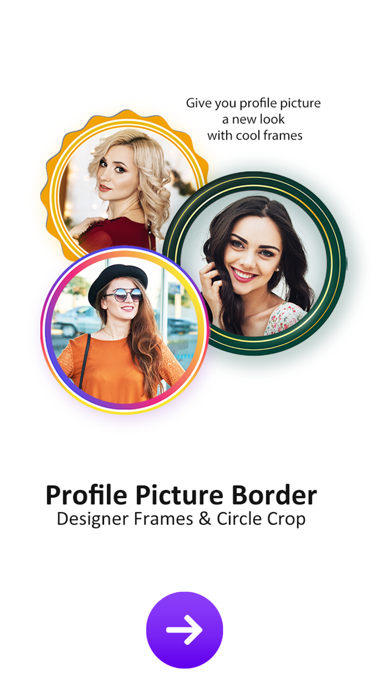




Description by Darshankumar Shankar Written by the developer, not by AppBrain. Click to read.
Not only the content on your feed should be worthy but having an attractive profile pic is also important. If you have a profile pic border than you can engage more audience to your profile. Profile Picture Border Frames app loaded with tons of super cool profile frames to give your Instagram, FB or WhatsApp DP a spectacular look. With Frames & Circle Crop, you can preview and add a stunning DP frame on your selfies or picture.
•••• How to Use App? ••••
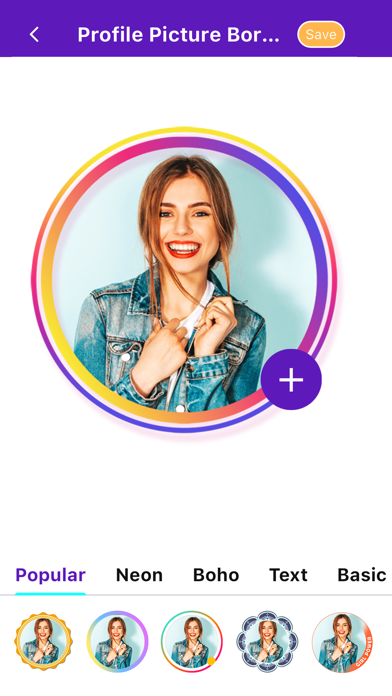
Take Photo From Gallery ••► Select Frames ••► Zoom Photo with adjustment ••► Preview & Save ••► Set on DP with Frames & Circle Crop
•••• Features ••••
• Instagram DP Border Maker :- Choose an Instagram DP border and make it your Instagram profile picture and increase your profile views. Yes you read it right! Having a profile frame can increase Instagram profile visits.
• DP Border for WhatsApp :- Generate a good looking profile DP border for your WhatsApp DP.
• Profile Picture Border for Facebook :- Get more friend requests by adding a DP frame to your profile.
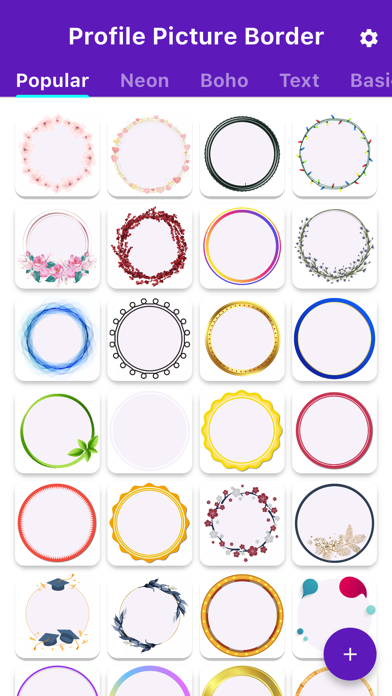
• Tap-Tap-Tap :- You just need to tap a few times on your screen to give your DP an attractive look. Profile Picture Border Frames is packed with loads of beautiful DP frames to beautify your profile picture. Allow you to create your image in circle shape and set as your profile picture or display picture.
• Preview & Save :- It’s very easy to use the app. Just add a photo, browse a variety of photo frames and preview them with your photo and click save button when you like one.
• Share :- Share easily on social networks like WhatsApp, Instagram, Facebook, etc.
Rate us and give your valuable comment for this awesome Profile Picture Border Frames to create more cool application like this.
If you find anything wrong or any copyright things then mail us. We would love to hear everyone.
If you like this Profile Picture Border Frames then share with your friends and family member.
thank you.
happy to help you.