

Project Time Tracker: Hours
Project Time Tracker: Hours is made and published by Lukas Hummel. AppBrain is an independent app data site and isn't affiliated with Lukas Hummel. The app name, icon, screenshots and description belong to Lukas Hummel and are shown as published on the App Store.
AppBrain's verdict
- Rating on App Store
- 5.00
- 2 ratings
- Last updated
- October 15, 2026
It doesn't have enough ratings yet to judge what users think.
Rankings
App Store top chartsApp Store Rankings for Project Time Tracker: Hours
Competitors
Similar apps and more from Lukas HummelAlternatives to Project Time Tracker: Hours


Releases
Updates seen on the App Store- Version
- 2.8.1
- Launched
- September 2024
No changelog data
User feedback
Ratings and reviews on the App StoreComments on Project Time Tracker: Hours for iOS
We don't have enough comments to show example comments. Please check back later.
Technology
Found in the app by AppBrain- Price
- Free
- App size
- 4.43 MB
- Content rating
- Everyone
Technologies used by Project Time Tracker: Hours
About the app and developer
About Project Time Tracker: Hours
Project Time Tracker: Hours is a productivity app developed by Lukas Hummel.
User Ratings
Project Time Tracker: Hours is rated 5.00 out of 5 stars. The rating is based on 2 ratings.
App Information
Project Time Tracker: Hours is freely available from the App Store. The app size is 4.43 MB. The latest version available is 2.8.1. The last update was on October 15, 2026.
Technical Requirements
The app has a content rating of Everyone. The app has been available on the App Store since September 2024.
Developer information for Lukas Hummel
Address:
Frequently asked questions about Project Time Tracker: Hours
Is Project Time Tracker: Hours free?
Yes. Project Time Tracker: Hours is free on the App Store.
Is Project Time Tracker: Hours still available?
Yes. Project Time Tracker: Hours is on the App Store, and the last update we saw was on October 15, 2026.
How large is Project Time Tracker: Hours?
Project Time Tracker: Hours is 4.43 MB.
Is Project Time Tracker: Hours suitable for children?
App Store rates the content of Project Time Tracker: Hours as suitable for everyone.
How do people rate Project Time Tracker: Hours?
Project Time Tracker: Hours scores 5.00 out of 5 stars, from 2 ratings on the App Store.
Who made Project Time Tracker: Hours?
Project Time Tracker: Hours was developed by Lukas Hummel. It is listed in the productivity category on the App Store.
What are the best alternatives to Project Time Tracker: Hours?
People looking at Project Time Tracker: Hours also look at these productivity apps: SimpleTimeLogger, Stundu Time Tracker, APSO PZE, snaptab, TimelyDone.
Store listing
By Lukas Hummel, from the App Store



Description by Lukas Hummel Written by the developer, not by AppBrain. Click to read.
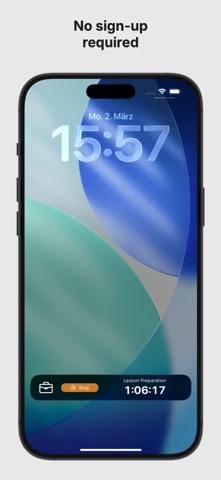
No email, no password, no account. ProjectTimeTracker records your working hours per project, works completely offline, and turns your hours into a clean timesheet.
Built for freelancers, contractors and anyone with flexible hours who has to prove or bill their time – without team software and without a learning curve.
HOW IT WORKS:
• Create a project, hit start – the timer keeps running even if you close the app or restart your device
• Live Activity on the Lock Screen and in the Dynamic Island: project, elapsed time, status at a glance
• Forgot to start it? Add the hours manually afterwards
• Notes and tags per entry, so every hour has a reason
TIME GUARD AGAINST OVERWORK:
Set a daily limit, for one project or across all of them. A progress ring shows where you stand, and when you hit the limit the app reminds you to call it a day. Other apps optimise for more billable hours. This one doesn't.
INSIGHTS:
• Working time by day, week, month and year
• Breakdown per project
• Filter by project and by any date range you choose
YOUR DATA STAYS YOURS:
Everything lives on your device first. Sync between iPhone and iPad runs on an anonymous device ID – you never enter personal data.
IPHONE AND IPAD:
One app for both. On iPad you get a real split view instead of a stretched iPhone app, two-column charts and keyboard shortcuts (⌘N, ⇧⌘N, ⌘Space).
FREE TO USE:
Unlimited projects, every feature, all statistics and up to 250 time entries per calendar year – free forever.
PREMIUM:
• Unlimited time entries
• PDF timesheets to send to your clients
• Export to Excel, CSV or straight into your calendar
• Full JSON backup
Premium is a monthly or yearly subscription, cancel anytime.
Track time. Analyze work hours. Invoice with confidence.
Terms of Use (EULA): https://www.apple.com/legal/internet-services/itunes/dev/stdeula/