

ProjectFIT
ProjectFIT is made and published by Global Information Systems, LLC. AppBrain is an independent app data site and isn't affiliated with Global Information Systems, LLC. The app name, icon, screenshots and description belong to Global Information Systems, LLC and are shown as published on the App Store.
AppBrain's verdict
Established- Rating on App Store
- 4.20
- 5 ratings
- Last updated
- April 10, 2025
It doesn't have enough ratings yet to judge what users think.
Rankings
App Store top chartsApp Store Rankings for ProjectFIT
Competitors
Similar apps and more from Global Information Systems, LLCAlternatives to ProjectFIT





More from Global Information Systems, LLC



Releases
Updates seen on the App Store- Version
- 4.1.5
- Launched
- May 2018
No changelog data
User feedback
Ratings and reviews on the App StoreComments on ProjectFIT for iOS
We don't have enough comments to show example comments. Please check back later.
Technology
Found in the app by AppBrain- Price
- Free
- App size
- 119.6 MB
- Content rating
- Everyone
Technologies used by ProjectFIT
About the app and developer
About ProjectFIT
ProjectFIT is a business app developed by Global Information Systems, LLC.
What is the rating of ProjectFIT?
ProjectFIT is rated 4.20 out of 5 stars, based on 5 ratings.
Is ProjectFIT free?
ProjectFIT is free. The app size is 119.60 MB. The latest version available is 4.1.5. The last update was on April 10, 2025.
What are the requirements for ProjectFIT?
The app has a content rating of Everyone. The app has been available on the App Store since May 2018.
Developer information for Global Information Systems, LLC
Global Information Systems, LLC
Address:
Store listing
By Global Information Systems, LLC, from the App Store




Description by Global Information Systems, LLC Written by the developer, not by AppBrain. Click to read.
By leveraging the capability of a tablet in the field, the construction teams in the field can:
• Update daily project progress
• Document field and weather conditions
• Track personnel and equipment on the job site
• Complete daily inspection forms
• Conduct quality checks and comment on non-compliant findings
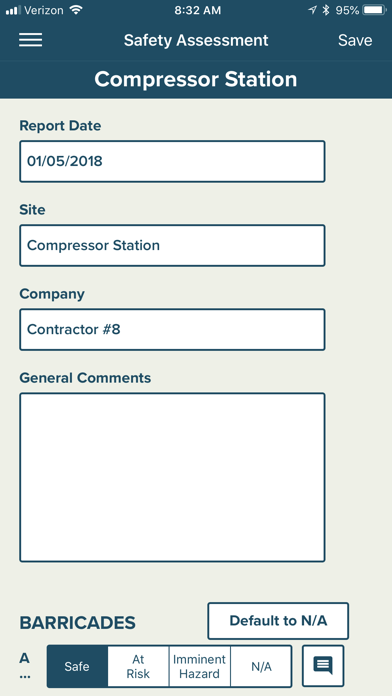
• Conduct safety and environmental assessments
Web/office users have role defined dashboards with the ability to be customized to meet their needs. Web users are now connected to the field users. All the information and photos collected on the tablet in the field is now at your fingertips on the web. Web users will:
• View Executive Dashboards that provide insight into your project like never before
• Review and approve/reject individual inspector’s daily reports
• Publish daily summary reports
• Publish weekly summary reports
• View project Safety, Quality, Productivity, and Cost (SQPC) KPIs
• View safety dashboard and sort through safety concerns to drive safety campaigns
• Send push notifications to field personnel