

Projectis is made and published by DlhSoft. AppBrain is an independent app data site and isn't affiliated with DlhSoft. The app name, icon, screenshots and description belong to DlhSoft and are shown as published on the App Store.
AppBrain's verdict
- Last updated
- July 2, 2026
Rankings
App Store top chartsApp Store Rankings for Projectis
Competitors
Similar apps and more from DlhSoft
Releases
Updates seen on the App Store- Version
- 2.5.2
- Launched
- July 2020
No changelog data
User feedback
Ratings and reviews on the App StoreComments on Projectis for iOS
We don't have enough comments to show example comments. Please check back later.
Technology
Found in the app by AppBrain- Price
- $34.99
- App size
- 2.05 MB
- Content rating
- Everyone
Technologies used by Projectis
About the app and developer
About Projectis
Projectis is a productivity app developed by DlhSoft.
What is the rating of Projectis?
Projectis has no ratings yet.
Is Projectis free?
Projectis costs $34.99. The app size is 2.05 MB. The latest version available is 2.5.2. The last update was on July 2, 2026.
What are the requirements for Projectis?
The app has a content rating of Everyone. The app has been available on the App Store since July 2020.
Developer information for DlhSoft
Address:
Frequently asked questions about Projectis
Is Projectis free?
No. Projectis costs $34.99 on the App Store.
Is Projectis still available?
Yes. Projectis is on the App Store, and the last update we saw was on July 2, 2026.
How large is Projectis?
Projectis is 2.05 MB.
Is Projectis suitable for children?
App Store rates the content of Projectis as suitable for everyone.
Who made Projectis?
Projectis was developed by DlhSoft. It is listed in the productivity category on the App Store.
Store listing
By DlhSoft, from the App Store



Description by DlhSoft Written by the developer, not by AppBrain. Click to read.
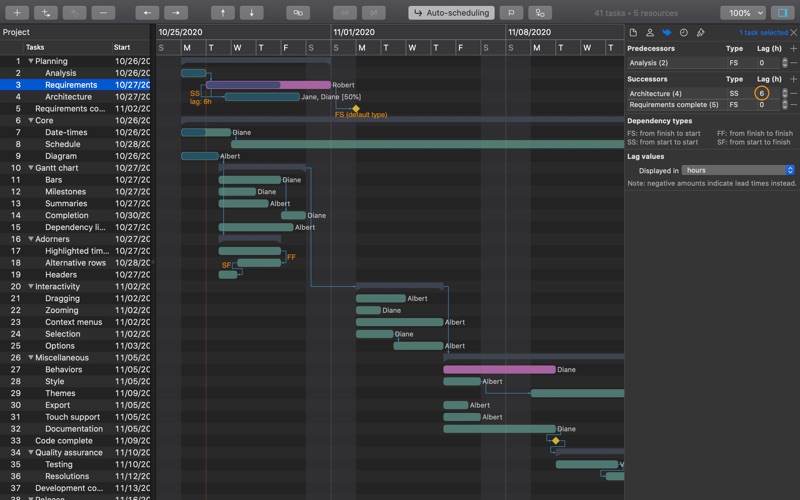
From draft estimations to creating detailed multi-milestone work breakdown structures, you can easily define tasks and resources, all types of dependencies between items (FS, SS, FF, and SF, with optional lead/lag values), and assign and schedule work at virtually any timeline granularity level, from minutes to years and anywhere between.
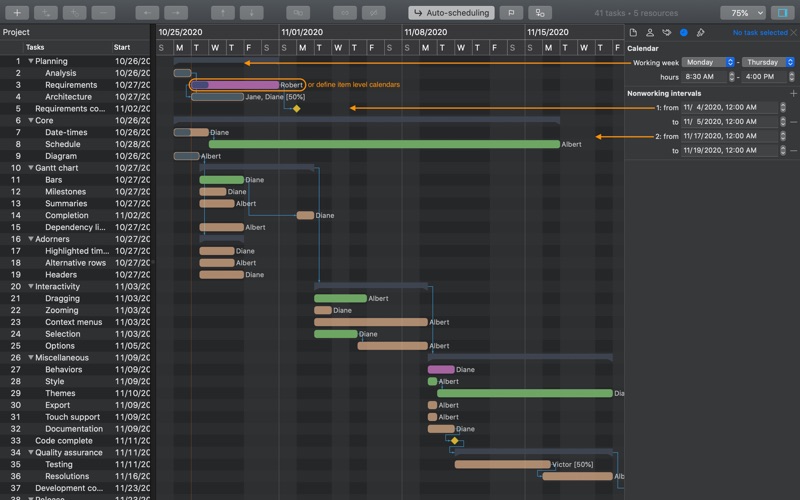
You can fully customize the headers of the diagram, set up specific calendars for individual items, tweak their appearance, check project level statistics and set visual baselines, identify resource allocation bottlenecks (Load chart view), print and export content as PDF, image, text, TSV, and CSV formatted files, and import and export Microsoft Project XML documents whenever needed, too.
The app works offline as well, and your privacy is highly protected as you are the one to decide when and where project data is going to be processed and stored.
Pay once, upgrade forever; free support provided directly by developers; ask us for new features, too!