

PROset App
PROset App is made and published by Zumtobel Lighting GmbH. AppBrain is an independent app data site and isn't affiliated with Zumtobel Lighting GmbH. The app name, icon, screenshots and description belong to Zumtobel Lighting GmbH and are shown as published on the App Store.
AppBrain's verdict
- Last updated
- June 2, 2026
Rankings
App Store top chartsApp Store Rankings for PROset App
Competitors
Similar apps and more from Zumtobel Lighting GmbHAlternatives to PROset App


 Smart NFC Tools: Read & Write


More from Zumtobel Lighting GmbH


Also available on Google Play

Releases
Updates seen on the App Store- Version
- 1.9.0
- Launched
- April 2018
No changelog data
User feedback
Ratings and reviews on the App StoreComments on PROset App for iOS
We don't have enough comments to show example comments. Please check back later.
Technology
Found in the app by AppBrain- Price
- Free
- App size
- 20.8 MB
- Content rating
- Everyone
Technologies used by PROset App
About the app and developer
About PROset App
PROset App is an utilities app developed by Zumtobel Lighting GmbH.
What is the rating of PROset App?
PROset App has no ratings yet.
Is PROset App free?
PROset App is free. The app size is 20.81 MB. The latest version available is 1.9.0. The last update was on June 2, 2026.
What are the requirements for PROset App?
The app has a content rating of Everyone. The app has been available on the App Store since April 2018.
Developer information for Zumtobel Lighting GmbH
Address:
Frequently asked questions about PROset App
Is PROset App free?
Yes. PROset App is free on the App Store.
Is PROset App still available?
Yes. PROset App is on the App Store, and the last update we saw was on June 2, 2026.
How large is PROset App?
PROset App is 20.81 MB.
Is PROset App suitable for children?
App Store rates the content of PROset App as suitable for everyone.
Who made PROset App?
PROset App was developed by Zumtobel Lighting GmbH. It is listed in the utilities category on the App Store.
What are the best alternatives to PROset App?
People looking at PROset App also look at these utilities apps: Tuner4TRONIC Field, ROBE COM, Phone IP Camera Surveillance, Network Cell Analyzer V2, Smart NFC Tools: Read & Write.
Store listing
By Zumtobel Lighting GmbH, from the App Store

Description by Zumtobel Lighting GmbH Written by the developer, not by AppBrain. Click to read.
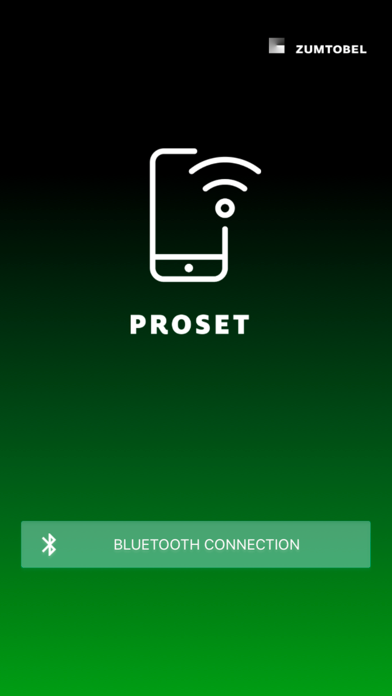
Procedure: with the PROset Pen (article number: 22170290), the control gear of the luminaire can be programmed directly. The PROset app provides additional functions (dimming levels, Black box, control gear exchange via the database). For this, the smartphone can be paired with the PROset Pen via Bluetooth (select “Connection via Bluetooth” on the start screen).
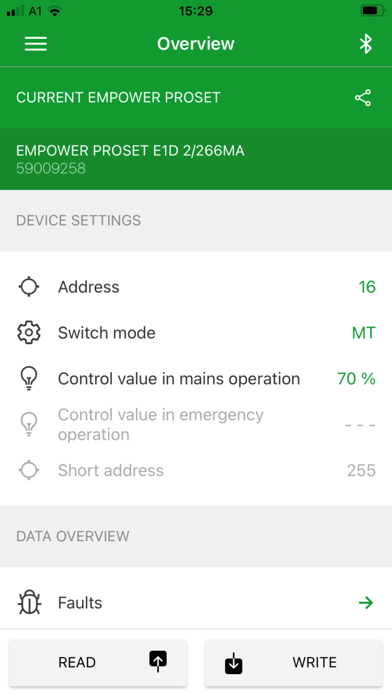
Note: Before the first writing process, a control gear must be read out -> The article number and designation of the luminaire as well as the address range are available.
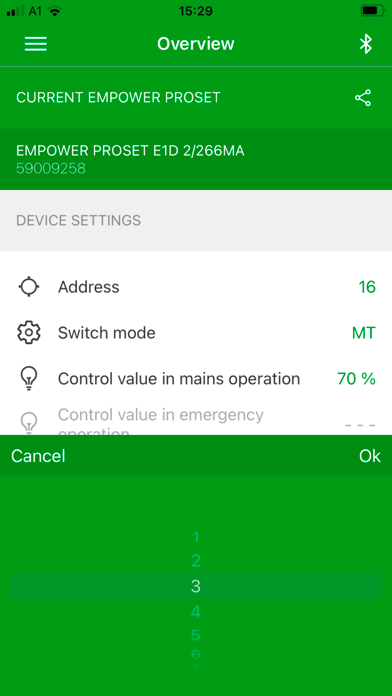
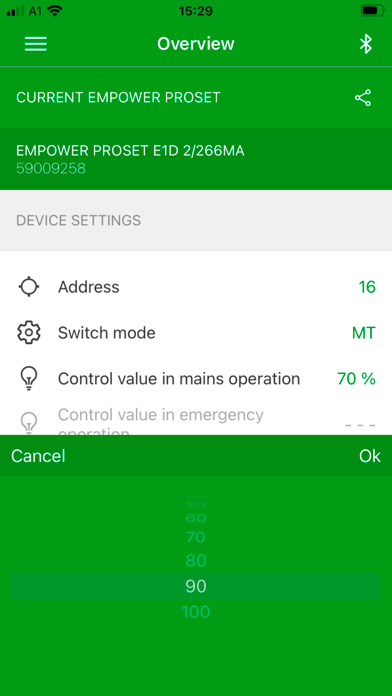
Addressing: small, difficult-to-operate rotary switches belong to the past. The address can be selected by simply scrolling.
Switching mode: Selection between maintained light (switched on in mains and emergency operation) and non-maintained light (switched off in mains operation). Setting for luminaires without connection to a system / parameter is overwritten by the system to "maintained light".
Dimming level: Setting of the dimming level in mains operation (AC level) and in emergency operation (DC level, only for centrally supplied emergency luminaires). Setting for luminaires without connection to a system / parameter is overwritten by the system to default settings.
Maintenance / Black box feature: With the new NFC interface, statistics such as errors, temperature, tests and operating times are immediately available.
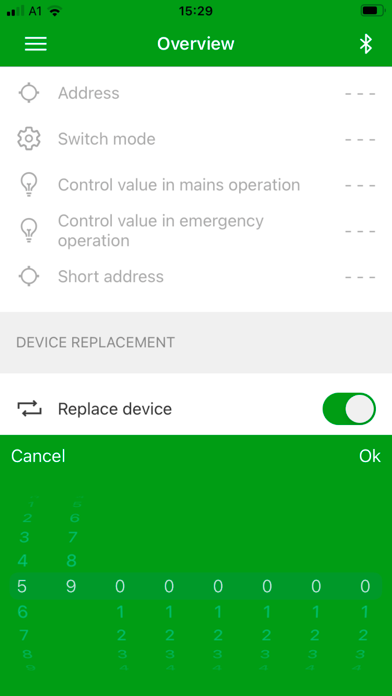
Maintenance / device exchange: simple control gear exchange via the NFC interface. The configuration data (operating parameters of the LEDs) can be copied from an old control gear or selected from a database.
Device exchange via copy function: Activate device exchange -> Read out the configuration data from the old control gear -> Write the configuration data on the new control gear. The address, switching type and dimming levels are also transferred.
Device exchange via the database: Select the article number -> Write the configuration data on the new control gear. Address, switching mode and dimming levels can be configured in a second step.
Features of the app:
- Fast and easy operation
- Easy setting of the address via a scroll wheel. The simple configuration excludes incorrect switch settings.
- Configuration of the luminaire (switching mode, dimming levels) possible without central controller.
- Maintenance: The Black box function displays statistics such as errors, temperature, tests and operating times. Contents of the black box data can be forwarded to the headquarters for further analysis.
- Control gear exchange via the copy function or the integrated database