

PROTO Smart Tools
PROTO Smart Tools is made and published by Stanley Black & Decker, Inc. AppBrain is an independent app data site and isn't affiliated with Stanley Black & Decker, Inc. The app name, icon, screenshots and description belong to Stanley Black & Decker, Inc. and are shown as published on the App Store.
AppBrain's verdict
Established- Rating on App Store
- 4.72
- 32 ratings
- Last updated
- July 11, 2025
It doesn't have enough ratings yet to judge what users think.
Rankings
App Store top chartsApp Store Rankings for PROTO Smart Tools
Competitors
Similar apps and more from Stanley Black & Decker, Inc.Alternatives to PROTO Smart Tools


More from Stanley Black & Decker, Inc.







Releases
Updates seen on the App Store- Version
- 1.1.4
- Launched
- July 2020
No changelog data
User feedback
Ratings and reviews on the App StoreComments on PROTO Smart Tools for iOS
We don't have enough comments to show example comments. Please check back later.
Technology
Found in the app by AppBrain- Price
- Free
- App size
- 20.2 MB
- Content rating
- Everyone
Technologies used by PROTO Smart Tools
About the app and developer
About PROTO Smart Tools
PROTO Smart Tools is a productivity app developed by Stanley Black & Decker, Inc.
User Ratings
PROTO Smart Tools is rated 4.72 out of 5 stars. The rating is based on 32 ratings.
App Information
PROTO Smart Tools is freely available from the App Store. The app size is 20.17 MB. The latest version available is 1.1.4. The last update was on July 11, 2025.
Technical Requirements
The app has a content rating of Everyone. The app has been available on the App Store since July 2020.
Developer information for Stanley Black & Decker, Inc.
Address:
Store listing
By Stanley Black & Decker, Inc., from the App Store

Description by Stanley Black & Decker, Inc. Written by the developer, not by AppBrain. Click to read.
With the Proto App, take control of your Smart Torque wrench and set quickly target torque, help reduce errors, and record measurement for audit. Set values, recall favorites, and generate reports.
Supports multi units N.m, kg.cm, lbf.ft and lbf.in as well as angle measurement.
Quick Torque:
- Easily set target torque as absolute values
- Removing the need to read mechanical scales
- Improve setup speed and reduce errors.
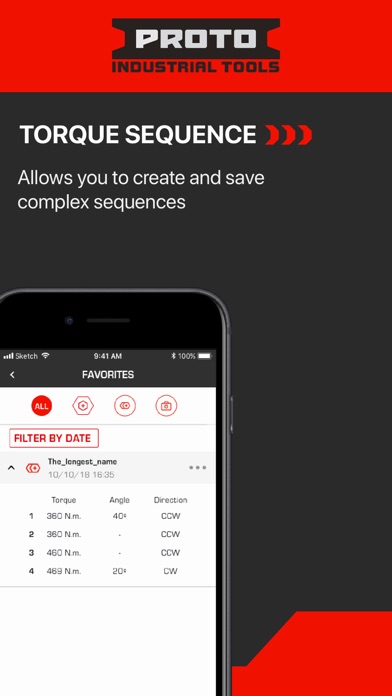
Torque Sequence
- Allows you to create and save complex sequences,
- Single-pass sequences allows you to tighten each bolt to max specs in one go.
- Multiple-pass sequences allows you to tighten each bolt in a multi-stage
- The wrench will auto advance during the task once you have reached your target, saving time.
Torque History
- Create, export, and wirelessly share reporting of torque values for audit.
- View completed Torque Activities
- View Achieved Torque Target: Overtorque, Undertorque, or Within Range
- View Achieved Angle: Exceeded or Within Range
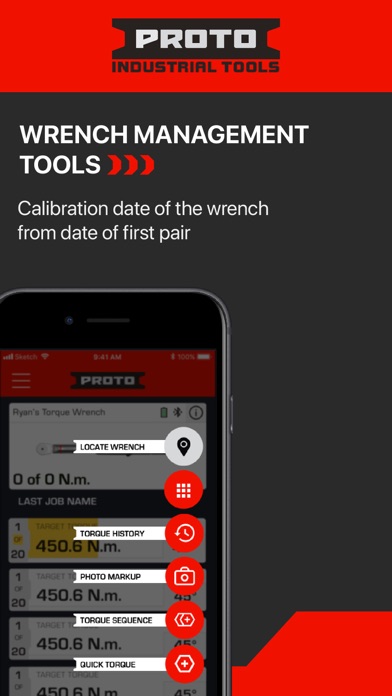
Wrench Management Tools
- Click count towards calibration as determined by standards
- Calibration date for the wrench from date of first pair